ใหม่ — ผู้ช่วยโทรศัพท์ AI ของคุณพร้อมใช้ใน 3 นาที

ธุรกิจของคุณรับทุกสาย — ด้วย AI

สร้างเพจ AI แบบแตะเพื่อโทรสำหรับธุรกิจของคุณใน 3 นาที ลูกค้าแตะลิงก์แล้วเริ่มพูดคุย คุณจะได้รับบทถอดเสียง สรุป และการขอให้โทรกลับ

รวมนาที AI ให้ทุกเดือน · ไม่ต้องมีเบอร์โทร · ยกเลิกได้ทุกเมื่อ

ธุรกิจของคุณ
มีคำถาม? แค่แตะแล้วพูดเลย

ผู้ช่วยของเราตอบทันที — ราคา คิวว่าง การจอง และอีกมากมาย

กำลังโทรสด — 02:14
ผู้โทร
“วันพฤหัสบดีนี้ยังมีคิวว่างไหมคะ?”
ผู้ช่วย
“ได้เลยค่ะ! มีว่างตอน 10:30 น. และ 14:00 น. เวลาไหนสะดวกสำหรับคุณคะ?”
แตะเพื่อพูดคุย
ทุกอย่างที่เพจของคุณทำได้ — ตั้งแต่หน้าจอแรก

การโทรด้วยเสียง AI ตลอด 24/7

ลูกค้าแตะลิงก์ของคุณแล้วพูดคุยในเบราว์เซอร์ — ไม่ต้องมีเบอร์โทร ไม่ต้องมีแอป ไม่ต้องรอสาย ผู้ช่วยเสียง AI ของคุณตอบทันที ทั้งกลางวันและกลางคืน

จองนัดหมายภายในสาย

ระหว่างบทสนทนา ผู้ช่วยของคุณจะเสนอเวลาว่างจริงและจองนัดหมายภายในสายนั้นเลย — จากนั้นการแจ้งเตือนและการยืนยันจะตามมาเองโดยอัตโนมัติ

ร้านค้าที่ยังเปิดอยู่ระหว่างการโทร

สินค้าและคอลเลกชันของคุณ — แต่ละคอลเลกชันมีลิงก์ของตัวเอง — ยังเปิดดูในร้านได้ระหว่างการโทร ขณะที่ผู้ช่วยให้คำแนะนำเกี่ยวกับสิ่งที่ลูกค้ากำลังดูแบบเรียลไทม์

รู้จักสินค้าของคุณอย่างทะลุปรุโปร่ง

ผู้ช่วยบอกราคาและรายละเอียดที่ถูกต้องจากแคตตาล็อกของคุณเอง และแนะนำสินค้าที่เหมาะสม — ไม่เคยแต่งราคาขึ้นมาเอง

ทุกสาย ถูกบันทึกและค้นหาได้

บทถอดเสียง สรุป และข้อมูลวิเคราะห์ของทุกบทสนทนา รวมอยู่ในฟีดกิจกรรมเดียว — ค้นหาการโทรใดก็ได้จากชื่อผู้โทร เบอร์โทร หรือสิ่งที่พูดกัน

หลายภาษาตั้งแต่คำทักทายแรก

เว็บไซต์นี้พูดได้ 24 ภาษา และเพจของคุณก็ทำได้เช่นกัน: แตะธงเล็ก ๆ เพียงครั้งเดียวก็เปลี่ยนภาษาได้ ผู้เยี่ยมชมทุกคนจึงได้รับการต้อนรับด้วยภาษาของตัวเอง

เส้นทางสู่อนาคต

อนาคตของการโทรทางธุรกิจ

สมัยก่อน ทุกธุรกิจต้องเสียสายที่รับไม่ทันไป จากนั้นโทรศัพท์ก็กลายเป็นลิงก์ และตอนนี้ลิงก์นั้นพูดตอบได้ — แถมขายของได้ด้วย

เมื่อวาน — สายที่พลาดไป

ลูกค้าโทรมาตอนนอกเวลาทำการ ได้ยินเสียงเรียกเข้าจนเงียบ แล้วก็ไปซื้อจากร้านที่รับสายก่อน ธุรกิจไม่รู้ด้วยซ้ำว่าเกิดเรื่องนี้ขึ้น
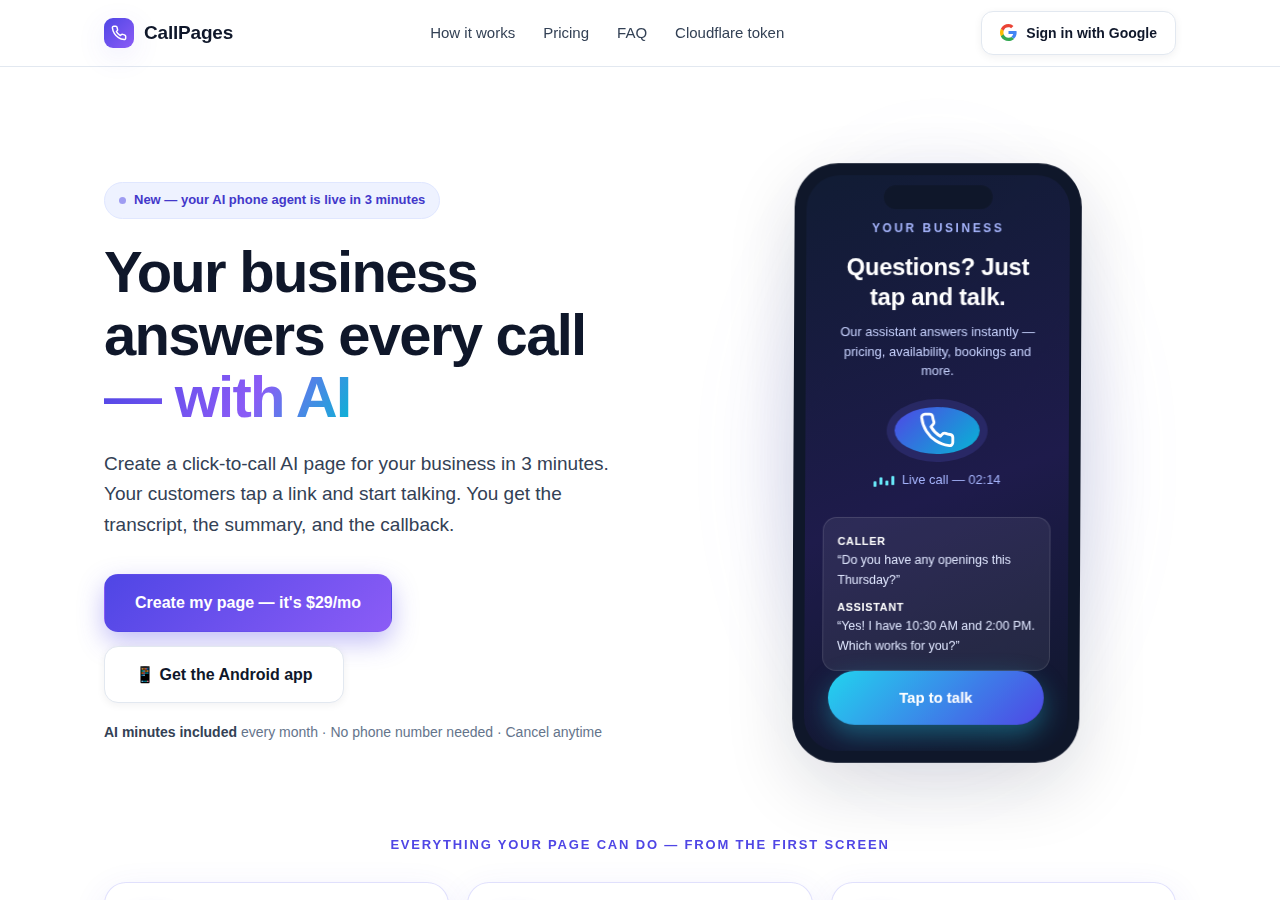
The CallPages home page: a business answering a live AI call on a phone

วันนี้ — เพจที่รับสายแทน

CallPage ของคุณตอบทันที ตลอด 24/7: พูดคุย บอกราคาจริงของคุณ จองนัดหมายภายในสาย และทิ้งบทถอดเสียงกับสรุปไว้ให้คุณ
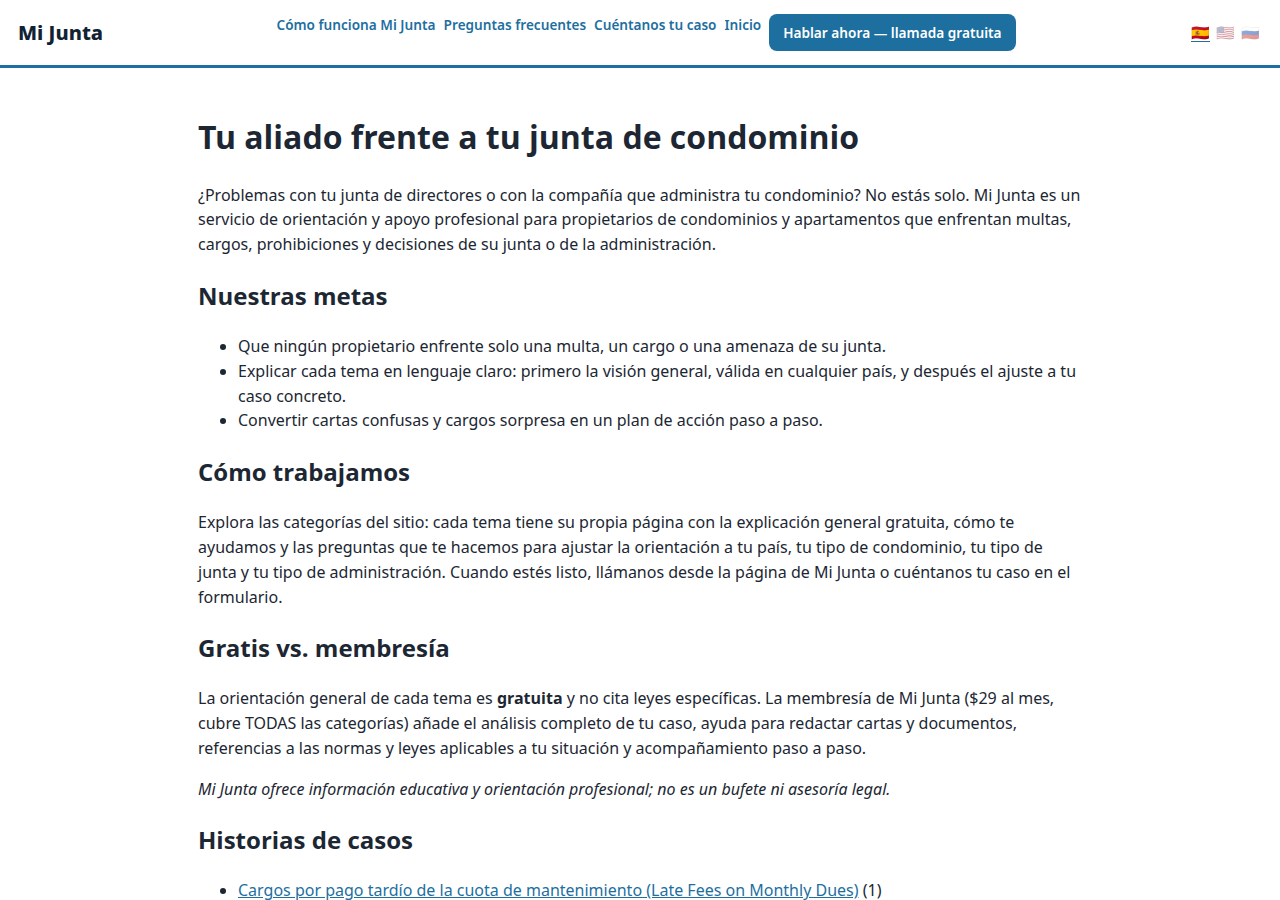
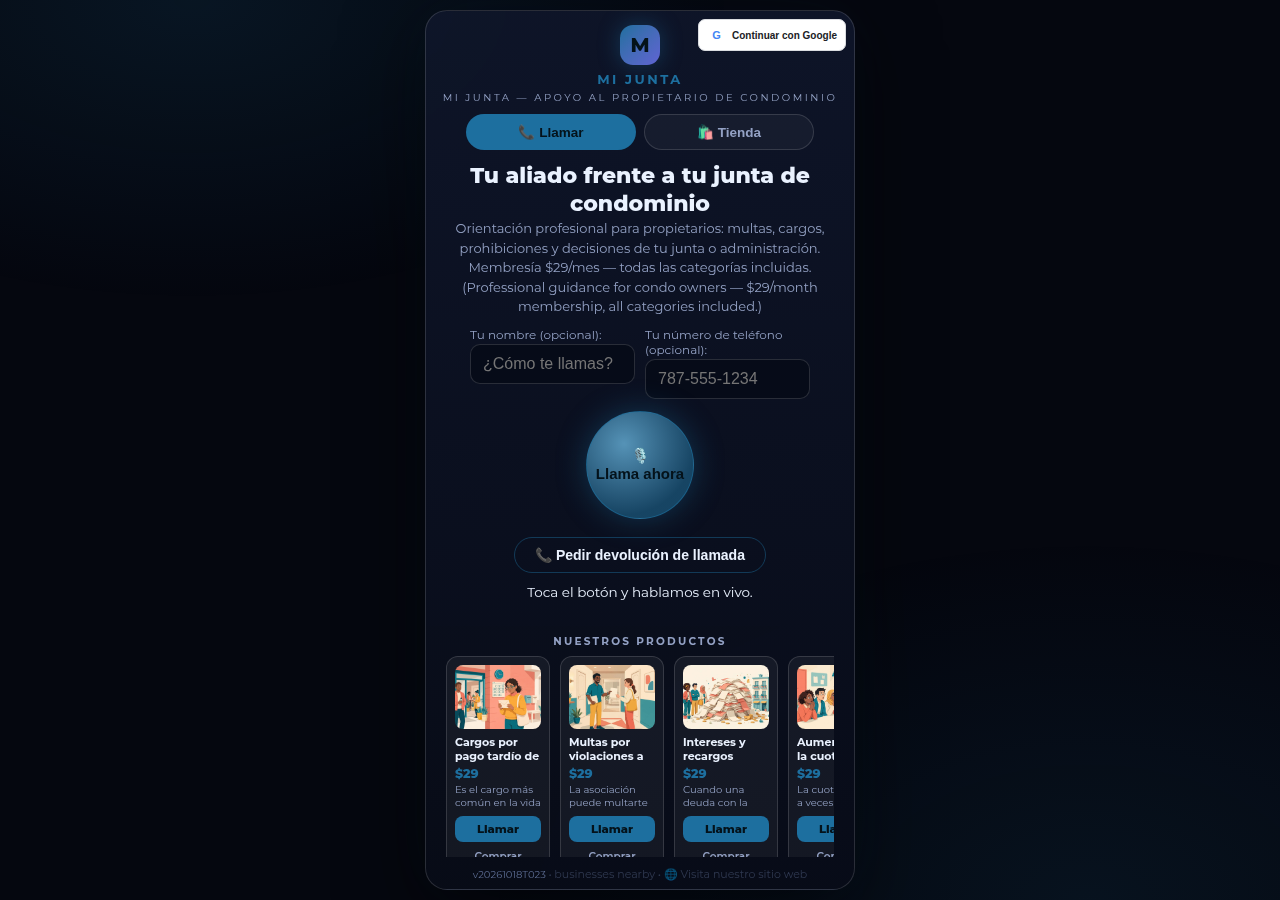
A real business website on CallPages — Mi Junta — with its store and call button in reach

พรุ่งนี้ — ผู้ช่วยที่ทำให้ธุรกิจเติบโต

ผู้ช่วยคนเดิมจะติดตามผล ยืนยัน แจ้งเตือน และจดจำแคตตาล็อกของคุณอย่างแม่นยำ — พนักงานต้อนรับที่ไม่เคยหลับ พูดภาษาของลูกค้าคุณ

เดโมสด
● เดโมสด

อย่าเชื่อแค่คำพูดของเรา — ลองคุยด้วยตัวเอง

นี่คือ CallPage จริงที่กำลังทำงานอยู่บนหน้านี้เลย: Mi Junta บริการให้คำปรึกษาเจ้าของคอนโดในเปอร์โตริโก คุยกับผู้ช่วยของพวกเขาหรือกดปุ่มโทรแล้วพูดได้เลย — ผู้ช่วยจะเริ่มพูดก่อน และคุณแค่ฟังเฉย ๆ ก็ได้ ไม่จำเป็นต้องมีไมโครโฟนในการเริ่มต้นเลย

เปิดหน้าเดโม →

การโทรเดโมคือการโทรจริงกับ CallPage จริง — โปรดสุภาพด้วยนะคะ เพราะบทสนทนาจะถูกส่งถึงเจ้าของเพจ

วิธีการทำงาน

พร้อมใช้ในสามขั้นตอน จริง ๆ นะ

ไม่มีอุปกรณ์ ไม่มีการโทรติดตั้ง ไม่มีอะไรเชิงเทคนิคเลย ถ้าคุณกรอกแบบฟอร์มได้ คุณก็ทำสิ่งนี้ได้

1

เข้าสู่ระบบด้วย Google

คลิกเดียวด้วยบัญชี Google ของคุณ ไม่ต้องจำรหัสผ่าน ไม่ต้องจัดการบัญชีใด ๆ

~30 วินาที
2

อธิบายธุรกิจของคุณ

บอก AI ด้วยคำพูดธรรมดาว่าคุณทำอะไร ขายอะไร และทักทายผู้โทรอย่างไร เลือกเสียงและสีของแบรนด์

~2 นาที
3

แชร์ลิงก์ของคุณ

รับลิงก์เพจของคุณเอง ลูกค้าแตะลิงก์บนโทรศัพท์เครื่องใดก็ได้แล้วเริ่มพูดคุยทันที — เหมือนการโทร ภายในเบราว์เซอร์

เสร็จแล้ว
What's new · Novedades

Release notes — Oct 22 · Blog · Learning Center
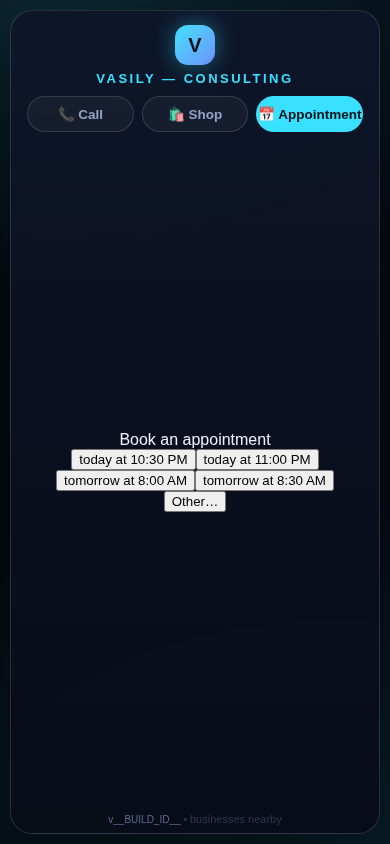
The in-call appointment slot picker on a CallPages page, showing open time slots computed from the page's own appointment book

Appointments belong to CallPages: booking works on every page, Google Calendar only syncs

CallPages' own appointment system is now the system of record on every page: booking is on by default everywhere, and a Google Calendar is only a sync target — never a gate.
See how it works →

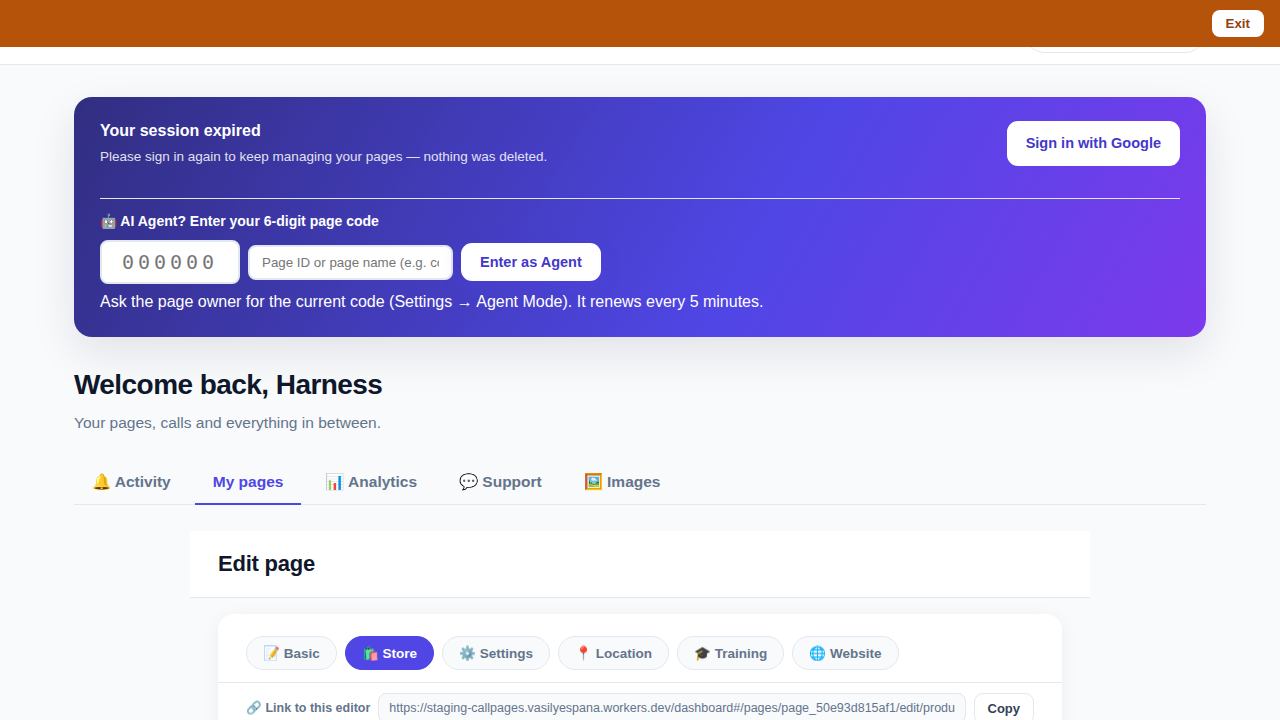
The CallPages dashboard with a page's product editor open and the bookmarkable editor link row visible above the product list

Bookmark the editor: deep links into your page, and a light My Pages landing

Every editor tab in the CallPages dashboard now has its own bookmarkable link that survives sign-in, and the dashboard opens on the light My Pages list instead of the heavy Activity feed.

See how it works →

Illustration: a phone showing a website page as stacked blocks — heading, photo, text — with one text block tapped and outlined for editing, a pencil badge, and a glowing + divider between blocks above a button block

The friendly website editor: edit your site exactly as your visitors see it

The Website Studio's block editor is now fully visual: blocks render as the published page itself, you click any block to edit it in place, and a + divider between blocks opens a six-type picker — no Markdown, no guessing.
See how it works →

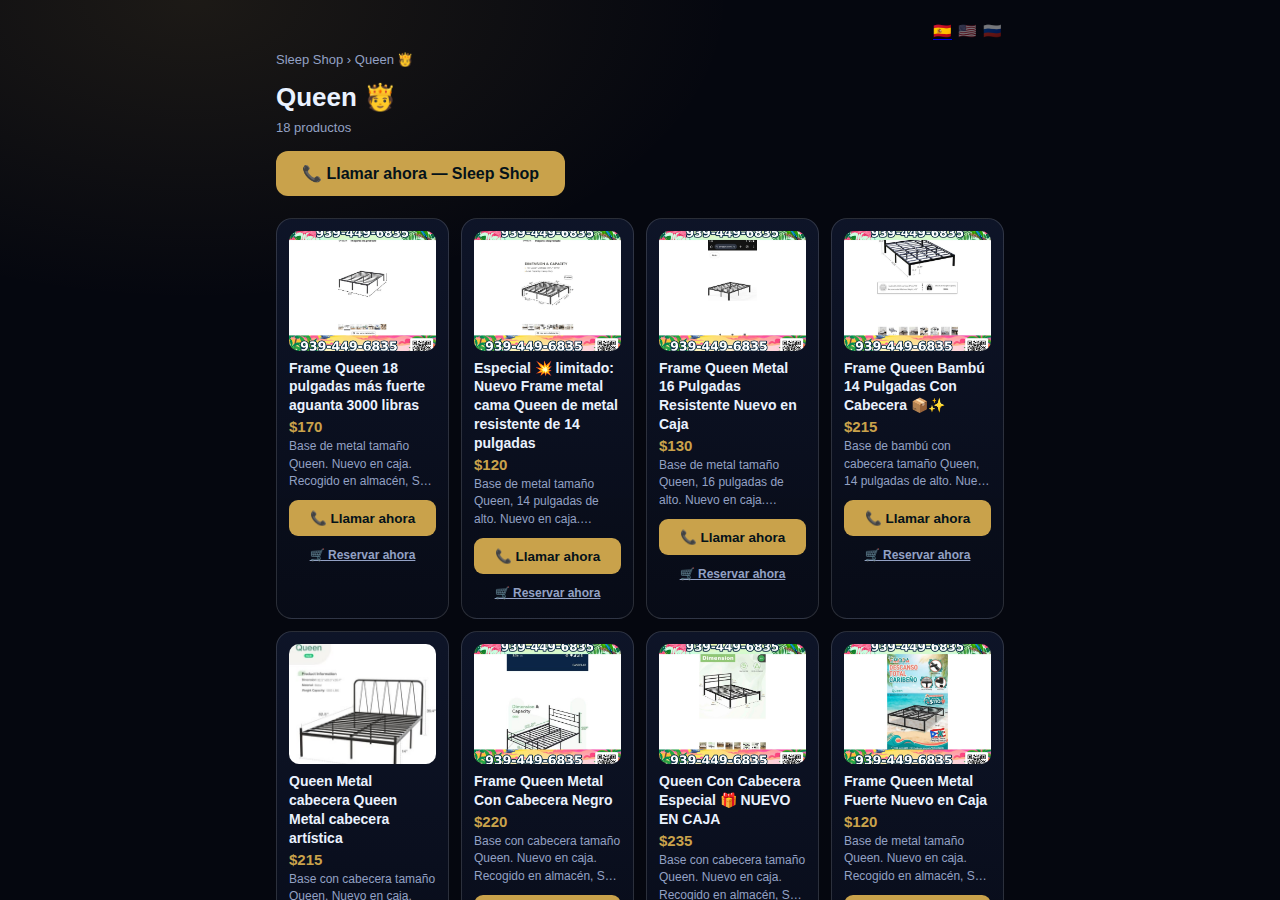
A collection page on CallPages: the Queen collection of a San Juan bed-frame shop at its own /c/queen address, with its products as cards

Collections get their own URLs — and their own place in search

Every collection on a CallPages page now lives at its own address — /p/<page>/c/<collection> — with its own title, description, canonical URL, structured data, and a spot in the page sitemap.
See how it works →

A CallPages page whose store stays browsable during a call: products the customer can tap while the voice agent advises on what they are viewing

The call that lets customers keep shopping

During a CallPages call, customers can tap any product and keep browsing the store — inside the call. The voice agent sees what they're looking at in real time and advises on the item in front of them.

See how it works →

Appointments that follow up by themselves

Booked appointments now manage themselves: a reminder two hours before, confirmation required one hour before, and a private manage page per appointment where the customer can confirm, cancel, or reschedule.
See how it works →

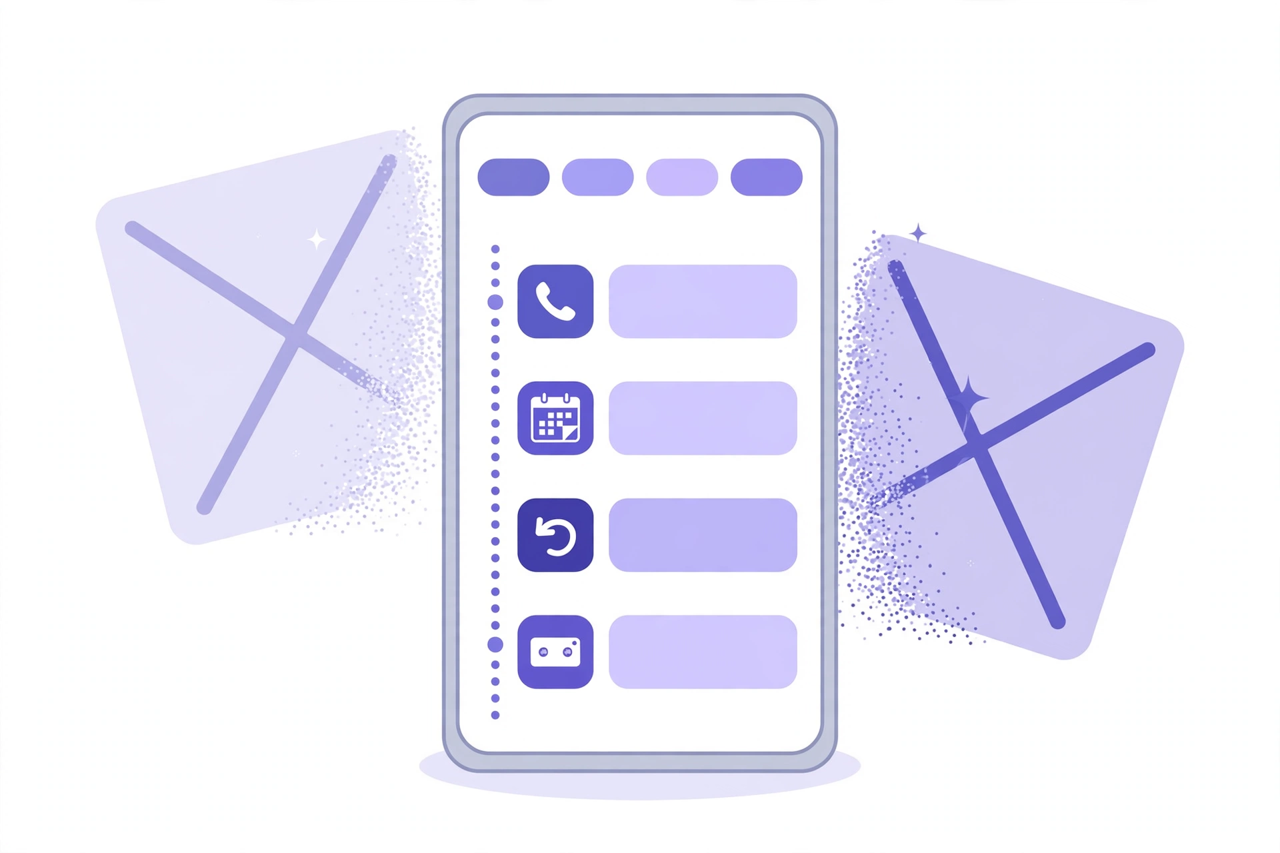
Illustration: a phone showing one unified Activity feed — call, appointment, callback and voicemail rows under filter chips — while two crossed-out separate tabs dissolve behind it

Callbacks and appointments moved in: Activity holds everything now

The dashboard shed two tabs. Callbacks and Appointments/Calendar now live inside Activity at full power — the callback queue, the calendar, Google Calendar — behind the chips you already use.
See how it works →

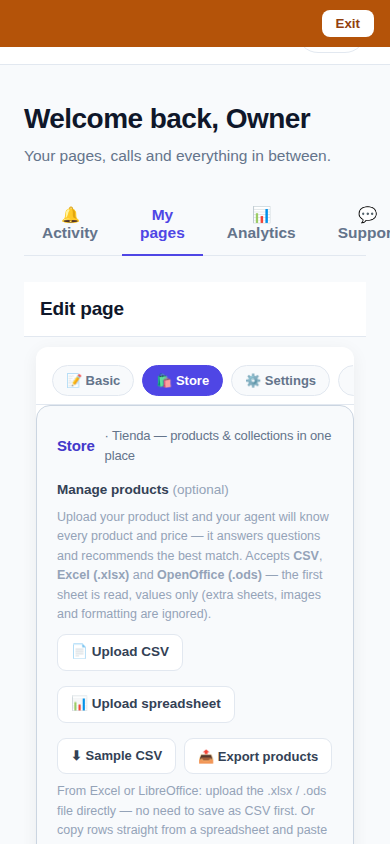
The page editor on a phone with the single Store tab selected: 'Tienda — products & collections in one place'

One Store tab: collections and products, edited together

The Store tab now holds everything: collections on top, products edited right inside them, reorder by drag or arrows — and every change autosaves. No second editor, no Save button.
See how it works →

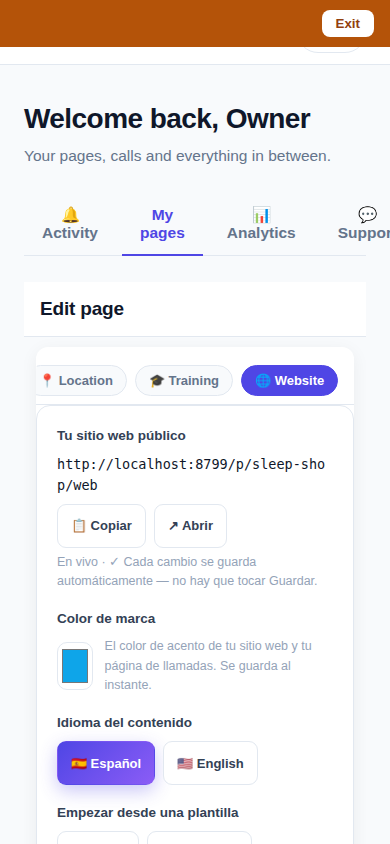
The Website Studio page list on a phone: authored pages grouped by path with per-language published and draft chips

Website Studio: build your whole site from your phone

Every page now has a Website Studio: create your site's pages from templates, edit them block by block, add photos, preview drafts privately, publish when ready — right in the dashboard.

See how it works →

A dashboard header that holds only your account. The dashboard's top bar was de-cluttered: feature shortcuts moved into their own tabs where they belong, and the top-right now holds a single account menu. As a bonus, the plan pill finally tells the truth about your plan. Learn more

Guide agents now know every member of their guide. A city guide's voice agent now carries a complete digest of every member business — names, areas, categories, signature items with real prices, hours and phones — and never claims not to know a business its own guide lists. Learn more

Product pages now answer themselves in Google AI Mode. Every product page can end with a questions section — real questions about that product, each one a tap away from asking Google AI Mode, which answers from the product's own published facts. Learn more

Delete that actually deletes — and a Hide that keeps selling. Deleting a product in the dashboard now removes it for real, the moment you tap. And a new Hide turns the product's page into an honest 'Agotado' with similar products instead of a dead end. Learn more

Release notes — Oct 19 · Blog · Changelog · Learning Center · Learning Center

Illustration: an abstract admin console with owner and customer account cards side by side, a magnifier, and a settings gear

One console for every account

The CallPages admin console now shows page owners and consumer accounts side by side, lets an admin step into any account to help, and edit any page's settings.
See how it works →

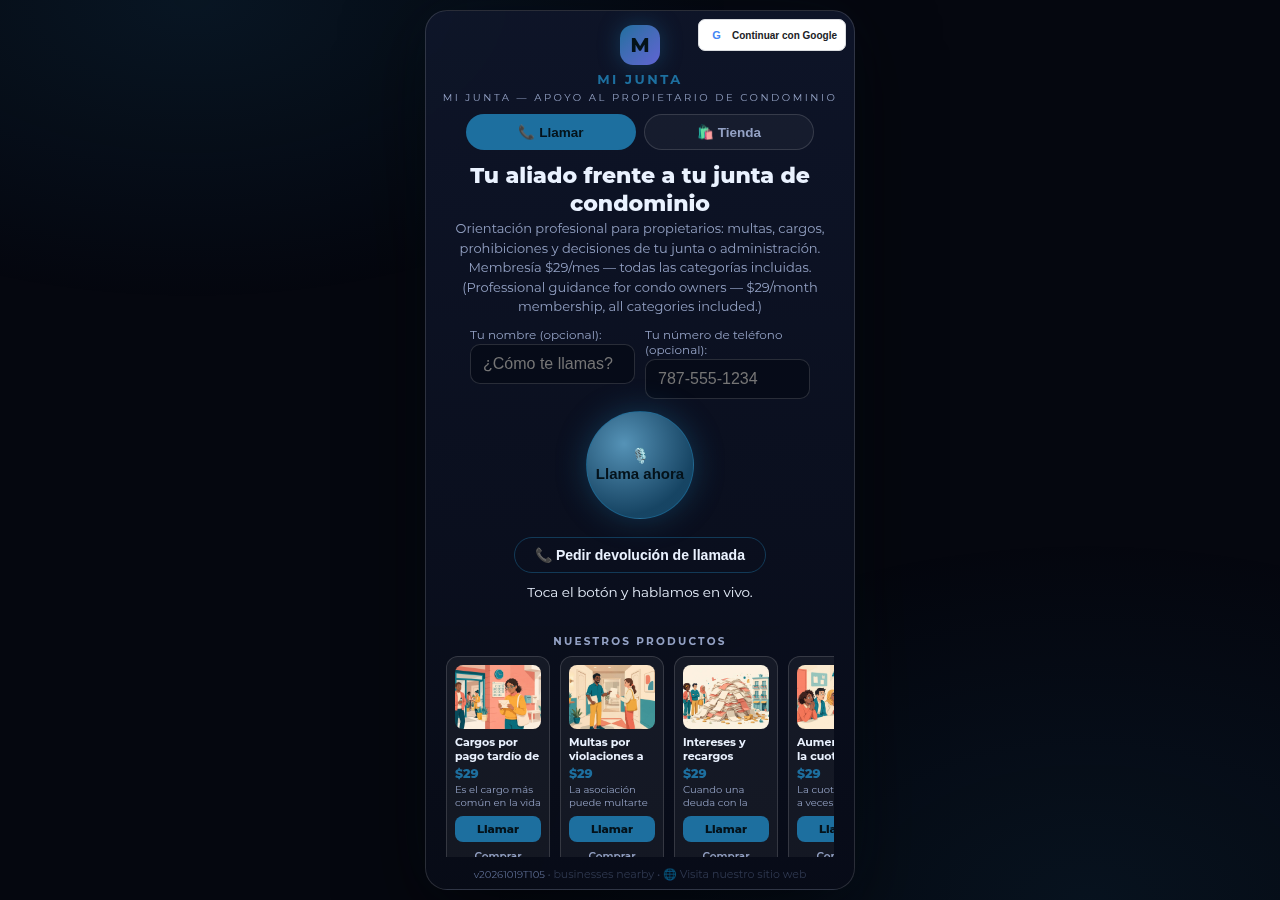
Mi Junta's CallPages page in production: the call is the front door of the page, and appointments are arranged inside that conversation

Appointments live inside the call now

Booking an appointment now happens inside a live call, with the voice agent, in the middle of the conversation it belongs to. The public booking form — and the spam it invited — is gone.
See how it works →

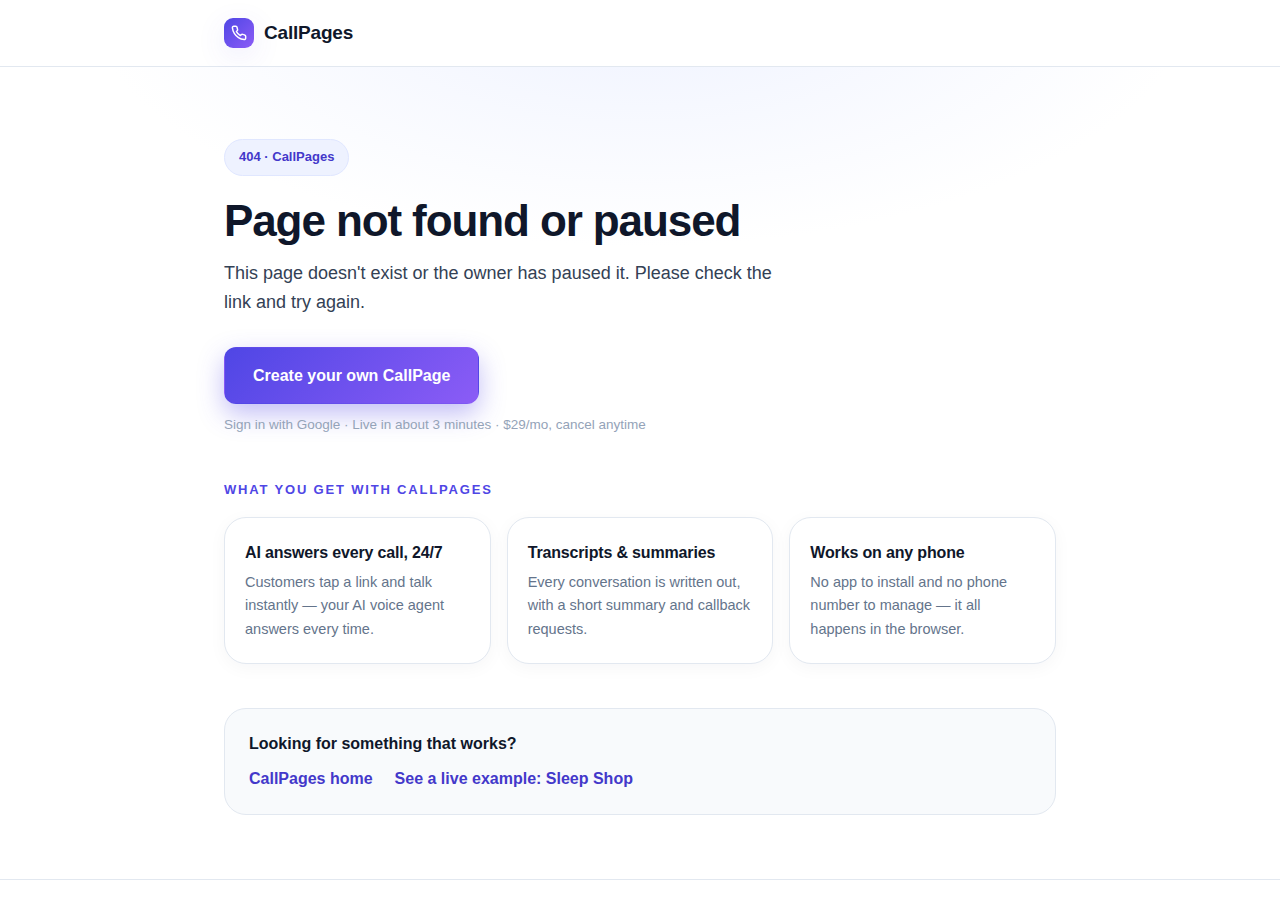
The branded CallPages 404 page: Page not found or paused, with an explanation, a create-your-own button, and cards describing what CallPages offers

Even a wrong link looks like CallPages now

Every error on CallPages — a mistyped address, a paused page, a product that moved — now renders as one branded page that explains what happened and shows the way forward.
See how it works →

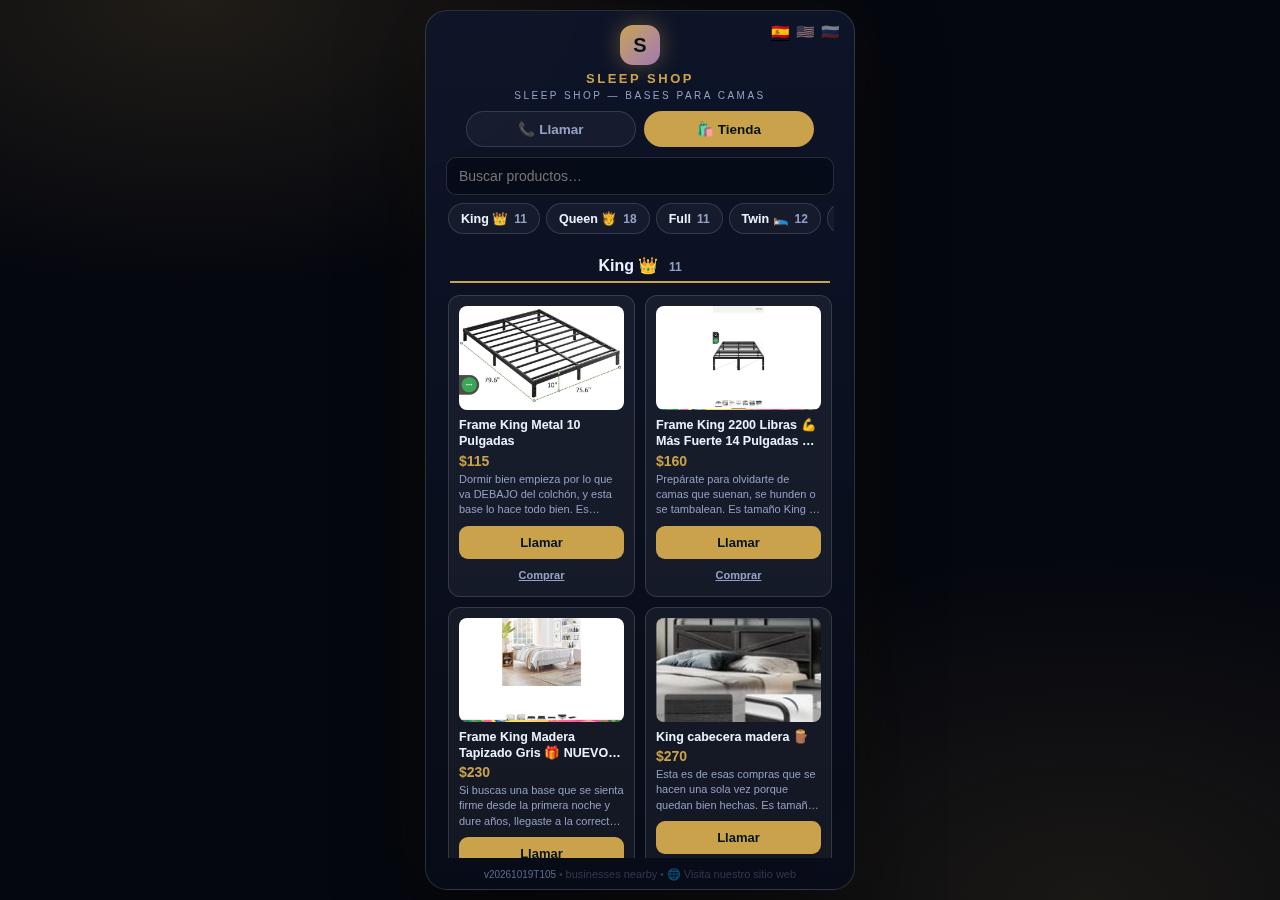
The Sleep Shop store on CallPages with its collection tab bar: King 11, Queen 18, Full 11, Twin 12 above the King collection's product grid

Every collection, one tap away

A CallPages shop now carries a collection tab bar: each collection sits in a sticky row with its product count, and tapping jumps straight to it — same page, all products, no reloads.

See how it works →

Illustration: a small business storefront connected by a glowing arc to a globe, its page living at its own web address

Your page, on your own domain

A CallPages page can now live on the business's own domain — the address on its signs, cards, and receipts — with the call, the store, and the agent answering there unchanged.

See how it works →

Illustration: a store product grid whose empty photo placeholders are being filled by bright product photos flowing in from a sparkling source

Product photos without a photo shoot

A catalog no longer waits for a camera: CallPages can fill in product photos from free image providers, chosen and controlled from Settings.

See how it works →

The new CallPages home page hero: Your business answers every call — with AI, beside a phone showing a live call with a caller asking about Thursday openings

A new front door for CallPages

The CallPages home page has been rebuilt: a hero that shows a live AI call on a phone, and the product's real features integrated into the first screen instead of listed somewhere below.

See how it works →

Illustration: a product page on a phone with a quiet chat bubble opening at the bottom and a glowing microphone button beside it

The Silent Magic Helper, on every page

The Silent Magic Helper is now on by default for every CallPages page — existing and new — and its chat sessions are logged as calls, right beside the voice ones.
See how it works →

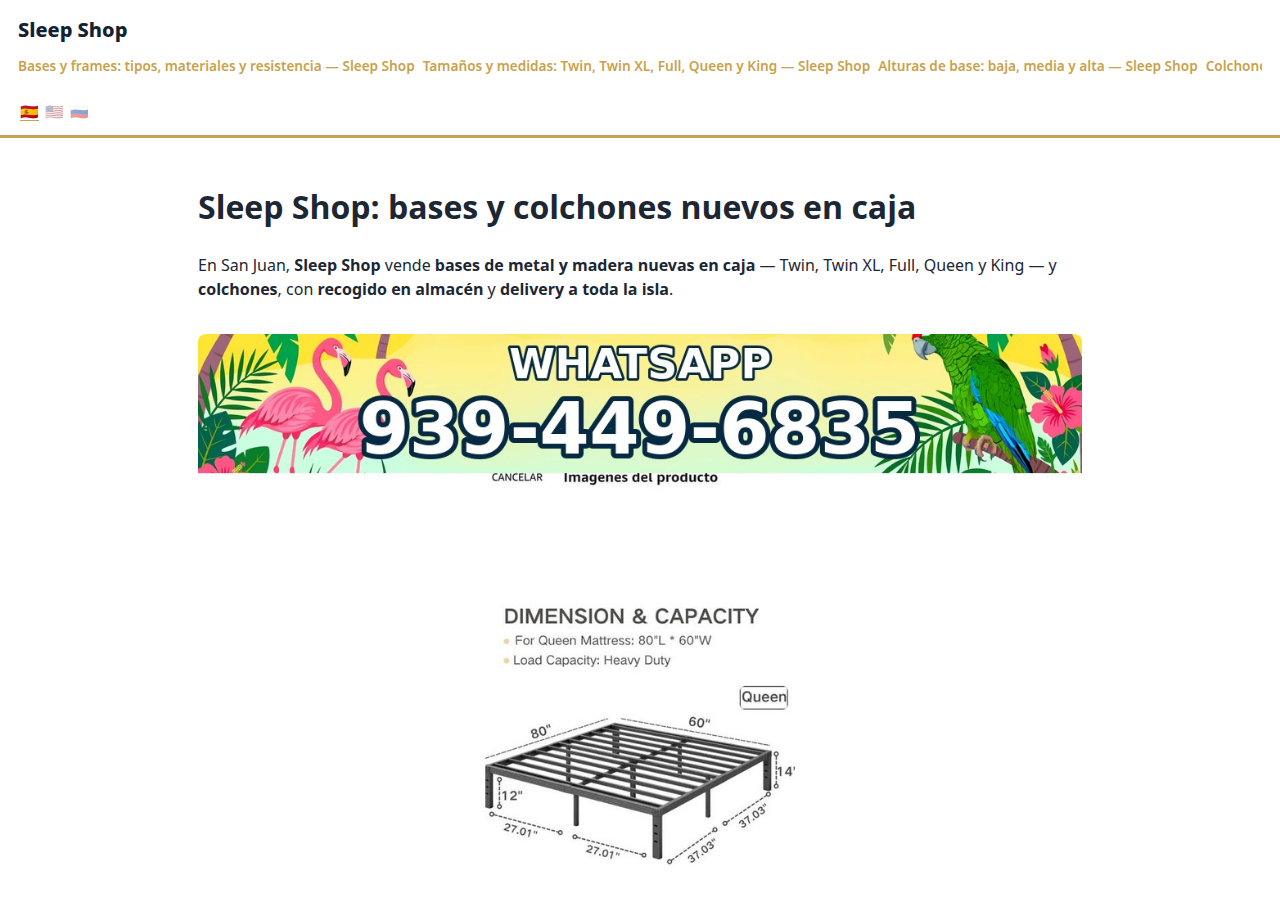
Sleep Shop's website on CallPages in production — the web face of the page that now also carries its own sleep-shop@callpages.me address

Every page gets its own email address

Every CallPages page now has its own email address — <page>@callpages.me — and new pages greet their owners with a welcome email. A page is reachable by call, by web, and by mail.

See how it works →

Illustration: a completed payment card flowing into an envelope, a calendar appointment, and a reminder bell, connected by one glowing path

What happens after the payment, automatically

A payment on CallPages now sets its own follow-through in motion: confirmations and next steps happen on their own, and the owner watches it all land in Activity.
See how it works →

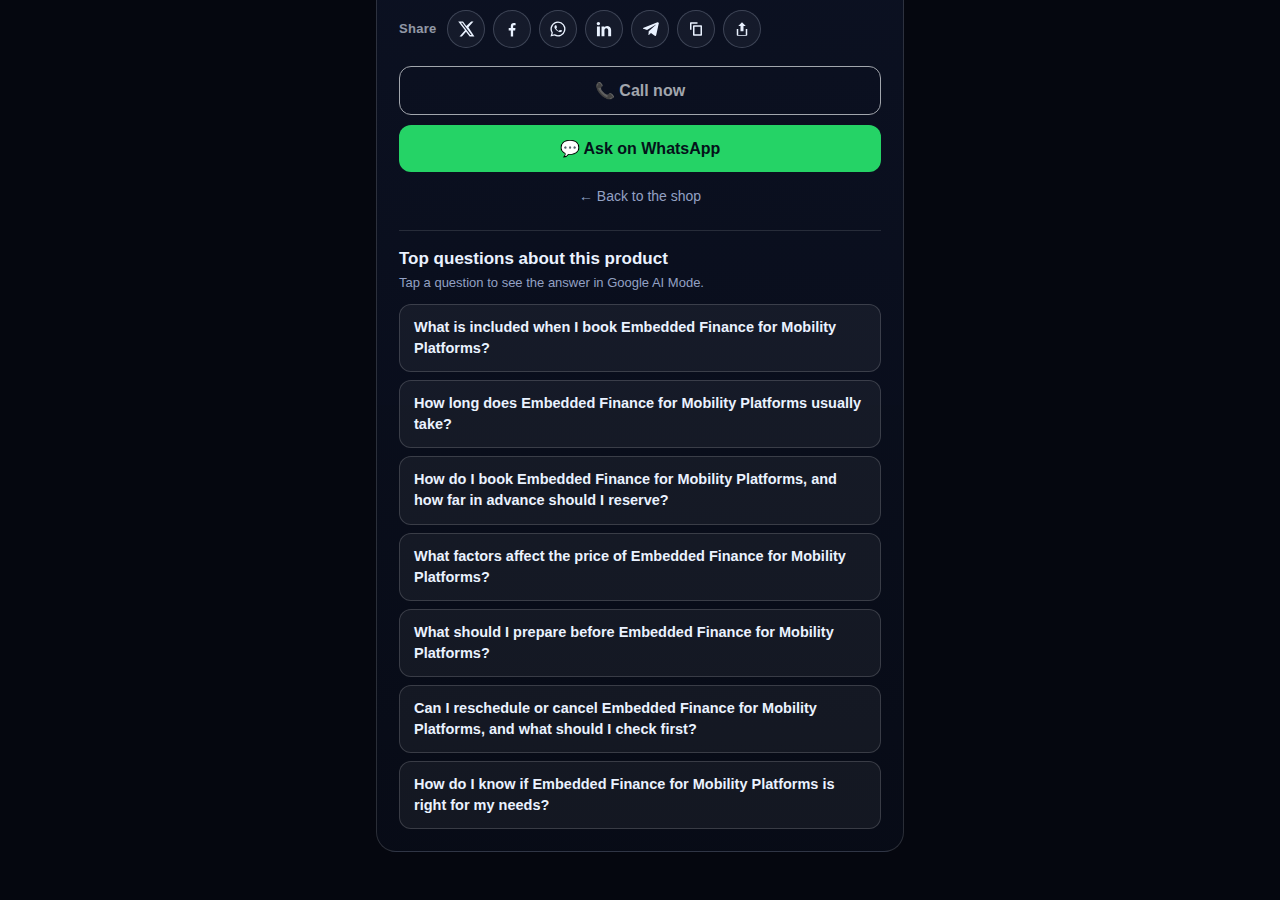
A consulting product page on CallPages whose top questions are about the service itself: what is included, how long it takes, how far ahead to book, and what affects the price

Questions that belong to the product

The questions on a product page are now written from that product itself — its name, its photo, its description — so a consulting session gets consulting questions and a bed frame gets frame questions.
See how it works →

The share row on a live CallPages product page: X, Facebook, WhatsApp, LinkedIn, Telegram, copy-link, and share buttons above the call button

Every page and product, ready to share

Pages and products now carry a proper share row — X, Facebook, WhatsApp, LinkedIn, Telegram, and copy-link — so anything worth finding is one tap from being passed on.

See how it works →

Mi Junta's website on CallPages in production, rendered in the current design generation: clean navigation, clear sections, and the call to action always in reach

WOW Design v2 — and styles that remember

Pages and websites get a new design generation, WOW Design v2, and page styles are now versioned: when a look changes, the old one is kept, not overwritten.

See how it works →

เพจจริง · สินค้าจริง

ธุรกิจที่รับสายด้วย AI แล้ว

CallPage จริงที่กำลังออนไลน์อยู่ตอนนี้ — พร้อมสินค้าและราคาจริง แตะเพจใดก็ได้แล้วคุยกับธุรกิจด้วยตัวเอง
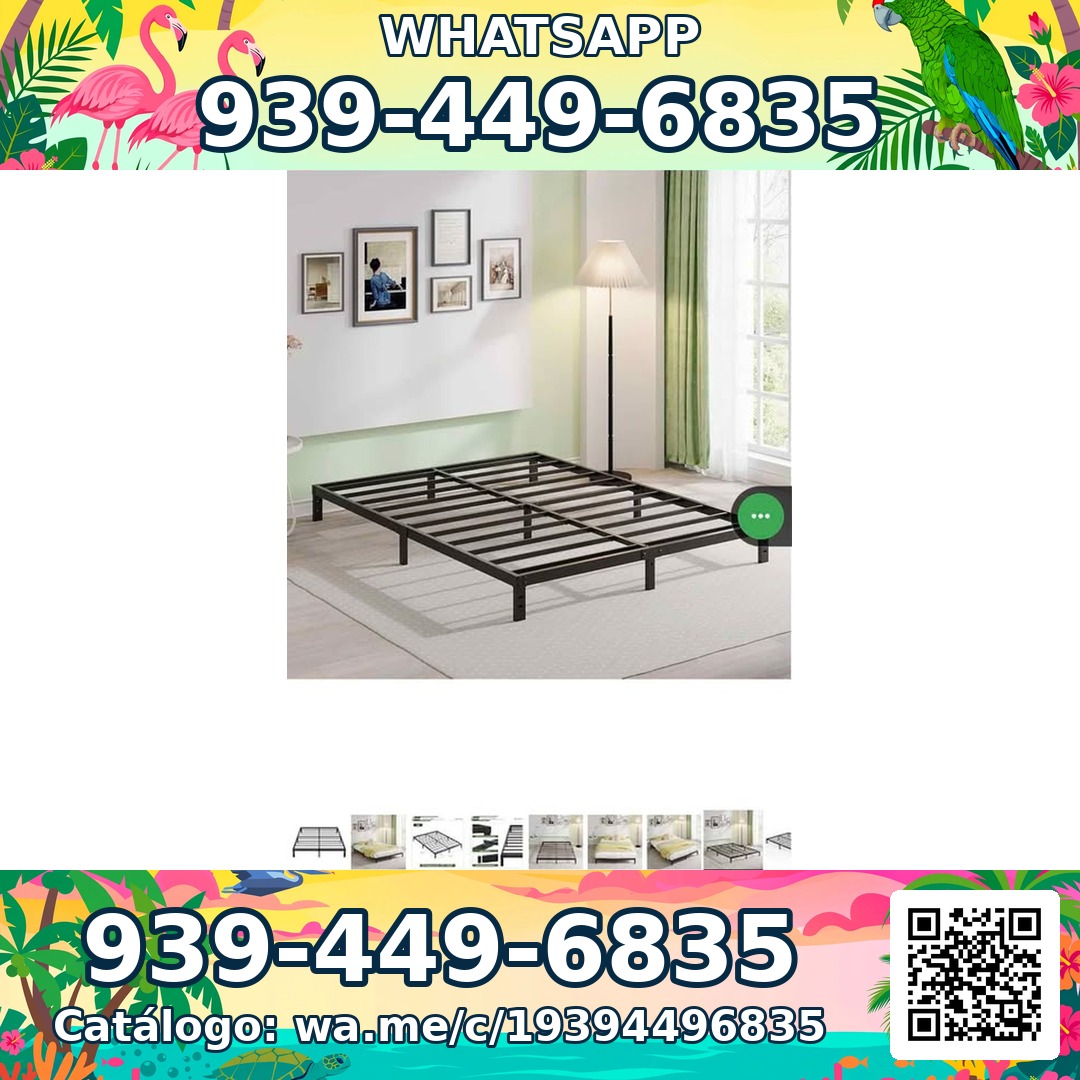
Sleep Shop — a metal bed frame product photo from the live store

Sleep Shop

โครงเตียงและที่นอนในซานฮวน เปอร์โตริโก — จัดส่งทั่วเกาะภายในประมาณหนึ่งชั่วโมง

Frame Full 8 Pulgadas — product photoFrame Full 8 Pulgadas 🎁 NUEVO EN CAJA$99
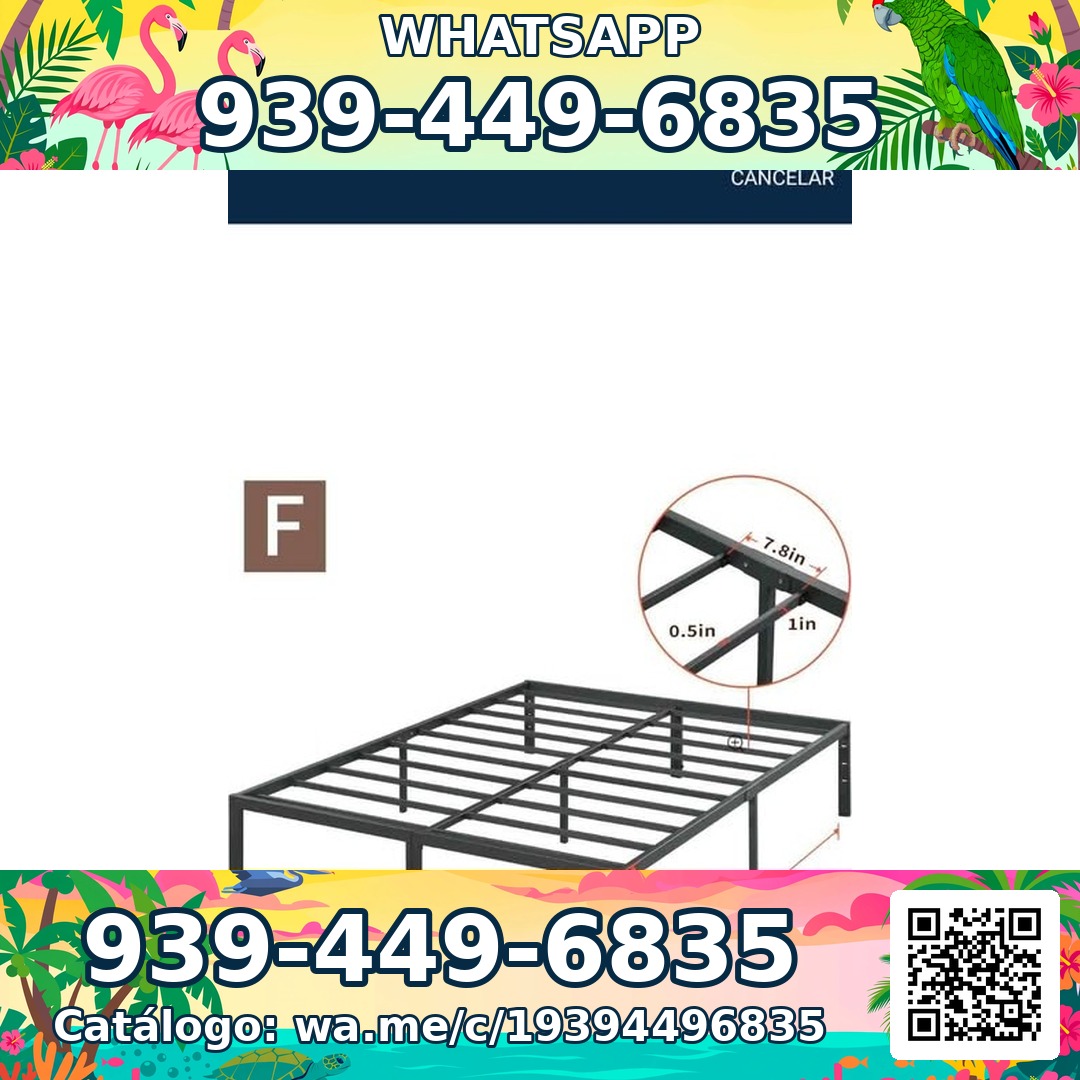
Frame Full 3000 Libras Acero 18 Pulgadas — product photoFrame Full 3000 Libras Acero 18 Pulgadas 💪 📦✨$160
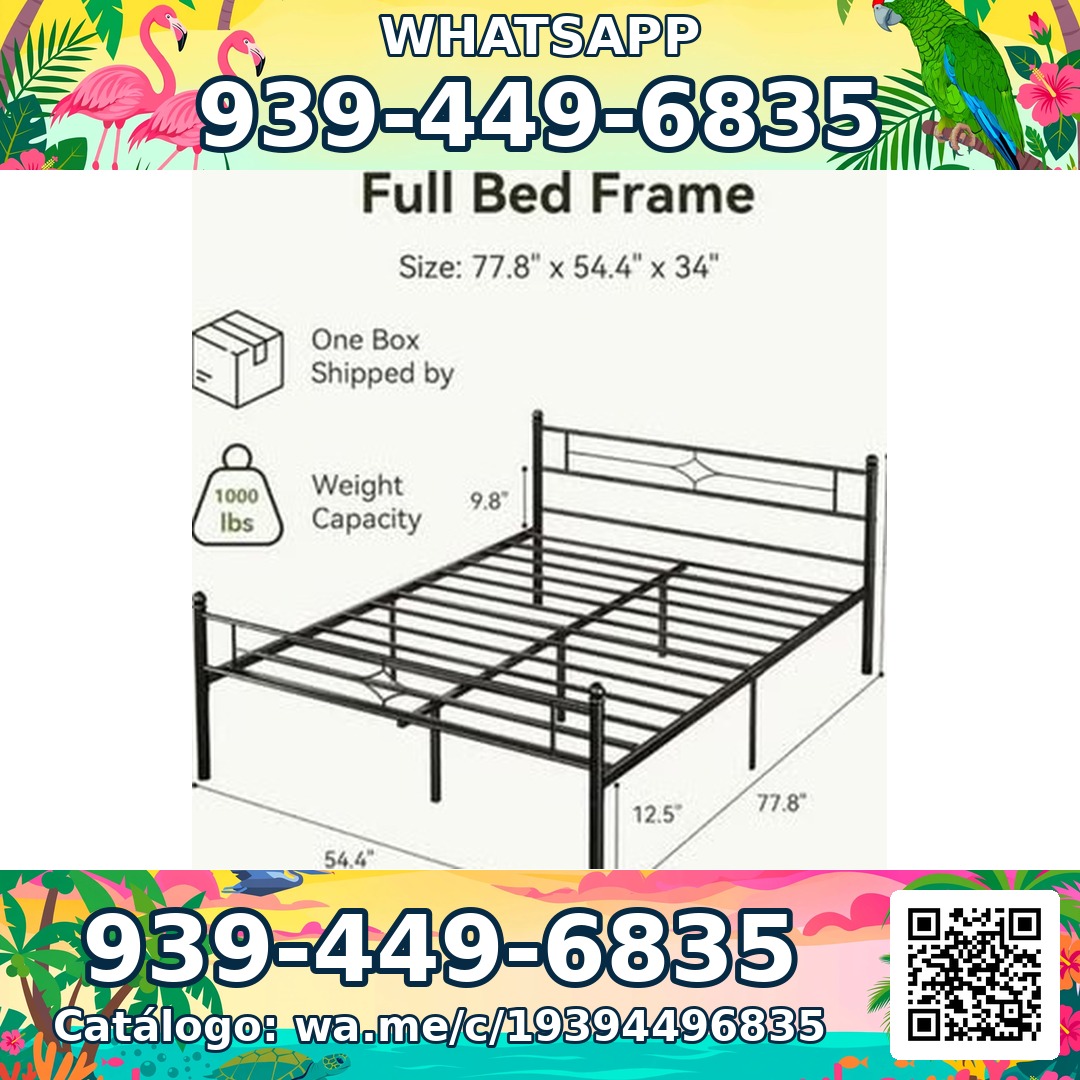
Frame Full Metal Con Cabecera Vintage — product photoFrame Full Metal Con Cabecera Vintage 🎁 NUEVO EN CAJA$180

Mi Junta — advice for condo owners about late HOA dues

Mi Junta

ช่วยเหลือเจ้าของคอนโดในเปอร์โตริโกที่เผชิญค่าปรับ HOA ค่าธรรมเนียมล่าช้า และค่าใช้จ่ายที่ไม่มีคำอธิบาย

Cargos por pago tardío de la cuota de mantenimiento — topic imageCargos por pago tardío de la cuota de mantenimiento (Late Fees on Monthly Dues)$29

Multas por violaciones a las reglas — topic imageMultas por violaciones a las reglas (Rule-Violation Fines)$29

Intereses y recargos acumulados por mora — topic imageIntereses y recargos acumulados por mora (Accumulated Interest & Late Charges)$29

Vasily — executive advisory on future tech and mobility

Vasily — Consulting

ที่ปรึกษาด้านเทคโนโลยีแห่งอนาคต การเดินทาง และกลยุทธ์ผลิตภัณฑ์ — เซสชันให้คำปรึกษาและเวิร์กช็อปเชิงลึก

Executive Advisory Session — session imageExecutive Advisory SessionConsultar
Diligence Sprint — session imageDiligence SprintConsultar
Priority Scheduling — session imagePriority Scheduling$2,000
Ferretería Ramón — construction materials at a San Juan hardware store

Ferretería Ramón

ร้านอุปกรณ์ก่อสร้างในย่านซานฮวน — แคตตาล็อกทั้งหมดอยู่บนเพจเดียว ห่างจากการโทรแค่แตะเดียว

Arena de Río — product photoArena de Río

Arena Fina — product photoArena Fina
Cemento (Saco) — product photoCemento (Saco)
รวมทุกอย่างไว้แล้ว

เพจเดียว ทีมรับสายทั้งทีม

ทุกเพจของ CallPages มาพร้อมทุกสิ่งที่คุณต้องการ เพื่อไม่พลาดลูกค้าอีกเลย

Illustration: a business page living at its own web address

ลิงก์เฉพาะของคุณเอง

ทุกเพจจะได้ลิงก์เฉพาะ เช่น yourbusiness.callpages.com — นำไปใส่บนเว็บไซต์ โปรไฟล์ Google ใบแจ้งหนี้ และโซเชียลมีเดียของคุณ

Illustration: two phones with voice waves — a test call to your own page

ทดลองโทรได้ทุกเมื่อ

ลองใช้เพจของคุณเองในมุมของลูกค้า — แตะ พูด และฟังสิ่งที่ลูกค้าของคุณจะได้ยินเป๊ะ ๆ
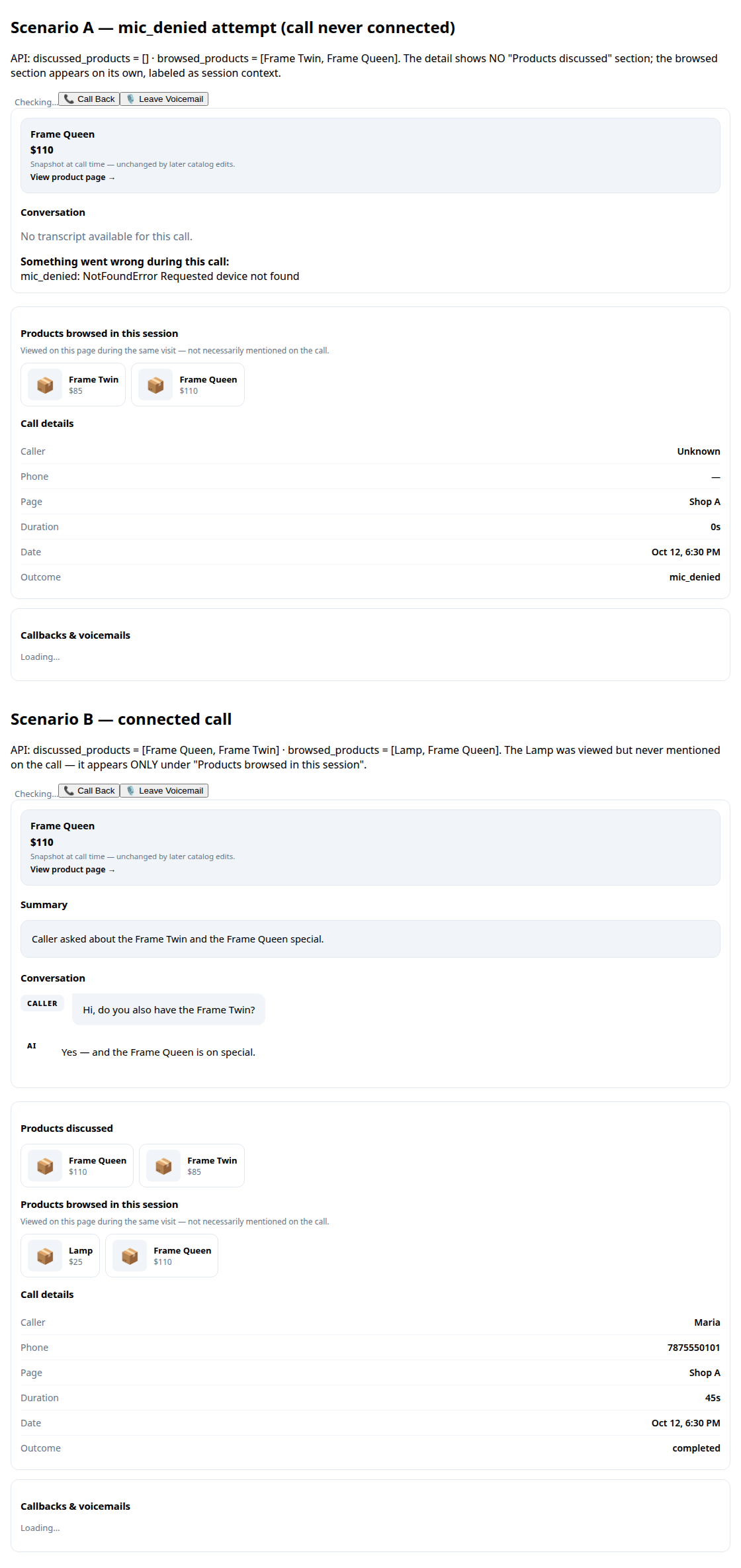
A call record in production: transcript and the products browsed during the call

บทถอดเสียงและสรุป

ทุกบทสนทนาจะถูกจดบันทึกไว้ให้คุณ พร้อมสรุปสั้น ๆ ให้รู้ว่าเกิดอะไรขึ้นภายในไม่กี่วินาที
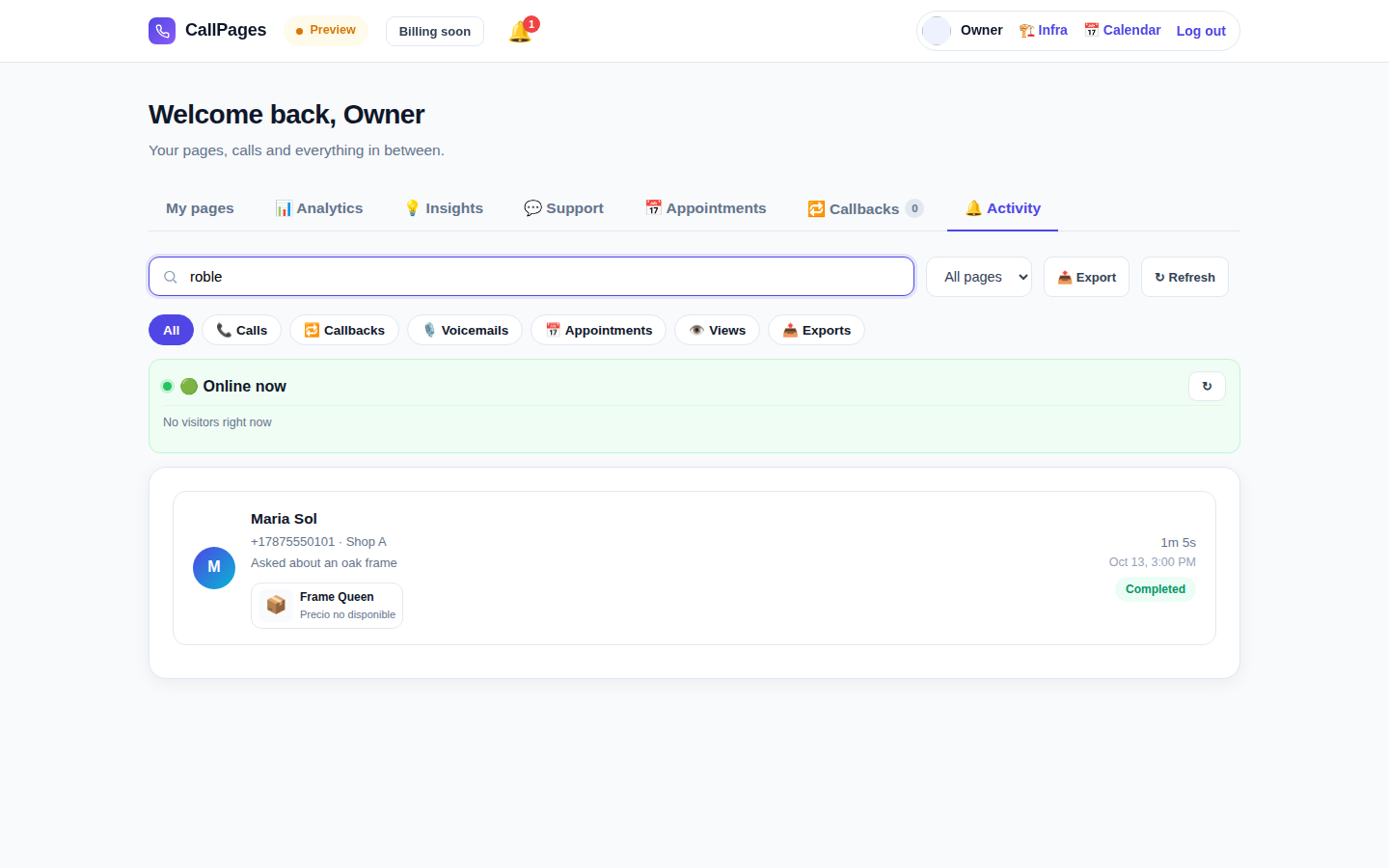
The Activity tab in production: every call, searchable

ประวัติการโทรที่ค้นหาได้

ค้นหาการโทรใดก็ได้ทันที — จากชื่อผู้โทร เบอร์โทร หรืออะไรก็ตามที่พูดในบทสนทนา

Mi Junta's website in production, wearing its own branding

แบรนด์ของคุณเอง

ชื่อธุรกิจของคุณ สีของคุณ คำทักทายของคุณ เพจของคุณดูเป็นตัวคุณ — ไม่ใช่เรา

Illustration: a merchant with their business dashboard on a phone

ใช้ได้กับโทรศัพท์ทุกเครื่อง

ผู้โทรแค่เปิดลิงก์ในเบราว์เซอร์ — iPhone หรือ Android ไม่ต้องติดตั้งแอป ไม่ต้องมีบัญชี

A product page in production asking questions drawn from the product itself

รู้จักสินค้าของคุณดี

อัปโหลดรายการสินค้าของคุณ แล้วผู้ช่วยจะบอกราคาที่ถูกต้อง ตอบคำถาม และแนะนำสินค้าที่เหมาะสม — ไม่เคยแต่งเรื่องขึ้นมาเอง

พูดภาษาของลูกค้าคุณ

เพจและผู้ช่วยพูดภาษาที่คุณเลือก — เว็บไซต์นี้เพียงแห่งเดียวก็เผยแพร่ถึง 24 ภาษาแล้ว

🇪🇸 🇺🇸 🇫🇷 🇧🇷 🇩🇪 🇮🇹 🇳🇱 🇵🇱 🇷🇺 🇺🇦 🇨🇳 🇯🇵 🇰🇷 🇸🇦 🇮🇳 🇹🇷 🇮🇩 🇻🇳 🇹🇭 🇵🇭 🇧🇩 🇮🇷 🇸🇪 🇬🇷

ราคา

แพ็กเกจเดียว เรียบง่าย

ทุกอย่างรวมอยู่ในแพ็กเกจเดียว เพิ่มเพจได้เมื่อธุรกิจของคุณเติบโต

CallPages
$29/เดือน ต่อเพจ

นาที AI สำหรับทุกเพจ ทุกเดือน

  • เพจแตะเพื่อโทรของคุณเอง พร้อมแบรนด์ของคุณ
  • รวมนาที AI ในทุกเพจ — ตามการใช้งานที่เหมาะสม
  • ผู้โทร บทถอดเสียง และสรุป ไม่จำกัดจำนวน
  • คำขอให้โทรกลับจะส่งถึงคุณทางอีเมล
  • ยกเลิกได้ทุกเมื่อ — ไม่มีสัญญา ไม่มีค่าติดตั้ง
เริ่มต้น — เข้าสู่ระบบด้วย Google
ชำระเงินอย่างปลอดภัย · ยกเลิกได้ทุกเมื่อ
คำถามที่พบบ่อย

ทุกคำถาม มีคำตอบ

คำตอบตรงไปตรงมา ไม่มีศัพท์เทคนิค

ฉันต้องมีเบอร์โทรศัพท์ถึงจะใช้ได้ไหม?
ไม่จำเป็นเลย CallPages ไม่ใช้สายโทรศัพท์ของคุณเลยแม้แต่น้อย ลูกค้าเปิดลิงก์เพจของคุณในเบราว์เซอร์แล้วพูดคุยโดยตรง — เหมือนการโทรศัพท์ แต่เกิดขึ้นบนเว็บ คุณไม่ต้องซื้อ โอนย้าย หรือจัดการเบอร์โทรใด ๆ
AI พูดภาษาอะไรได้บ้าง?
เว็บไซต์นี้เผยแพร่ใน 24 ภาษา — แตะธงที่ด้านบนแล้วทุกอย่างจะเปลี่ยนไป เพจของคุณพูดภาษาที่คุณเลือกให้มัน: AI จะทักทายผู้โทรและสนทนาทั้งบทด้วยภาษานั้น และเพจหนึ่งเพจสามารถทำงานหลายภาษาพร้อมกันได้
การโทรทำงานจริงอย่างไร?
คุณแชร์ลิงก์เพจของคุณได้ทุกที่ — เว็บไซต์ของคุณ โปรไฟล์ Google Business ใบแจ้งหนี้ โซเชียลมีเดีย ลูกค้าแตะลิงก์ แตะปุ่มโทร แล้วเริ่มพูดคุยในเบราว์เซอร์ AI ตอบทันที ตลอด 24/7 หลังจบการโทร คุณจะได้รับบทถอดเสียงฉบับเต็มและสรุปสั้น ๆ ในแดชบอร์ดของคุณ
อะไรนับเป็นนาที AI บ้าง?
นาที AI หนึ่งนาที คือการสนทนาสดกับ AI ของคุณหนึ่งนาที ทุกเพจรวมนาที AI สำหรับการสนทนาสดไว้ให้ — ธุรกิจขนาดเล็กส่วนใหญ่ไม่เคยใกล้ถึงขีดจำกัดการใช้งานที่เหมาะสมเลย
ยกเลิกได้ทุกเมื่อไหม?
ได้ ไม่มีสัญญาและไม่มีค่าธรรมเนียมการยกเลิก จัดการการสมัครสมาชิกจากแดชบอร์ดได้ในคลิกเดียว และเพจของคุณจะยังใช้งานได้จนสิ้นสุดรอบการเรียกเก็บเงิน

แชร์ CallPages

รู้จักธุรกิจที่พลาดสายอยู่เรื่อย ๆ ไหม? ส่งต่อให้พวกเขาเลย

แชร์
/* public/theme-switcher.js — LANE 4 top-fixed theme switcher (Vasily, 2026-10-23). * * A floating pill, always visible at the very top of the page, with three * segments: Lame White / Current / Acid. Zero friction, unlimited changes. * - Instant: swaps + localStorage("cp-theme") immediately. * - Owner mode (dashboard, data-theme-mode="owner"): also persists to the * account in D1 via POST /api/owner/theme (fire-and-forget; the UI * never waits for the network). * - Visitor mode (public pages, data-theme-mode="visitor"): local only — * the visitor plays with themes without affecting anyone. * * Inlined into dashboard/dialer/landing/my-callpage by build.js at the * theme-switcher placeholder (plain script, no modules, no deps). * Unit-tested in node with stubbed DOM (src/theme-switcher.test.js). */ (function () { "use strict"; var THEMES = [ { id: "lame-white", label: "Lame White" }, { id: "current", label: "Current" }, { id: "acid-v1", label: "Acid" }, ]; var KEY = "cp-theme"; var MOUNT_ID = "cpThemeSwitcher"; function norm(v) { if (v === "lame-white" || v === "current" || v === "acid-v1") return v; if (v === "dark") return "current"; // legacy migration if (v === "light") return "lame-white"; // legacy migration return null; } function getMode(doc) { var m = doc.documentElement.getAttribute("data-theme-mode"); return m === "owner" ? "owner" : "visitor"; } function currentTheme(doc, ls) { var t = null; try { t = norm(ls.getItem(KEY)); } catch (e) {} if (!t) t = norm(doc.documentElement.getAttribute("data-theme")); return t || "current"; } function applyTheme(id, doc, ls) { id = norm(id) || "current"; doc.documentElement.setAttribute("data-theme", id); try { ls.setItem(KEY, id); } catch (e) {} return id; } function persistOwnerTheme(id, fetchFn) { // Fire-and-forget: the UI already applied instantly; a failed save // just means the next load falls back to the previous account theme. try { var p = fetchFn("/api/owner/theme", { method: "POST", headers: { "Content-Type": "application/json" }, body: JSON.stringify({ theme: id }), }); if (p && typeof p.catch === "function") p.catch(function () {}); } catch (e) {} } function setTheme(id, doc, ls, fetchFn) { id = applyTheme(id, doc, ls); if (getMode(doc) === "owner" && typeof fetchFn === "function") { persistOwnerTheme(id, fetchFn); } syncPill(doc, id); return id; } function syncPill(doc, activeId) { var pill = doc.getElementById(MOUNT_ID); if (!pill) return; var btns = pill.querySelectorAll ? pill.querySelectorAll("button[data-theme-id]") : []; for (var i = 0; i < btns.length; i++) { var b = btns[i]; var on = b.getAttribute("data-theme-id") === activeId; b.setAttribute("aria-pressed", on ? "true" : "false"); } } function render(doc, ls, fetchFn) { var mount = doc.getElementById(MOUNT_ID); if (!mount) { mount = doc.createElement("div"); mount.id = MOUNT_ID; (doc.body || doc.documentElement).appendChild(mount); } // Rebuild idempotently. while (mount.firstChild) mount.removeChild(mount.firstChild); var pill = doc.createElement("div"); pill.className = "cp-theme-switcher"; pill.setAttribute("role", "group"); pill.setAttribute("aria-label", "Theme"); var label = doc.createElement("span"); label.className = "cp-ts-label"; label.setAttribute("title", "Prueba los temas — cambia el look al instante"); label.textContent = "🎨 Temas"; pill.appendChild(label); THEMES.forEach(function (t) { var b = doc.createElement("button"); b.type = "button"; b.setAttribute("data-theme-id", t.id); b.setAttribute("aria-pressed", "false"); b.title = t.label; b.textContent = t.label; b.addEventListener("click", function () { setTheme(t.id, doc, ls, fetchFn); }); pill.appendChild(b); }); mount.appendChild(pill); syncPill(doc, currentTheme(doc, ls)); } function init(doc, ls, fetchFn) { render(doc, ls, fetchFn); } var api = { THEMES: THEMES, KEY: KEY, MOUNT_ID: MOUNT_ID, norm: norm, getMode: getMode, currentTheme: currentTheme, applyTheme: applyTheme, setTheme: setTheme, syncPill: syncPill, render: render, init: init, }; // Safe storage: localStorage throws on opaque origins (file://, about:blank // in tests) — fall back to an in-memory shim so the pill always renders. function safeStorage(win) { try { var ls = win.localStorage; ls.getItem("__cp_probe__"); return ls; } catch (e) { var mem = {}; return { getItem: function (k) { return Object.prototype.hasOwnProperty.call(mem, k) ? mem[k] : null; }, setItem: function (k, v) { mem[k] = String(v); }, removeItem: function (k) { delete mem[k]; }, }; } } // Browser: auto-mount (the early script already set data-theme). if (typeof document !== "undefined" && typeof window !== "undefined") { var boot = function () { try { init(document, safeStorage(window), window.fetch.bind(window)); } catch (e) {} }; if (document.readyState === "loading") { document.addEventListener("DOMContentLoaded", boot); } else { boot(); } window.cpSetThemeId = function (id) { return setTheme(id, document, safeStorage(window), window.fetch.bind(window)); }; window.cpThemeSwitcher = api; } // node (unit tests). if (typeof module !== "undefined" && module.exports) { module.exports = api; } })();