Nowość — Twój agent telefoniczny AI działa w 3 minuty

Twoja firma odbiera każde połączenie — z AI

Utwórz dla swojej firmy stronę AI z rozmowami po kliknięciu w 3 minuty. Klienci dotykają linku i zaczynają rozmawiać. Ty otrzymujesz transkrypcję, streszczenie i oddzwonienie.

Minuty AI w pakiecie co miesiąc · Bez numeru telefonu · Anuluj w każdej chwili

Twoja firma
Masz pytania? Po prostu dotknij i mów.

Nasz asystent odpowiada od razu — ceny, dostępność, rezerwacje i więcej.

Rozmowa na żywo — 02:14
Rozmówca
“Czy macie wolne terminy w ten czwartek?”
Asystent
“Tak! Mam 10:30 i 14:00. Która godzina Ci pasuje?”
Dotknij, aby rozmawiać
Wszystko, co potrafi Twoja strona — od pierwszego ekranu

Rozmowy głosowe AI, 24/7

Klienci dotykają Twojego linku i rozmawiają w przeglądarce — bez numeru telefonu, bez aplikacji, bez czekania na linii. Twój agent głosowy AI odpowiada od razu, dniem i nocą.

Umawia wizyty w trakcie rozmowy

W środku rozmowy agent proponuje prawdziwe wolne terminy i umawia wizytę podczas rozmowy — a potem przypomnienia i potwierdzenia działają same.

Sklep otwarty także w trakcie rozmowy

Twoje produkty i kolekcje — każda kolekcja z własnym linkiem — można przeglądać w sklepie podczas rozmowy, a agent na bieżąco doradza w sprawie tego, co klient ogląda.

Zna Twoje produkty na pamięć

Agent podaje dokładne ceny i szczegóły z Twojego własnego katalogu oraz poleca właściwy produkt — nigdy nie wymyśla ceny.

Każda rozmowa zapisana i wyszukiwalna

Transkrypcje, streszczenia i analizy każdej rozmowy w jednym kanale Aktywności — znajdź rozmowę po nazwisku, numerze lub czymkolwiek, co padło.

Wielojęzyczny od pierwszego powitania

Ta witryna mówi w 24 językach i Twoja strona też może: jedno dotknięcie małej flagi zmienia język, więc każdy gość jest witany we własnym języku.

Droga ku przyszłości

Dokąd zmierzają rozmowy biznesowe

Kiedyś każda firma traciła rozmowy, których nie mogła odebrać. Potem telefon stał się linkiem. Teraz link odpowiada — i sprzedaje.

Wczoraj — nieodebrane połączenie

Klient dzwoni po godzinach, słyszy sygnał bez odpowiedzi i kupuje u tego, kto odbierze pierwszy. Firma nawet nie wie, że to się stało.
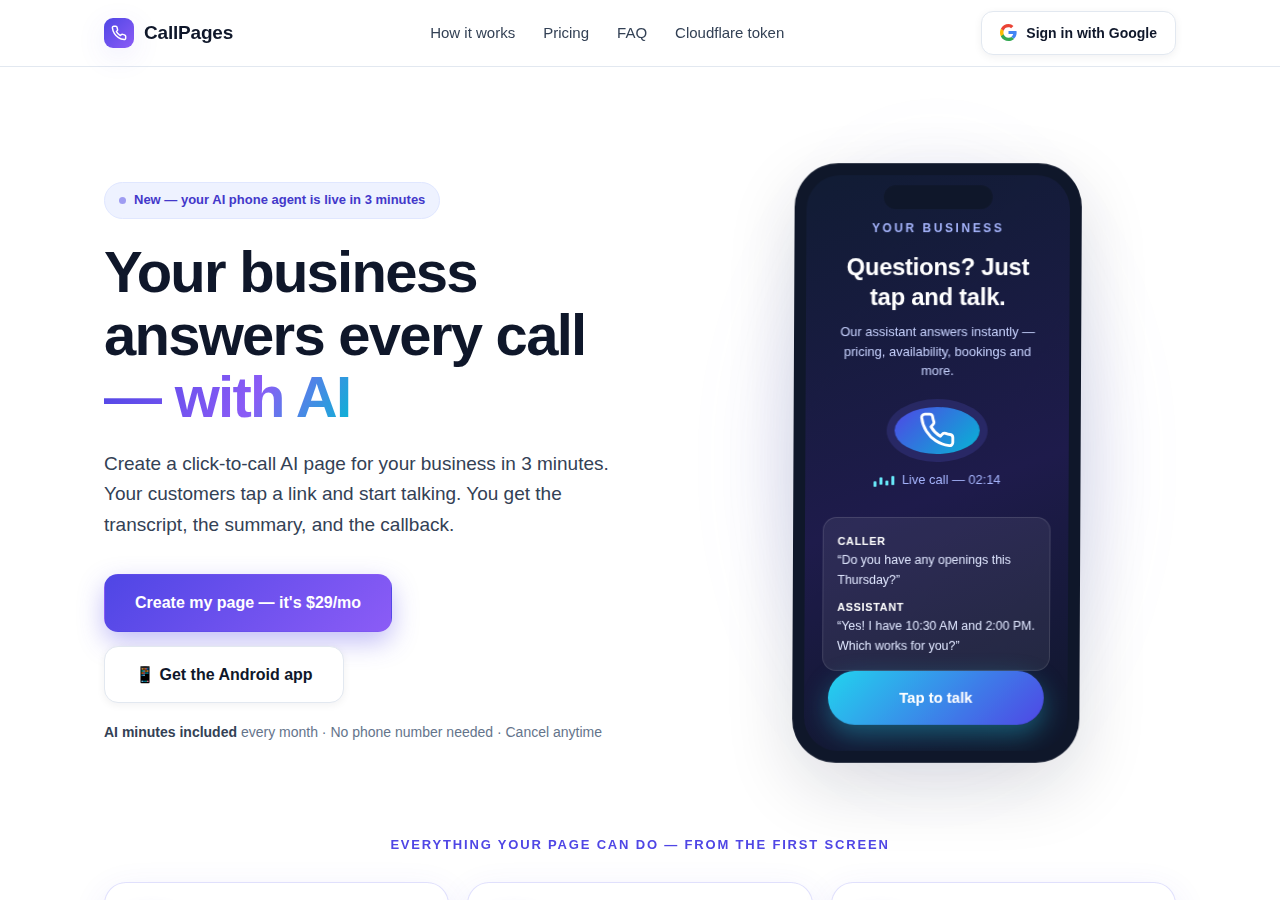
The CallPages home page: a business answering a live AI call on a phone

Dziś — strona, która odpowiada

Twoja strona CallPage odpowiada od razu, 24/7: rozmawia, podaje prawdziwe ceny, umawia wizytę podczas rozmowy i zostawia Ci transkrypcję oraz streszczenie.
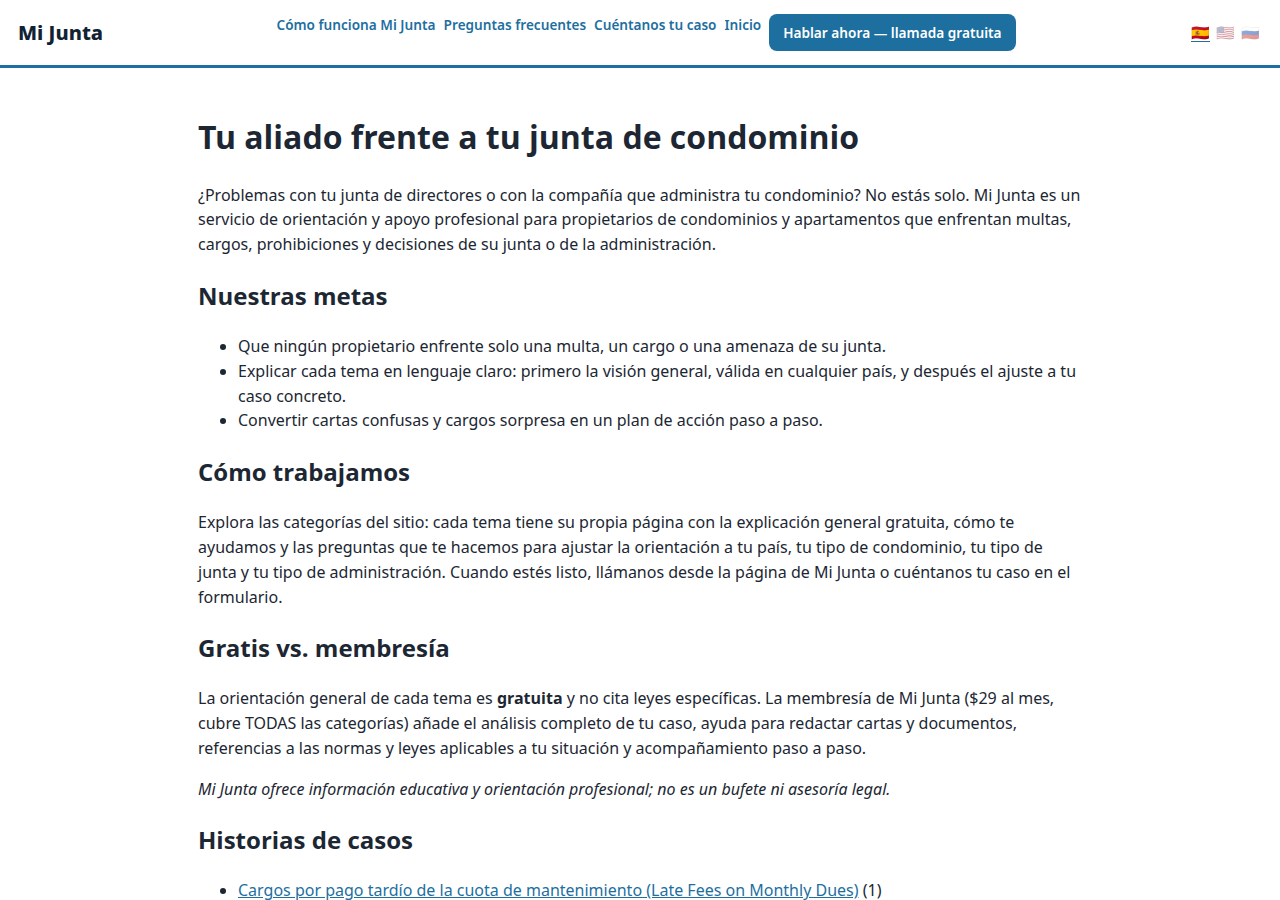
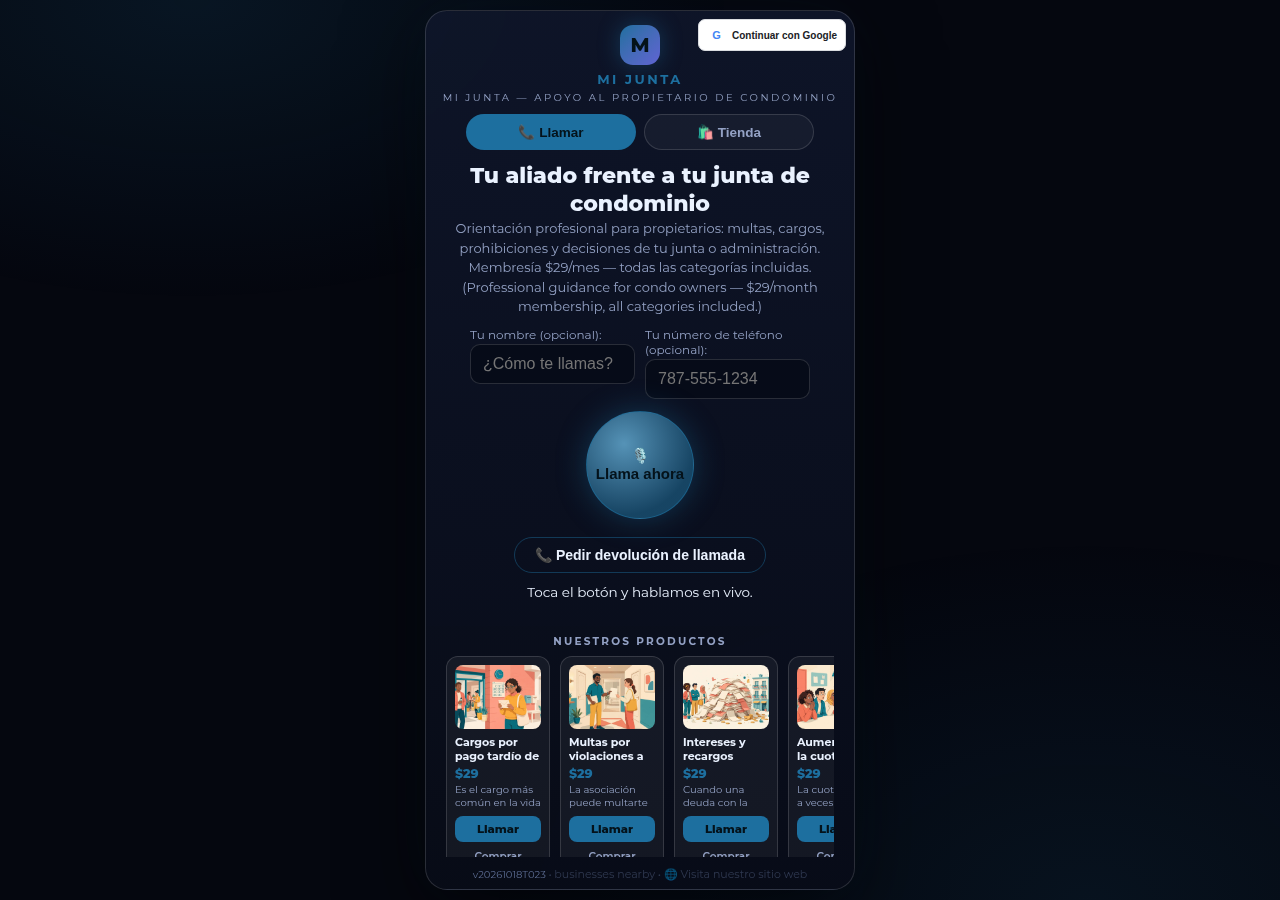
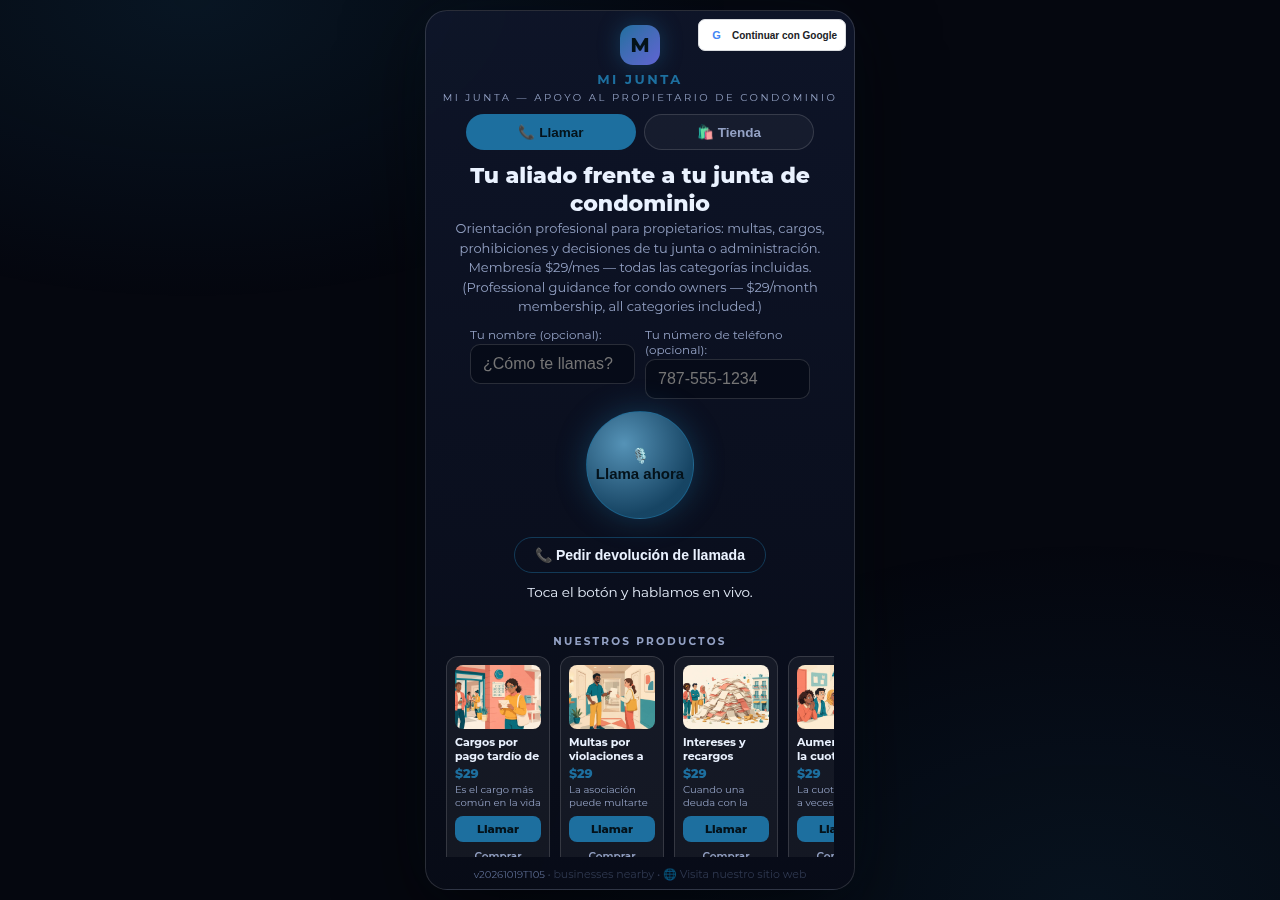
A real business website on CallPages — Mi Junta — with its store and call button in reach

Jutro — agent, który rozwija firmę

Ten sam agent wraca do klientów, potwierdza, przypomina i zna Twój katalog na pamięć — recepcja, która nigdy nie śpi, w językach Twoich klientów.

Demo na żywo
● DEMO NA ŻYWO

Nie wierz nam na słowo — porozmawiaj z jedną

To prawdziwa strona CallPage, działająca właśnie tutaj: Mi Junta, portorykańska usługa doradcza dla właścicieli mieszkań. Porozmawiaj z jej pomocnikiem na czacie albo dotknij przycisku rozmowy i mów — agent odzywa się pierwszy, a Ty możesz po prostu słuchać: mikrofon nigdy nie jest potrzebny na start.

Otwórz stronę demo →

Rozmowy w demo to prawdziwe rozmowy z prawdziwą stroną CallPage — prosimy o życzliwość, transkrypcja trafi do właściciela strony.

Jak to działa

Na żywo w trzech krokach. Naprawdę.

Bez sprzętu, bez rozmów wdrożeniowych, bez niczego technicznego. Jeśli umiesz wypełnić formularz, poradzisz sobie.

1

Zaloguj się przez Google

Jedno kliknięcie kontem Google. Bez haseł do zapamiętania, bez kont do zarządzania.

~30 sekund
2

Opisz swoją firmę

Powiedz AI prostymi słowami, czym się zajmujesz, co sprzedajesz i jak witasz rozmówców. Wybierz głos i kolor marki.

~2 minuty
3

Udostępnij swój link

Otrzymaj link do własnej strony. Klienci dotykają go na dowolnym telefonie i zaczynają rozmawiać — od razu, jak przez telefon, w przeglądarce.

Gotowe
What's new · Novedades

Release notes — Oct 22 · Blog · Learning Center
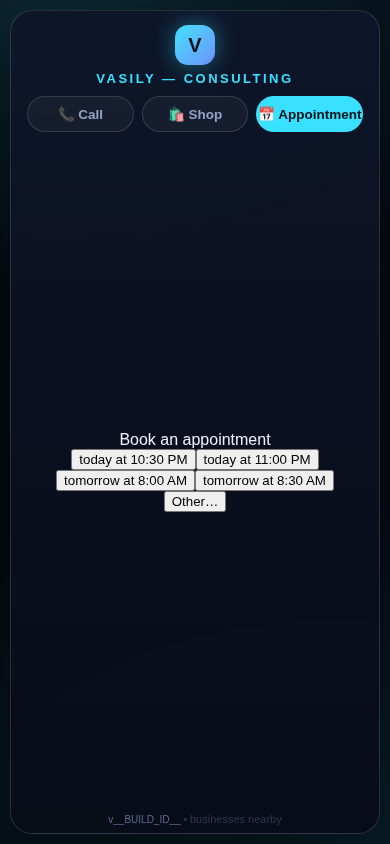
The in-call appointment slot picker on a CallPages page, showing open time slots computed from the page's own appointment book

Appointments belong to CallPages: booking works on every page, Google Calendar only syncs

CallPages' own appointment system is now the system of record on every page: booking is on by default everywhere, and a Google Calendar is only a sync target — never a gate.
See how it works →

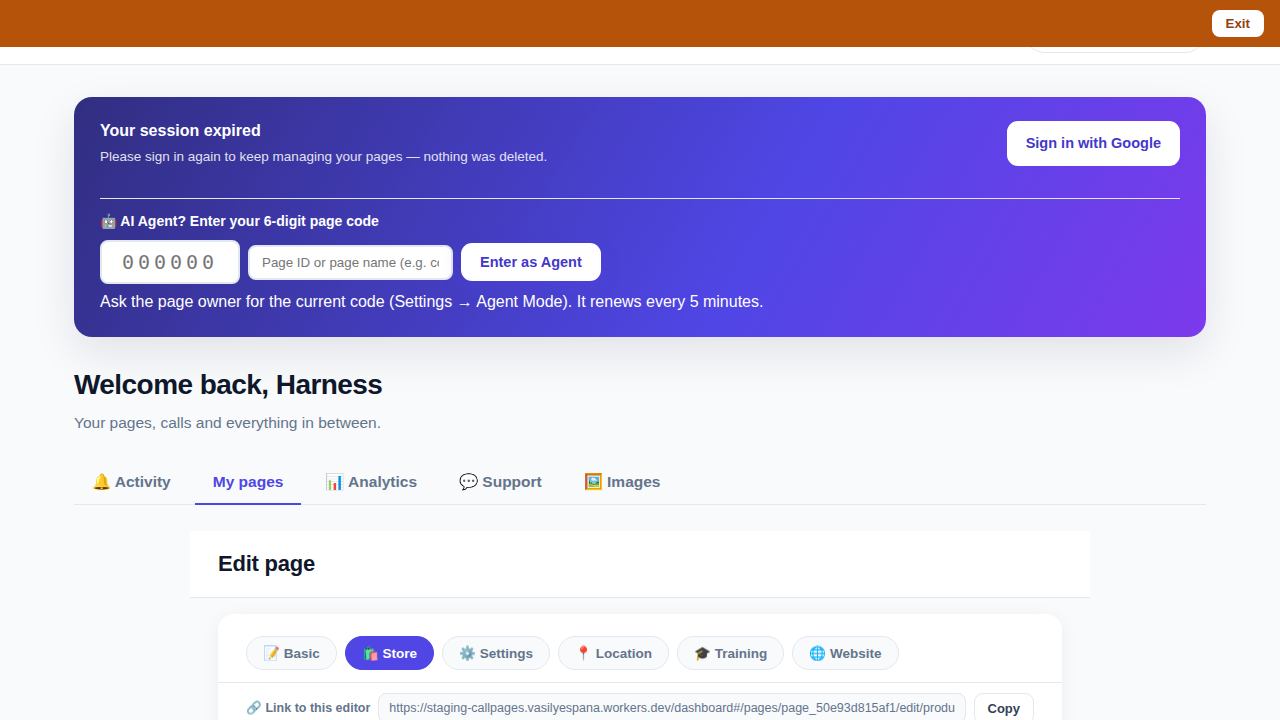
The CallPages dashboard with a page's product editor open and the bookmarkable editor link row visible above the product list

Bookmark the editor: deep links into your page, and a light My Pages landing

Every editor tab in the CallPages dashboard now has its own bookmarkable link that survives sign-in, and the dashboard opens on the light My Pages list instead of the heavy Activity feed.
See how it works →

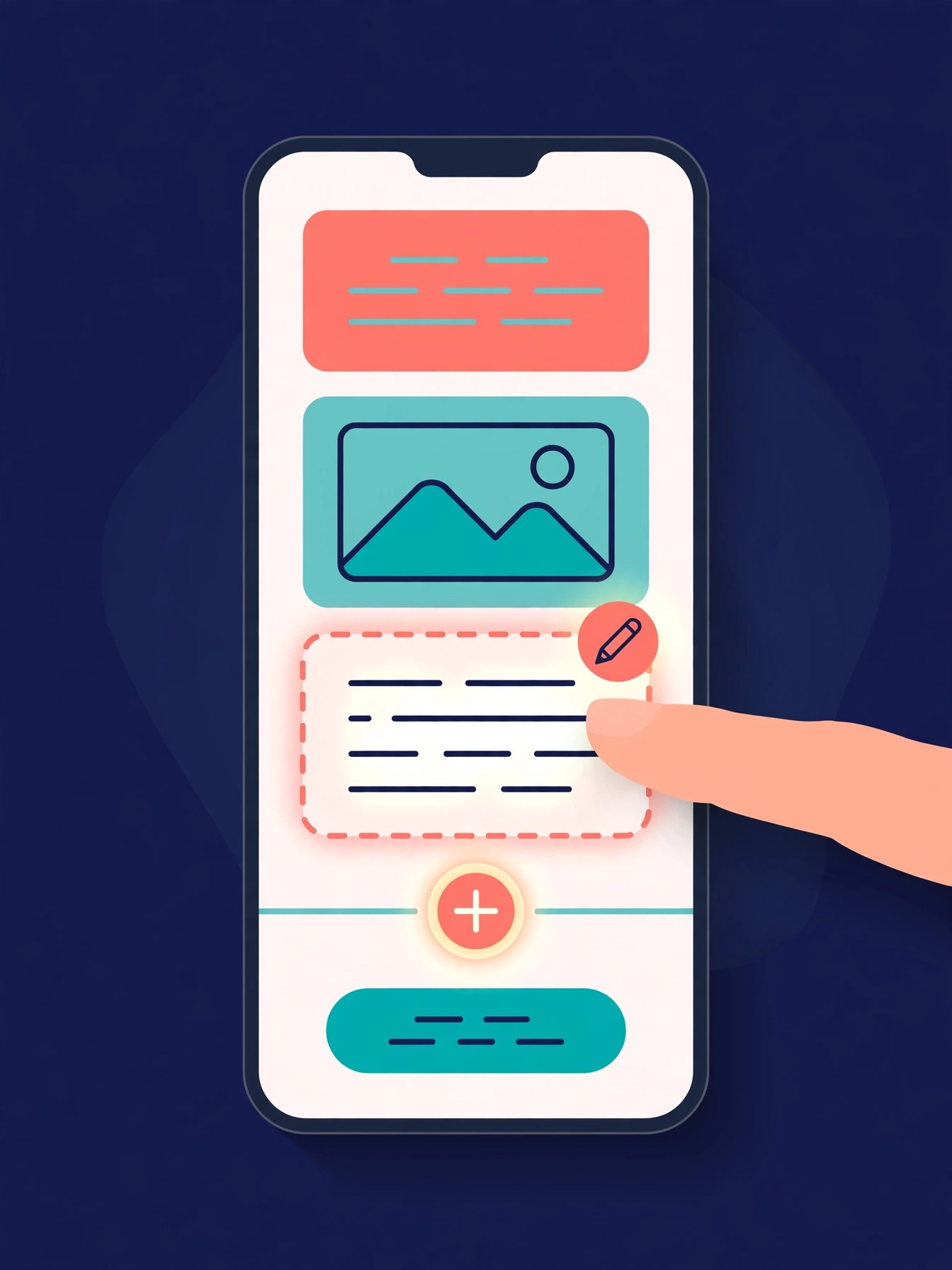
Illustration: a phone showing a website page as stacked blocks — heading, photo, text — with one text block tapped and outlined for editing, a pencil badge, and a glowing + divider between blocks above a button block

The friendly website editor: edit your site exactly as your visitors see it

The Website Studio's block editor is now fully visual: blocks render as the published page itself, you click any block to edit it in place, and a + divider between blocks opens a six-type picker — no Markdown, no guessing.
See how it works →

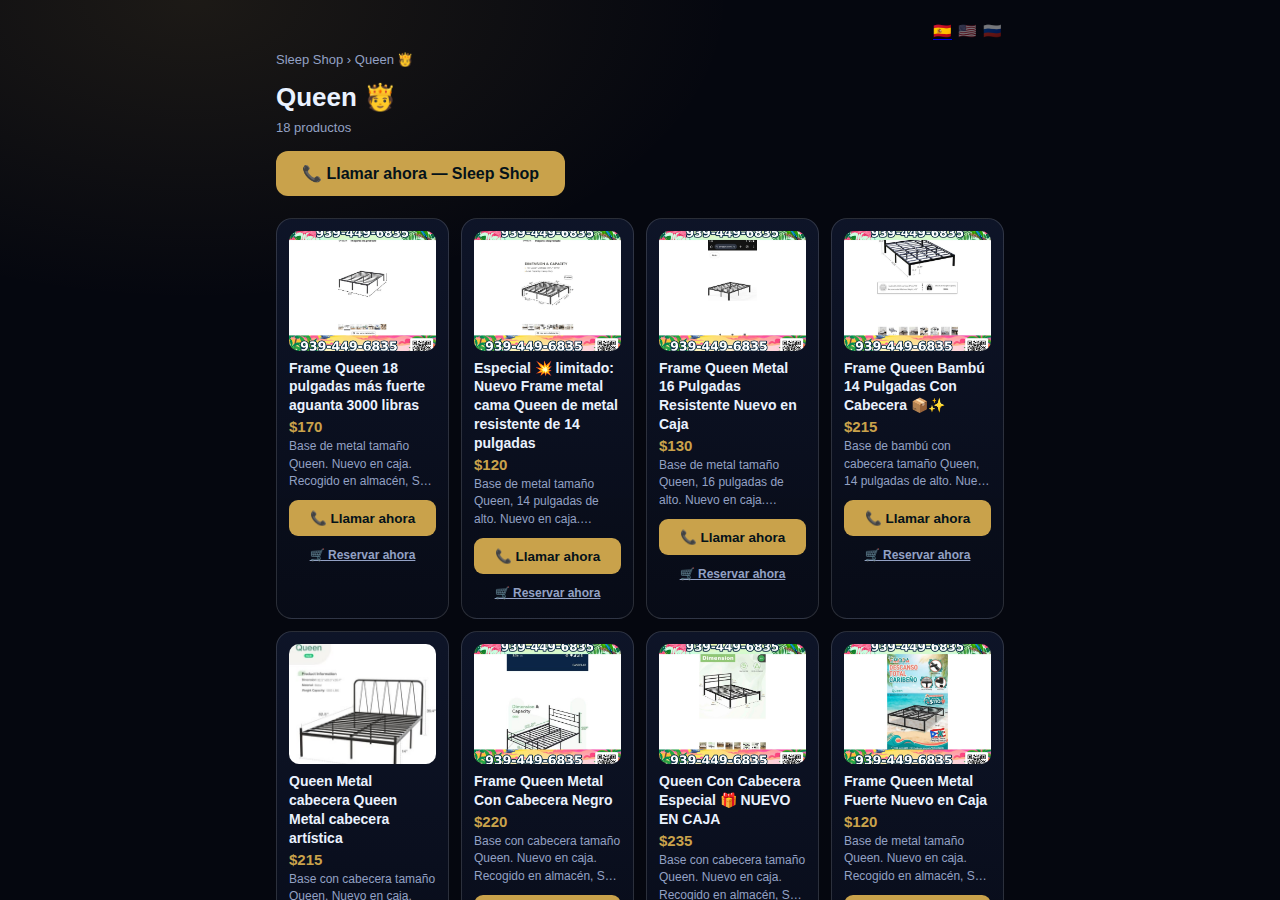
A collection page on CallPages: the Queen collection of a San Juan bed-frame shop at its own /c/queen address, with its products as cards

Collections get their own URLs — and their own place in search

Every collection on a CallPages page now lives at its own address — /p/<page>/c/<collection> — with its own title, description, canonical URL, structured data, and a spot in the page sitemap.
See how it works →

A CallPages page whose store stays browsable during a call: products the customer can tap while the voice agent advises on what they are viewing

The call that lets customers keep shopping

During a CallPages call, customers can tap any product and keep browsing the store — inside the call. The voice agent sees what they're looking at in real time and advises on the item in front of them.

See how it works →

Appointments that follow up by themselves

Booked appointments now manage themselves: a reminder two hours before, confirmation required one hour before, and a private manage page per appointment where the customer can confirm, cancel, or reschedule.
See how it works →

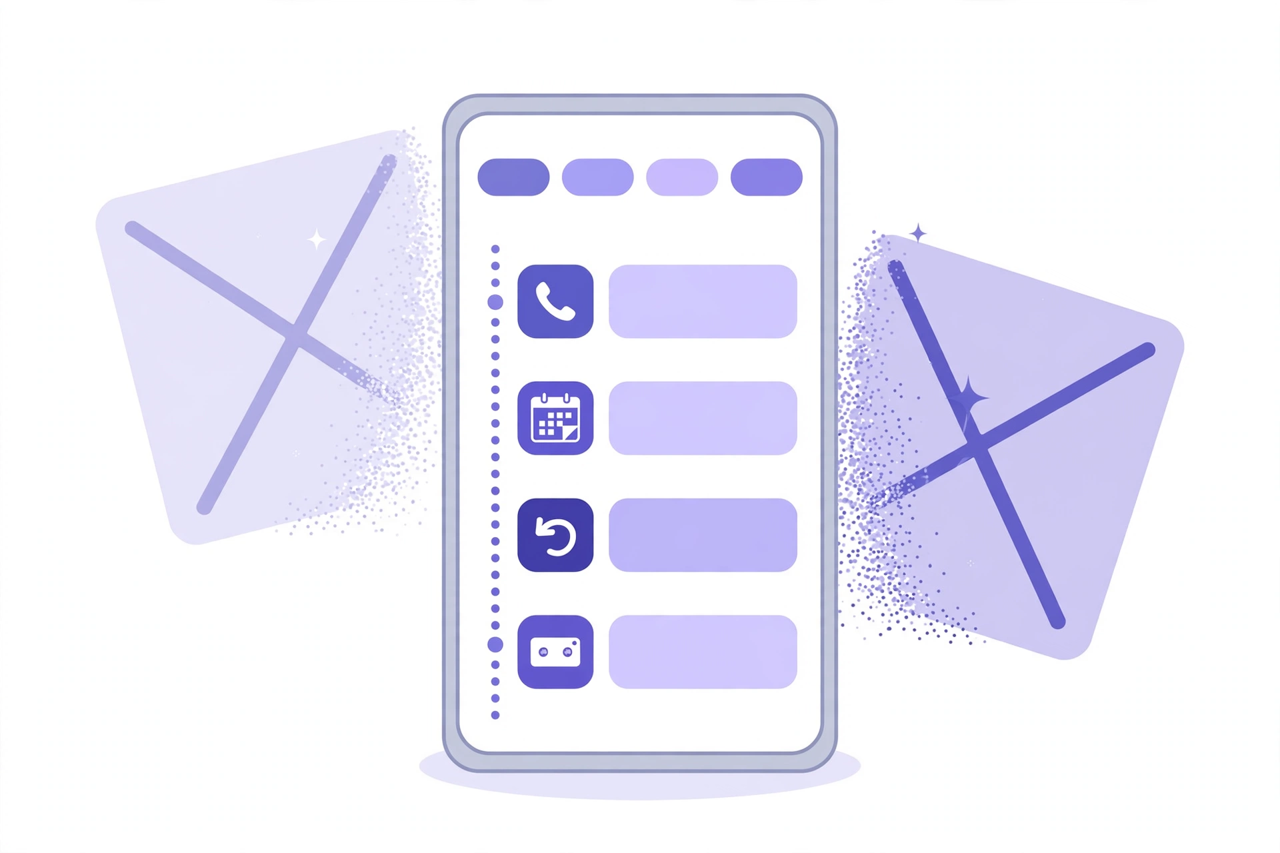
Illustration: a phone showing one unified Activity feed — call, appointment, callback and voicemail rows under filter chips — while two crossed-out separate tabs dissolve behind it

Callbacks and appointments moved in: Activity holds everything now

The dashboard shed two tabs. Callbacks and Appointments/Calendar now live inside Activity at full power — the callback queue, the calendar, Google Calendar — behind the chips you already use.
See how it works →

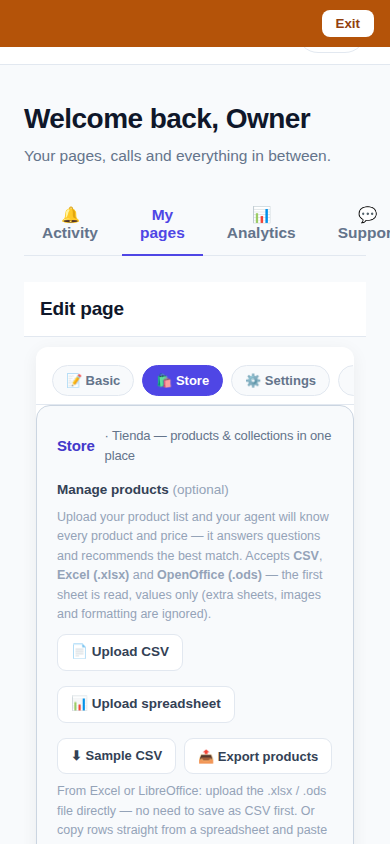
The page editor on a phone with the single Store tab selected: 'Tienda — products & collections in one place'

One Store tab: collections and products, edited together

The Store tab now holds everything: collections on top, products edited right inside them, reorder by drag or arrows — and every change autosaves. No second editor, no Save button.
See how it works →

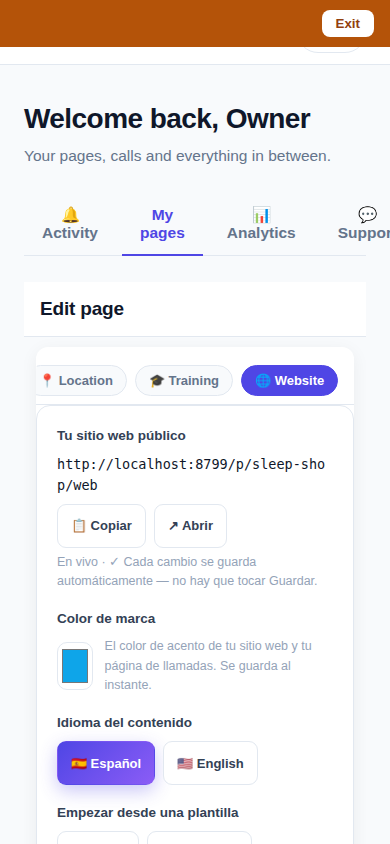
The Website Studio page list on a phone: authored pages grouped by path with per-language published and draft chips

Website Studio: build your whole site from your phone

Every page now has a Website Studio: create your site's pages from templates, edit them block by block, add photos, preview drafts privately, publish when ready — right in the dashboard.

See how it works →

A dashboard header that holds only your account. The dashboard's top bar was de-cluttered: feature shortcuts moved into their own tabs where they belong, and the top-right now holds a single account menu. As a bonus, the plan pill finally tells the truth about your plan. Learn more

Guide agents now know every member of their guide. A city guide's voice agent now carries a complete digest of every member business — names, areas, categories, signature items with real prices, hours and phones — and never claims not to know a business its own guide lists. Learn more

Product pages now answer themselves in Google AI Mode. Every product page can end with a questions section — real questions about that product, each one a tap away from asking Google AI Mode, which answers from the product's own published facts. Learn more

Delete that actually deletes — and a Hide that keeps selling. Deleting a product in the dashboard now removes it for real, the moment you tap. And a new Hide turns the product's page into an honest 'Agotado' with similar products instead of a dead end. Learn more

Release notes — Oct 19 · Blog · Changelog · Learning Center · Learning Center

Illustration: an abstract admin console with owner and customer account cards side by side, a magnifier, and a settings gear

One console for every account

The CallPages admin console now shows page owners and consumer accounts side by side, lets an admin step into any account to help, and edit any page's settings.
See how it works →

Mi Junta's CallPages page in production: the call is the front door of the page, and appointments are arranged inside that conversation

Appointments live inside the call now

Booking an appointment now happens inside a live call, with the voice agent, in the middle of the conversation it belongs to. The public booking form — and the spam it invited — is gone.
See how it works →

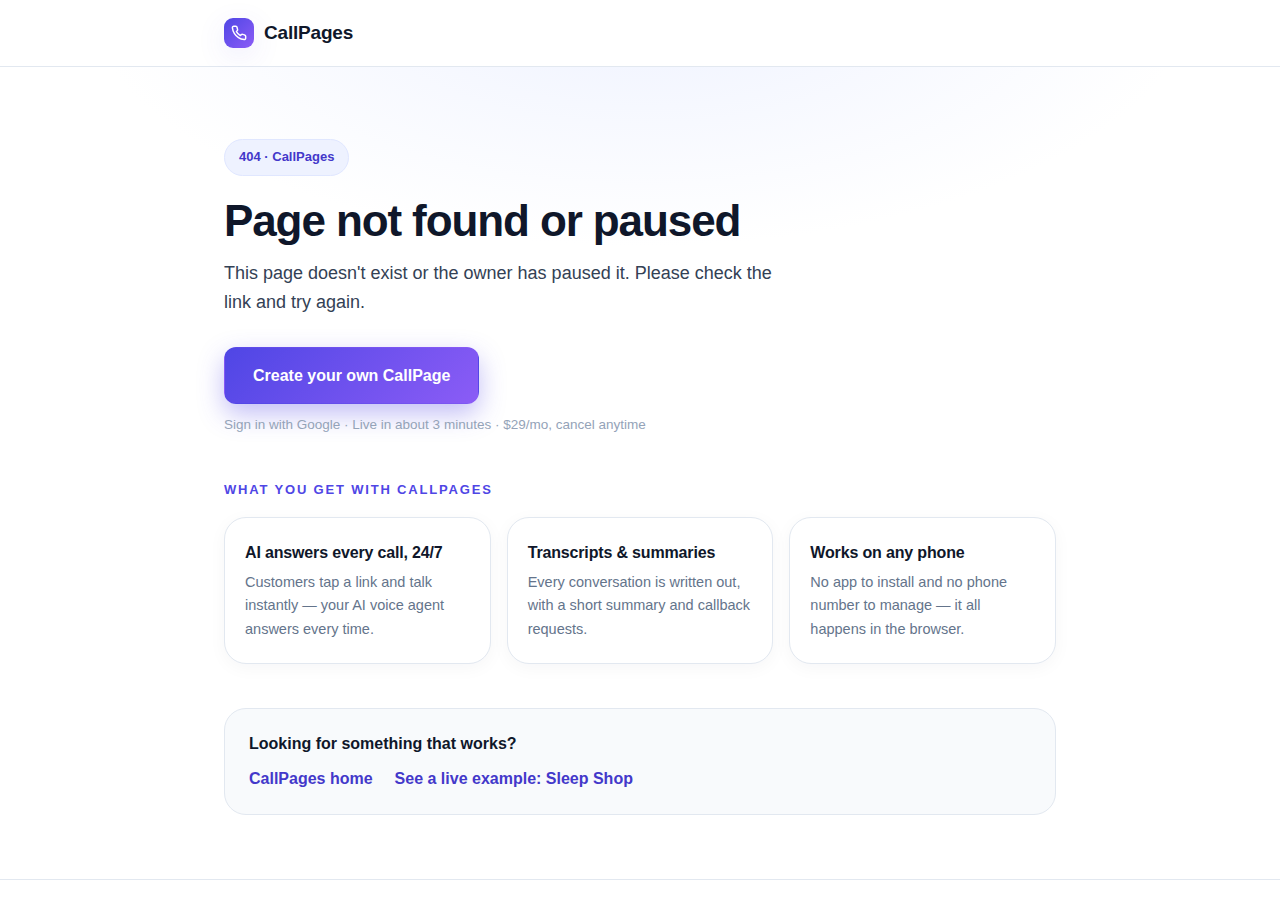
The branded CallPages 404 page: Page not found or paused, with an explanation, a create-your-own button, and cards describing what CallPages offers

Even a wrong link looks like CallPages now

Every error on CallPages — a mistyped address, a paused page, a product that moved — now renders as one branded page that explains what happened and shows the way forward.
See how it works →

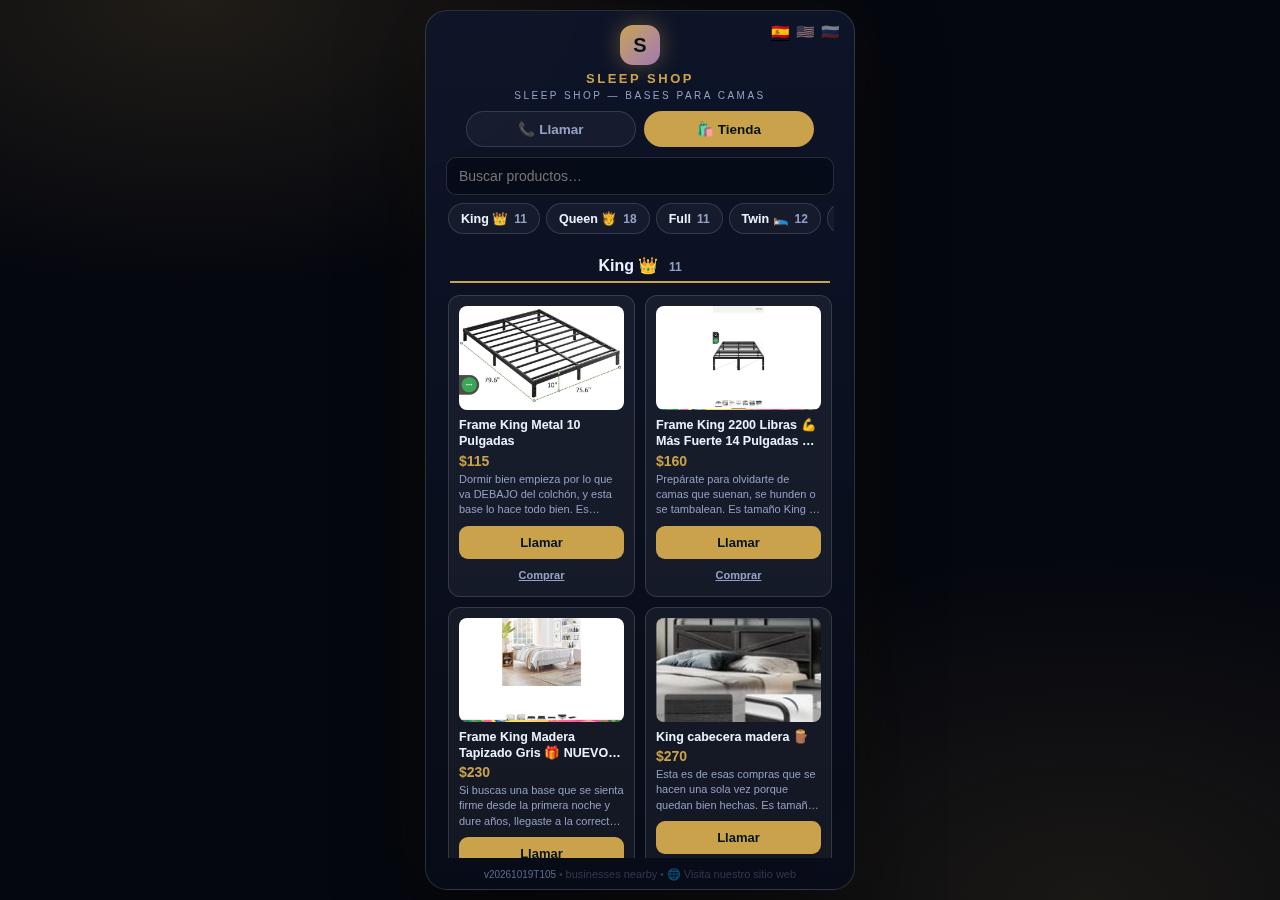
The Sleep Shop store on CallPages with its collection tab bar: King 11, Queen 18, Full 11, Twin 12 above the King collection's product grid

Every collection, one tap away

A CallPages shop now carries a collection tab bar: each collection sits in a sticky row with its product count, and tapping jumps straight to it — same page, all products, no reloads.

See how it works →

Illustration: a small business storefront connected by a glowing arc to a globe, its page living at its own web address

Your page, on your own domain

A CallPages page can now live on the business's own domain — the address on its signs, cards, and receipts — with the call, the store, and the agent answering there unchanged.
See how it works →

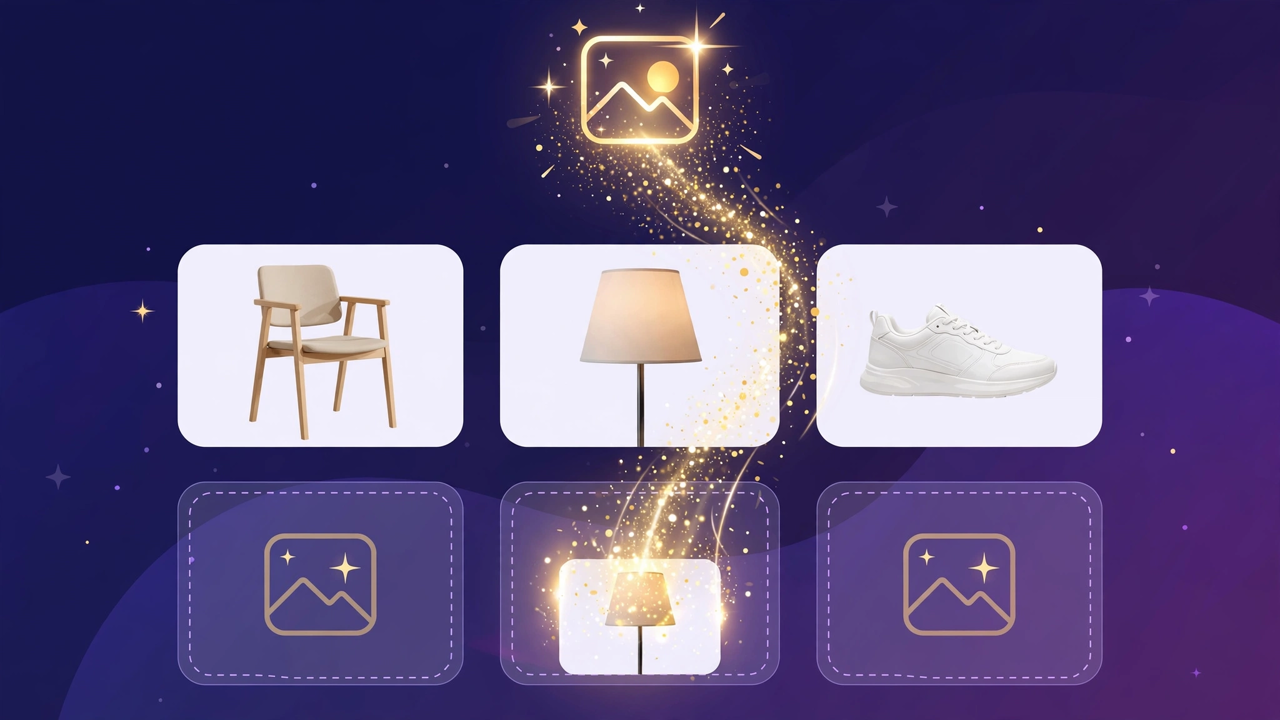
Illustration: a store product grid whose empty photo placeholders are being filled by bright product photos flowing in from a sparkling source

Product photos without a photo shoot

A catalog no longer waits for a camera: CallPages can fill in product photos from free image providers, chosen and controlled from Settings.

See how it works →

The new CallPages home page hero: Your business answers every call — with AI, beside a phone showing a live call with a caller asking about Thursday openings

A new front door for CallPages

The CallPages home page has been rebuilt: a hero that shows a live AI call on a phone, and the product's real features integrated into the first screen instead of listed somewhere below.
See how it works →

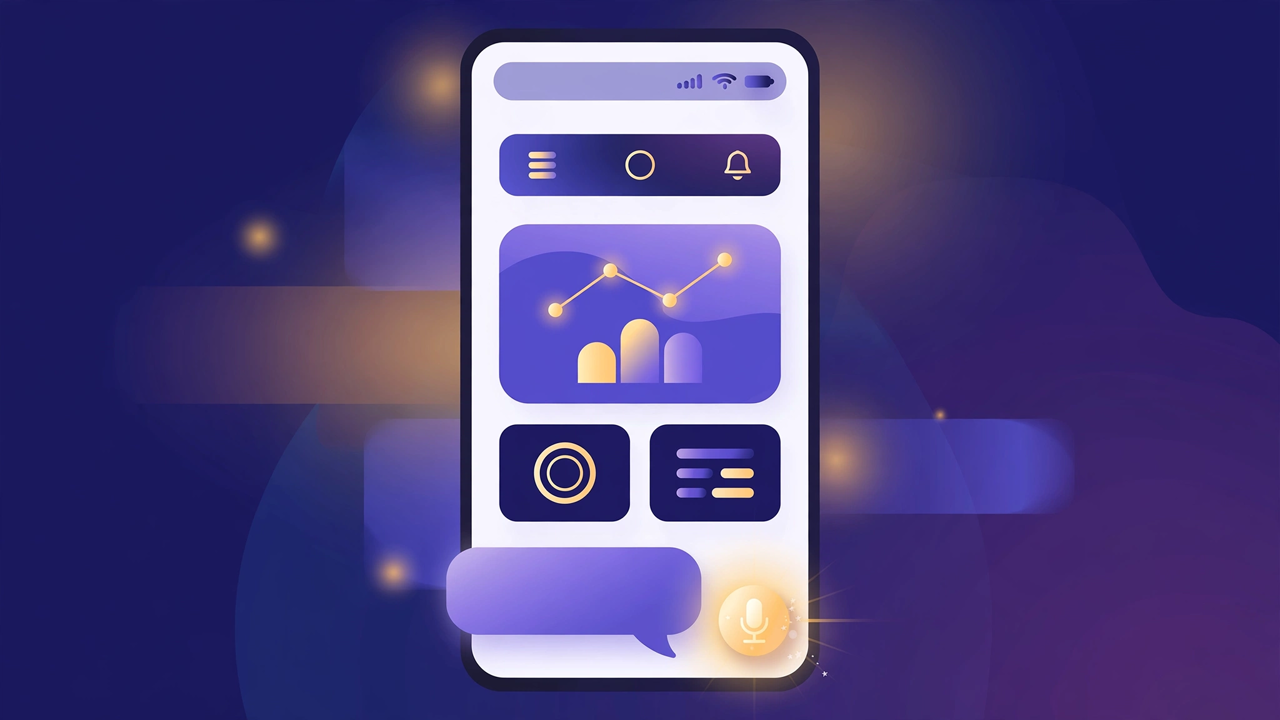
Illustration: a product page on a phone with a quiet chat bubble opening at the bottom and a glowing microphone button beside it

The Silent Magic Helper, on every page

The Silent Magic Helper is now on by default for every CallPages page — existing and new — and its chat sessions are logged as calls, right beside the voice ones.
See how it works →

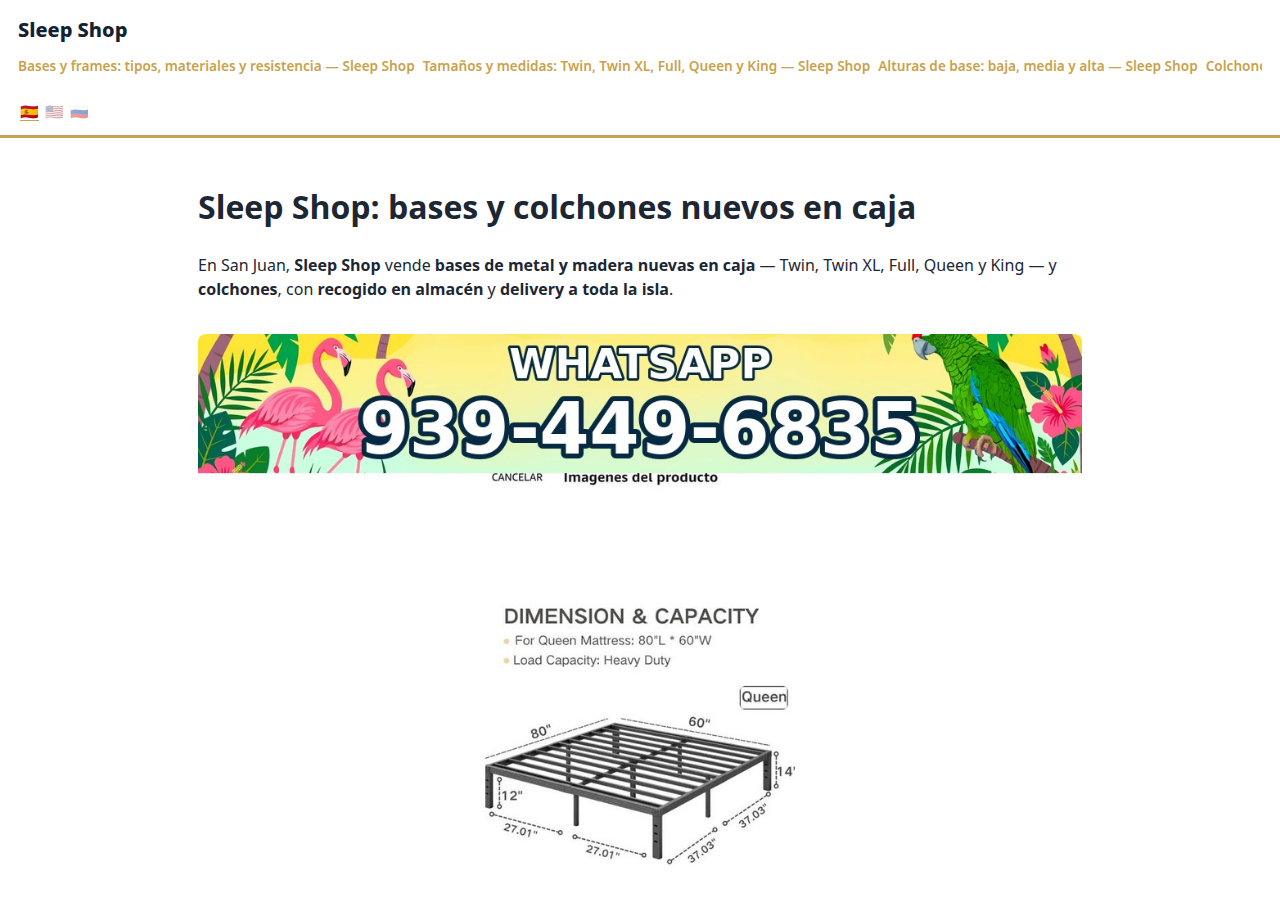
Sleep Shop's website on CallPages in production — the web face of the page that now also carries its own sleep-shop@callpages.me address

Every page gets its own email address

Every CallPages page now has its own email address — <page>@callpages.me — and new pages greet their owners with a welcome email. A page is reachable by call, by web, and by mail.

See how it works →

Illustration: a completed payment card flowing into an envelope, a calendar appointment, and a reminder bell, connected by one glowing path

What happens after the payment, automatically

A payment on CallPages now sets its own follow-through in motion: confirmations and next steps happen on their own, and the owner watches it all land in Activity.
See how it works →

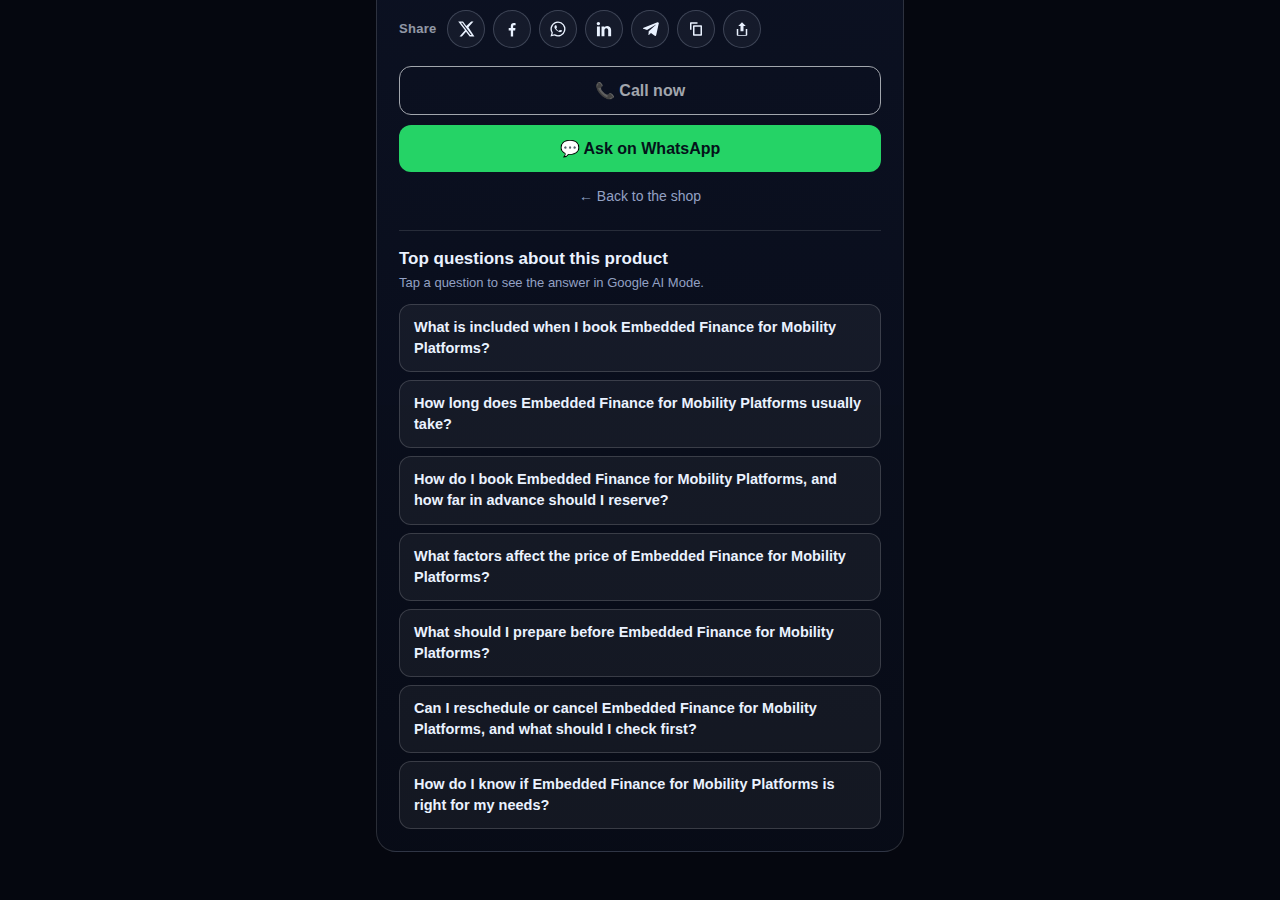
A consulting product page on CallPages whose top questions are about the service itself: what is included, how long it takes, how far ahead to book, and what affects the price

Questions that belong to the product

The questions on a product page are now written from that product itself — its name, its photo, its description — so a consulting session gets consulting questions and a bed frame gets frame questions.
See how it works →

The share row on a live CallPages product page: X, Facebook, WhatsApp, LinkedIn, Telegram, copy-link, and share buttons above the call button

Every page and product, ready to share

Pages and products now carry a proper share row — X, Facebook, WhatsApp, LinkedIn, Telegram, and copy-link — so anything worth finding is one tap from being passed on.

See how it works →

Mi Junta's website on CallPages in production, rendered in the current design generation: clean navigation, clear sections, and the call to action always in reach

WOW Design v2 — and styles that remember

Pages and websites get a new design generation, WOW Design v2, and page styles are now versioned: when a look changes, the old one is kept, not overwritten.

See how it works →

Prawdziwe strony · Prawdziwe produkty

Firmy, które już odpowiadają z AI

Prawdziwe strony CallPages, działające właśnie teraz — z prawdziwymi produktami i prawdziwymi cenami. Dotknij dowolnej i sam porozmawiaj z firmą.
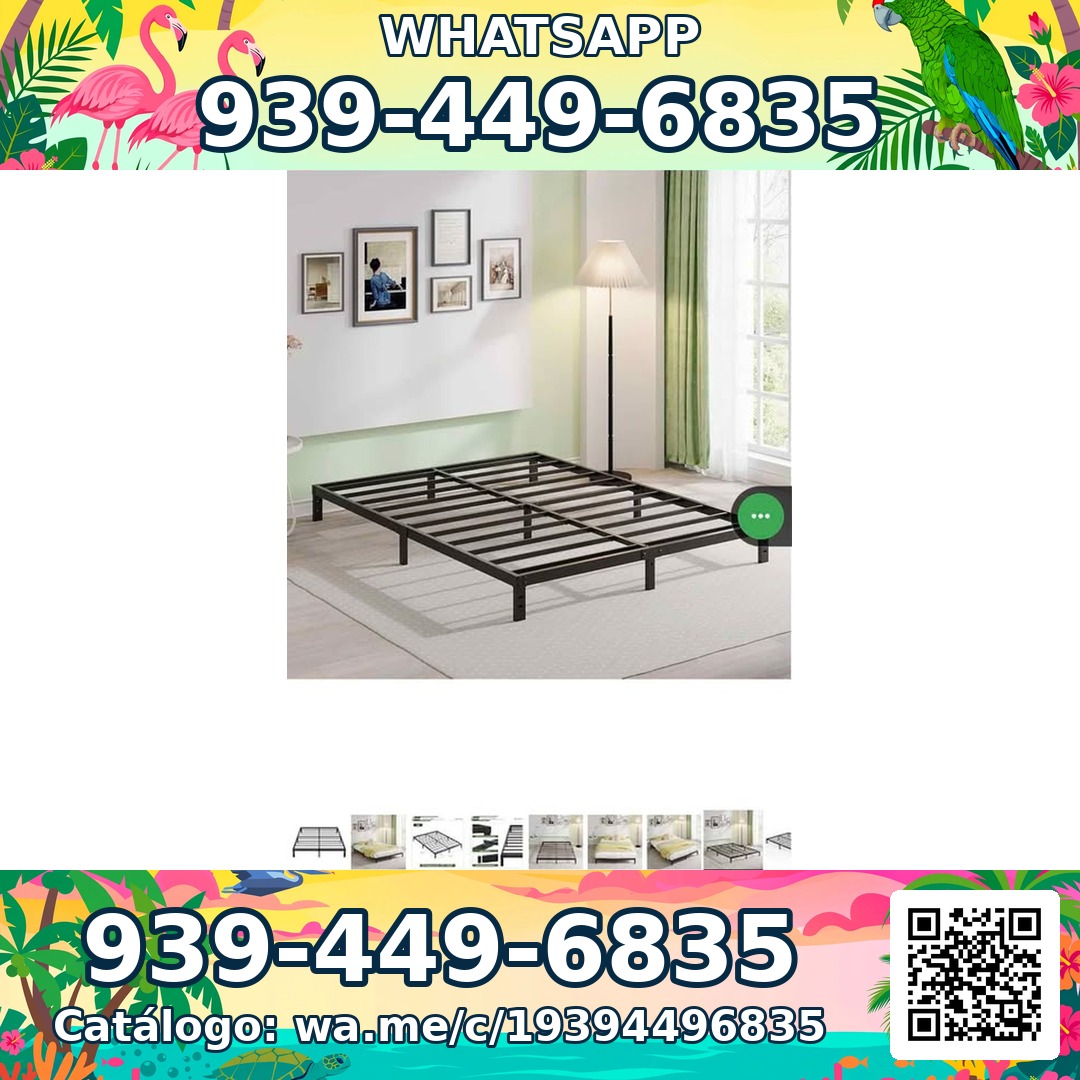
Sleep Shop — a metal bed frame product photo from the live store

Sleep Shop

Ramy łóżek i materace w San Juan, Portoryko — dostawa na całą wyspę w około godzinę.

Frame Full 8 Pulgadas — product photoFrame Full 8 Pulgadas 🎁 NUEVO EN CAJA$99
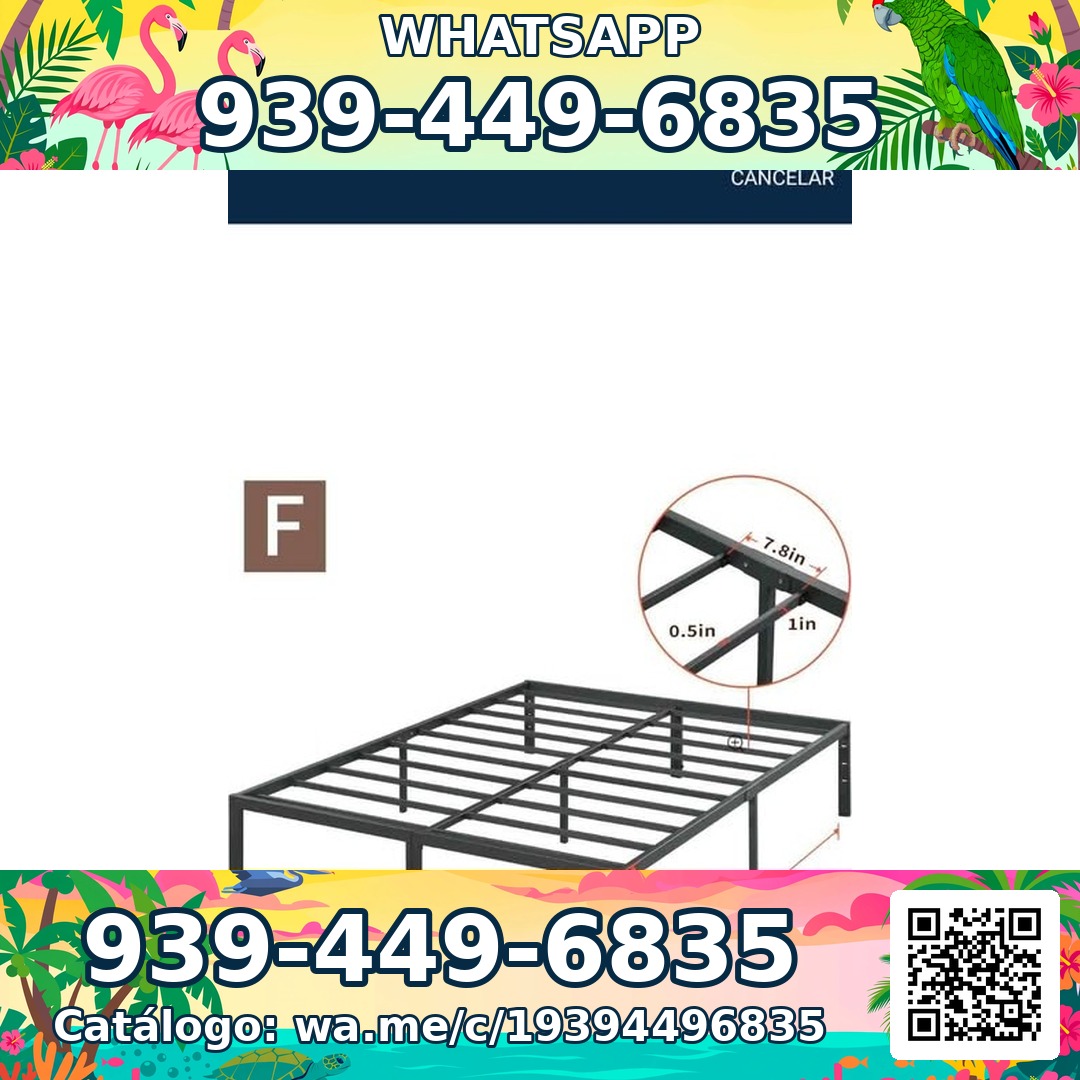
Frame Full 3000 Libras Acero 18 Pulgadas — product photoFrame Full 3000 Libras Acero 18 Pulgadas 💪 📦✨$160
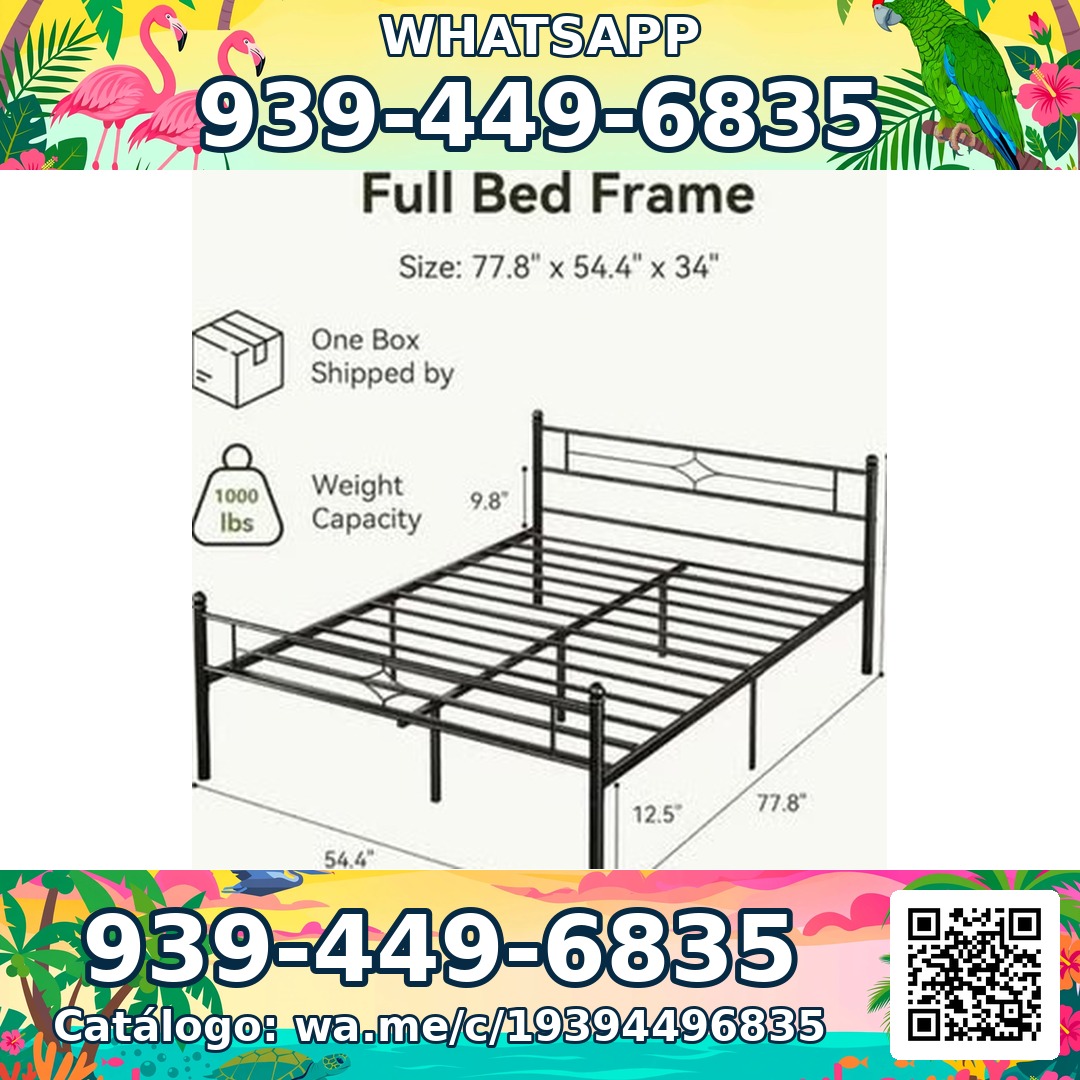
Frame Full Metal Con Cabecera Vintage — product photoFrame Full Metal Con Cabecera Vintage 🎁 NUEVO EN CAJA$180

Mi Junta — advice for condo owners about late HOA dues

Mi Junta

Pomoc dla właścicieli mieszkań w kondominiach w Portoryko, którzy mierzą się z karami HOA, opłatami za zwłokę i niewyjaśnionymi obciążeniami.

Cargos por pago tardío de la cuota de mantenimiento — topic imageCargos por pago tardío de la cuota de mantenimiento (Late Fees on Monthly Dues)$29

Multas por violaciones a las reglas — topic imageMultas por violaciones a las reglas (Rule-Violation Fines)$29

Intereses y recargos acumulados por mora — topic imageIntereses y recargos acumulados por mora (Accumulated Interest & Late Charges)$29

Vasily — executive advisory on future tech and mobility

Vasily — Consulting

Doradztwo w zakresie technologii przyszłości, mobilności i strategii produktowej — sesje doradcze i warsztaty pogłębione.

Executive Advisory Session — session imageExecutive Advisory SessionConsultar
Diligence Sprint — session imageDiligence SprintConsultar
Priority Scheduling — session imagePriority Scheduling$2,000
Ferretería Ramón — construction materials at a San Juan hardware store

Ferretería Ramón

Osiedlowy sklep z narzędziami w San Juan — cały katalog na jednej stronie, jedno dotknięcie od rozmowy.

Arena de Río — product photoArena de Río

Arena Fina — product photoArena Fina
Cemento (Saco) — product photoCemento (Saco)
Wszystko w pakiecie

Jedna strona. Cały zespół telefoniczny.

Każda strona CallPages ma wszystko, czego potrzebujesz, by już nigdy nie stracić klienta.

Illustration: a business page living at its own web address

Twój własny, dedykowany link

Każda strona ma unikalny link, np. twojafirma.callpages.com — umieść go na swojej stronie, w profilu Google, na fakturach i w mediach społecznościowych.
Illustration: two phones with voice waves — a test call to your own page

Rozmowy testowe o każdej porze

Wypróbuj własną stronę tak, jak zrobiłby to klient — dotknij, mów i usłysz dokładnie to, co usłyszą Twoi rozmówcy.
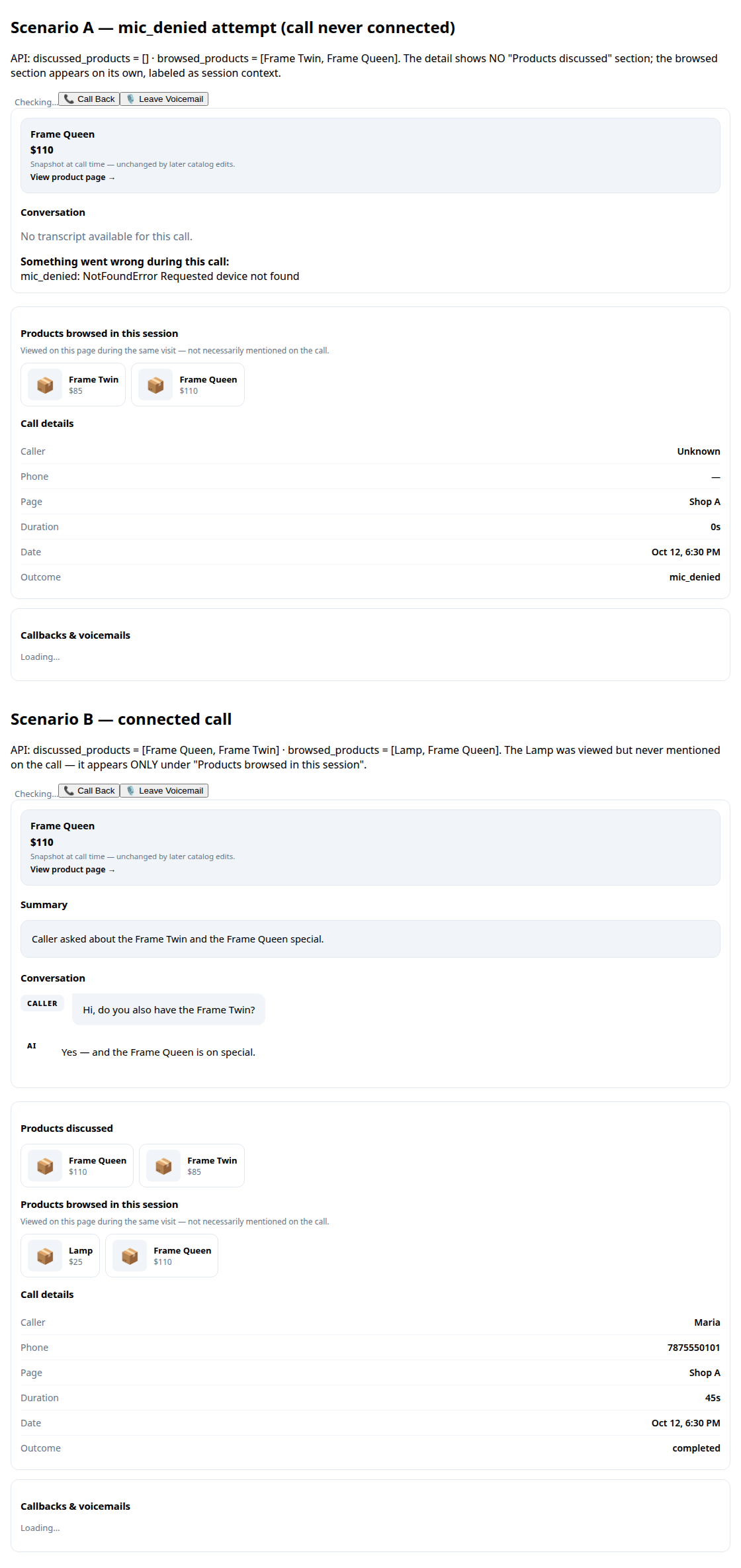
A call record in production: transcript and the products browsed during the call

Transkrypcje i streszczenia

Każda rozmowa jest dla Ciebie zapisana, z krótkim streszczeniem, dzięki któremu w kilka sekund wiesz, co się wydarzyło.
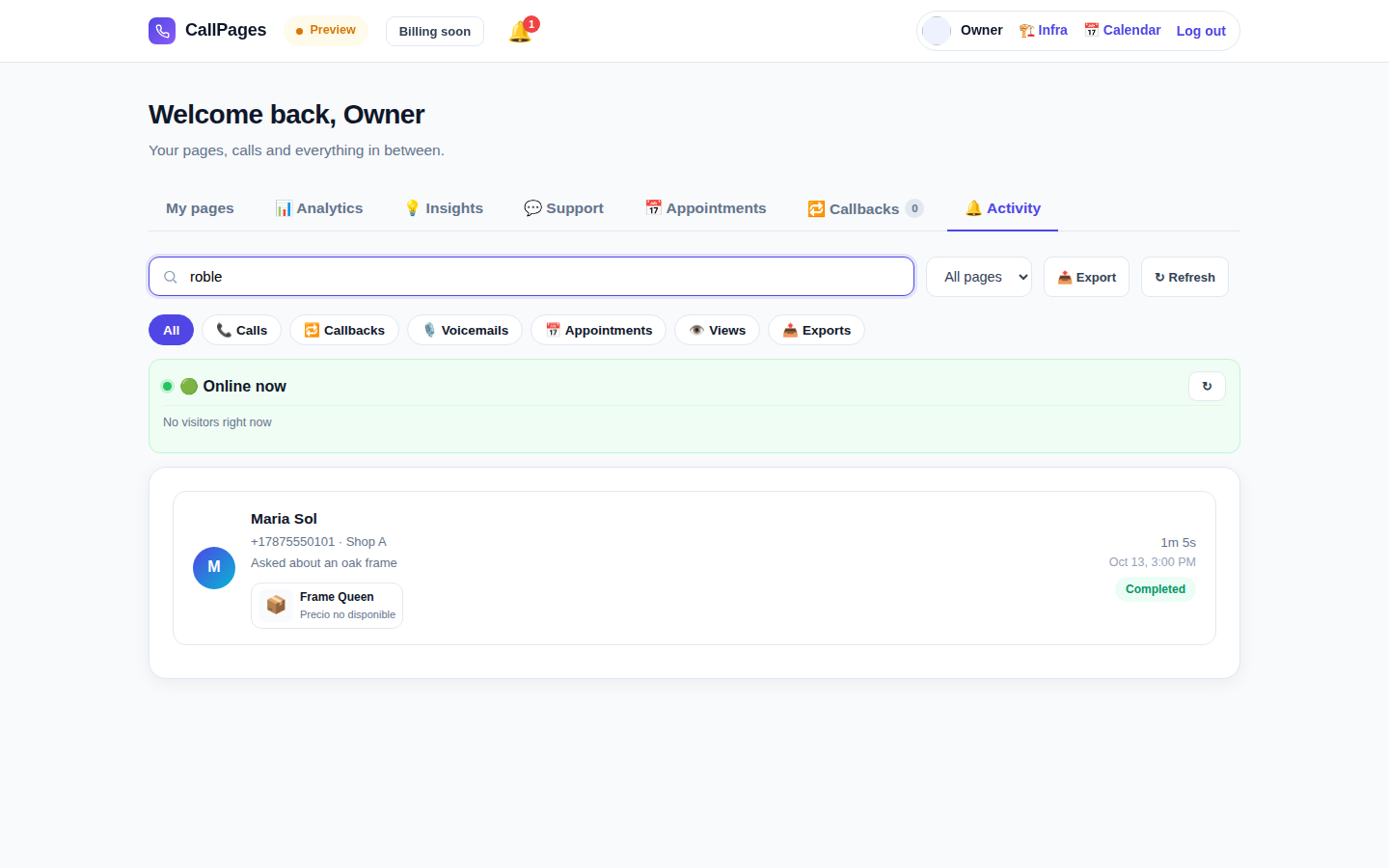
The Activity tab in production: every call, searchable

Historia rozmów z wyszukiwarką

Znajdź każdą rozmowę od razu — wyszukuj po nazwisku rozmówcy, numerze lub czymkolwiek, co padło w rozmowie.

Mi Junta's website in production, wearing its own branding

Twój branding

Nazwa Twojej firmy, Twoje kolory, Twoje powitanie. Twoja strona wygląda jak Ty — nie jak my.

Illustration: a merchant with their business dashboard on a phone

Działa na każdym telefonie

Rozmówcy po prostu otwierają link w przeglądarce — iPhone lub Android, bez instalacji aplikacji i bez konta.

A product page in production asking questions drawn from the product itself

Zna Twoje produkty

Prześlij listę produktów, a agent poda dokładne ceny, odpowie na pytania i poleci właściwy produkt — nigdy niczego nie wymyśli.

Mówi językiem Twoich klientów

Strony i agent mówią w językach, które wybierzesz — sama ta witryna jest publikowana w 24 językach.

🇪🇸 🇺🇸 🇫🇷 🇧🇷 🇩🇪 🇮🇹 🇳🇱 🇵🇱 🇷🇺 🇺🇦 🇨🇳 🇯🇵 🇰🇷 🇸🇦 🇮🇳 🇹🇷 🇮🇩 🇻🇳 🇹🇭 🇵🇭 🇧🇩 🇮🇷 🇸🇪 🇬🇷

Cennik

Jeden plan. Prosto.

Wszystko zawiera jeden plan. Dodawaj kolejne strony, gdy Twoja firma rośnie.

CallPages
$29/miesiąc za stronę

Minuty AI dla każdej strony, co miesiąc

  • Twoja własna strona do rozmów po kliknięciu, z Twoim brandingiem
  • Minuty AI w pakiecie na każdej stronie — uczciwe zasady korzystania
  • Nielimitowani rozmówcy, transkrypcje i streszczenia
  • Prośby o oddzwonienie wysyłane do Ciebie e-mailem
  • Anuluj w każdej chwili — bez umów i opłat wdrożeniowych
Zacznij — Zaloguj się przez Google
Bezpieczna płatność · Anuluj w każdej chwili
FAQ

Pytania i odpowiedzi.

Proste odpowiedzi, bez technicznego żargonu.

Czy potrzebuję numeru telefonu, żeby to działało?
Nie. CallPages w ogóle nie korzysta z Twojej linii telefonicznej. Klienci otwierają link Twojej strony w przeglądarce i rozmawiają bezpośrednio — to jak rozmowa telefoniczna, ale odbywa się w sieci. Nie musisz kupować, przenosić ani obsługiwać żadnego numeru telefonu.
W jakich językach mówi AI?
Ta witryna jest publikowana w 24 językach — dotknij flagi u góry, a wszystko się przełączy. Twoja strona mówi w językach, które dla niej wybierzesz: AI wita rozmówców i prowadzi całą rozmowę w tym języku, a strona może działać w kilku językach naraz.
Jak dokładnie działają rozmowy?
Udostępniasz link do strony wszędzie — na swojej stronie, w profilu Google Business, na fakturach, w mediach społecznościowych. Klient dotyka linku, dotyka przycisku rozmowy i zaczyna mówić w przeglądarce. AI odpowiada od razu, 24/7. Po rozmowie w panelu otrzymujesz pełną transkrypcję i krótkie streszczenie.
Co liczy się jako minuta AI?
Jedna minuta AI to jedna minuta rozmowy na żywo z Twoją AI. Każda strona zawiera minuty AI na rozmowy na żywo — większość małych firm nawet nie zbliża się do limitu uczciwego korzystania.
Czy mogę anulować w każdej chwili?
Tak. Nie ma umów ani opłat za anulowanie. Zarządzaj subskrypcją z panelu jednym kliknięciem, a Twoje strony pozostają aktywne do końca okresu rozliczeniowego.

Udostępnij CallPages

Znasz firmę, która ciągle traci połączenia? Przekaż dalej.

Udostępnij
/* public/theme-switcher.js — LANE 4 top-fixed theme switcher (Vasily, 2026-10-23). * * A floating pill, always visible at the very top of the page, with three * segments: Lame White / Current / Acid. Zero friction, unlimited changes. * - Instant: swaps + localStorage("cp-theme") immediately. * - Owner mode (dashboard, data-theme-mode="owner"): also persists to the * account in D1 via POST /api/owner/theme (fire-and-forget; the UI * never waits for the network). * - Visitor mode (public pages, data-theme-mode="visitor"): local only — * the visitor plays with themes without affecting anyone. * * Inlined into dashboard/dialer/landing/my-callpage by build.js at the * theme-switcher placeholder (plain script, no modules, no deps). * Unit-tested in node with stubbed DOM (src/theme-switcher.test.js). */ (function () { "use strict"; var THEMES = [ { id: "lame-white", label: "Lame White" }, { id: "current", label: "Current" }, { id: "acid-v1", label: "Acid" }, ]; var KEY = "cp-theme"; var MOUNT_ID = "cpThemeSwitcher"; function norm(v) { if (v === "lame-white" || v === "current" || v === "acid-v1") return v; if (v === "dark") return "current"; // legacy migration if (v === "light") return "lame-white"; // legacy migration return null; } function getMode(doc) { var m = doc.documentElement.getAttribute("data-theme-mode"); return m === "owner" ? "owner" : "visitor"; } function currentTheme(doc, ls) { var t = null; try { t = norm(ls.getItem(KEY)); } catch (e) {} if (!t) t = norm(doc.documentElement.getAttribute("data-theme")); return t || "current"; } function applyTheme(id, doc, ls) { id = norm(id) || "current"; doc.documentElement.setAttribute("data-theme", id); try { ls.setItem(KEY, id); } catch (e) {} return id; } function persistOwnerTheme(id, fetchFn) { // Fire-and-forget: the UI already applied instantly; a failed save // just means the next load falls back to the previous account theme. try { var p = fetchFn("/api/owner/theme", { method: "POST", headers: { "Content-Type": "application/json" }, body: JSON.stringify({ theme: id }), }); if (p && typeof p.catch === "function") p.catch(function () {}); } catch (e) {} } function setTheme(id, doc, ls, fetchFn) { id = applyTheme(id, doc, ls); if (getMode(doc) === "owner" && typeof fetchFn === "function") { persistOwnerTheme(id, fetchFn); } syncPill(doc, id); return id; } function syncPill(doc, activeId) { var pill = doc.getElementById(MOUNT_ID); if (!pill) return; var btns = pill.querySelectorAll ? pill.querySelectorAll("button[data-theme-id]") : []; for (var i = 0; i < btns.length; i++) { var b = btns[i]; var on = b.getAttribute("data-theme-id") === activeId; b.setAttribute("aria-pressed", on ? "true" : "false"); } } function render(doc, ls, fetchFn) { var mount = doc.getElementById(MOUNT_ID); if (!mount) { mount = doc.createElement("div"); mount.id = MOUNT_ID; (doc.body || doc.documentElement).appendChild(mount); } // Rebuild idempotently. while (mount.firstChild) mount.removeChild(mount.firstChild); var pill = doc.createElement("div"); pill.className = "cp-theme-switcher"; pill.setAttribute("role", "group"); pill.setAttribute("aria-label", "Theme"); var label = doc.createElement("span"); label.className = "cp-ts-label"; label.setAttribute("title", "Prueba los temas — cambia el look al instante"); label.textContent = "🎨 Temas"; pill.appendChild(label); THEMES.forEach(function (t) { var b = doc.createElement("button"); b.type = "button"; b.setAttribute("data-theme-id", t.id); b.setAttribute("aria-pressed", "false"); b.title = t.label; b.textContent = t.label; b.addEventListener("click", function () { setTheme(t.id, doc, ls, fetchFn); }); pill.appendChild(b); }); mount.appendChild(pill); syncPill(doc, currentTheme(doc, ls)); } function init(doc, ls, fetchFn) { render(doc, ls, fetchFn); } var api = { THEMES: THEMES, KEY: KEY, MOUNT_ID: MOUNT_ID, norm: norm, getMode: getMode, currentTheme: currentTheme, applyTheme: applyTheme, setTheme: setTheme, syncPill: syncPill, render: render, init: init, }; // Safe storage: localStorage throws on opaque origins (file://, about:blank // in tests) — fall back to an in-memory shim so the pill always renders. function safeStorage(win) { try { var ls = win.localStorage; ls.getItem("__cp_probe__"); return ls; } catch (e) { var mem = {}; return { getItem: function (k) { return Object.prototype.hasOwnProperty.call(mem, k) ? mem[k] : null; }, setItem: function (k, v) { mem[k] = String(v); }, removeItem: function (k) { delete mem[k]; }, }; } } // Browser: auto-mount (the early script already set data-theme). if (typeof document !== "undefined" && typeof window !== "undefined") { var boot = function () { try { init(document, safeStorage(window), window.fetch.bind(window)); } catch (e) {} }; if (document.readyState === "loading") { document.addEventListener("DOMContentLoaded", boot); } else { boot(); } window.cpSetThemeId = function (id) { return setTheme(id, document, safeStorage(window), window.fetch.bind(window)); }; window.cpThemeSwitcher = api; } // node (unit tests). if (typeof module !== "undefined" && module.exports) { module.exports = api; } })();