CallPages product management now does what the buttons say: Delete removes a product immediately and permanently — from your page, its website, the sitemap and your agent's catalog. Hide keeps the product in your dashboard but takes it out of sale: its public page shows 'Agotado' (sold out) in the page's language and offers similar products, so the visit still has somewhere to go.
The old Delete button was a silent no-op dressed as a feature: the product looked deleted in the form, but a background refresh quietly restored it, nothing was ever saved, and the product stayed on sale. Owners found out the worst way — a customer asking about a product they had already 'deleted'. And there was no Hide at all: a product that was temporarily out of stock could only stay fully on sale, or be deleted and rebuilt later.
The bug, stated plainly
Delete captured the product into the edit form instead of removing it by id; a background refresh then rebuilt the product list from the server, the removal index resolved to nothing, and — even when a removal did land in memory — nothing persisted it without a separate save the flow never performed. Three small failures stacked into one button that did nothing while appearing to work. The fix removes each layer: delete by stable id, persist immediately with rollback on failure, and tell the owner the truth with a NOT-saved message if the write ever fails.
Hide is a sales tool, not a storage closet
Out-of-stock is normal in a small store: a size runs out, a model is between shipments. Before Hide, the only choices were lying (leave it on sale) or destructive (delete it and rebuild it later). Now the product steps out of every selling surface while its link turns into a sold-out page that recommends the closest alternatives — same collection first, because that is what the customer was already looking at. When stock returns, one tap puts it back exactly as it was, photos, price and descriptions intact.
Proven on the store that reported it
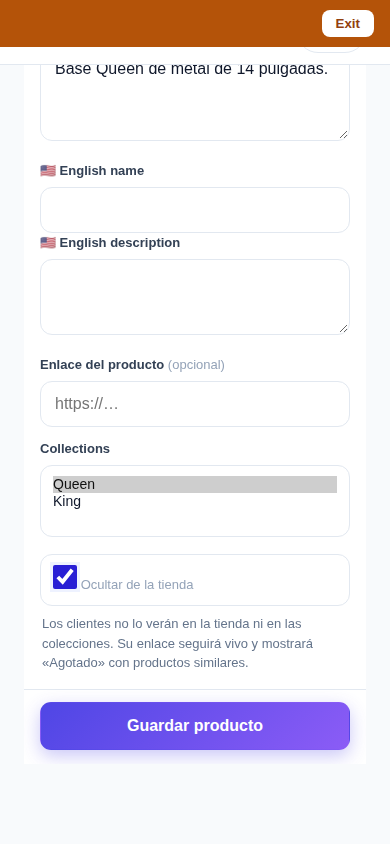
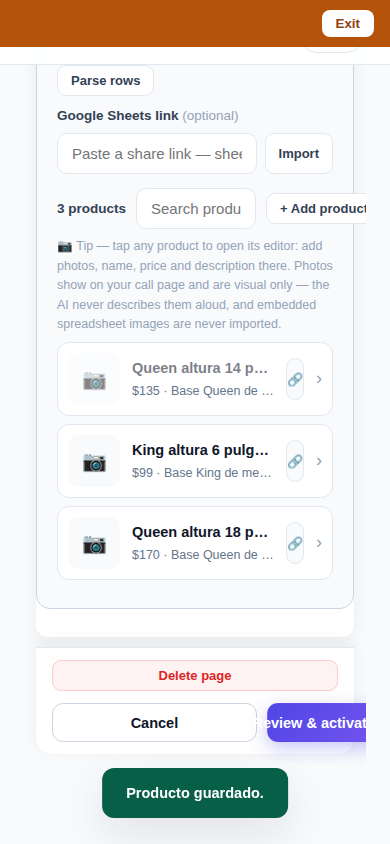
This shipped against a real complaint from a real store: a product the owner could not delete no matter how many times he tried. The fixed flow was driven end-to-end in a browser against the production build — delete, hide, unhide — the stuck product was removed in production at the owner's direction, and the store's configuration was backed up before and verified after. The screenshots above come from those verification drives.
How it works
- Delete works by stable product id and persists immediately — no Save press needed. If the save fails, the product comes back and a NOT-saved message says so; a delete never half-happens.
- A deleted product disappears everywhere at once: your storefront, collection pages, your website, the sitemap, and the catalog your voice agent quotes from. Its public URL returns 404.
- Hide is a per-product switch in the same editor. A hidden product leaves the storefront, collections, website, sitemaps and agent catalogs — but stays in your dashboard, ready to unhide in one tap.
- A hidden product's direct link does not dead-end: it renders a sold-out page ('Agotado' in Spanish) in the page's language, followed by similar products — same collection first, then same category and size.
- Both behaviors were proven on a real store before this shipped: the owner's own stuck product was deleted in production (its URL now 404s), and Hide was exercised live, then the store restored exactly as it was.
See it live: Sleep Shop
Sleep Shop — CallPage · Sleep Shop — website
Related reading
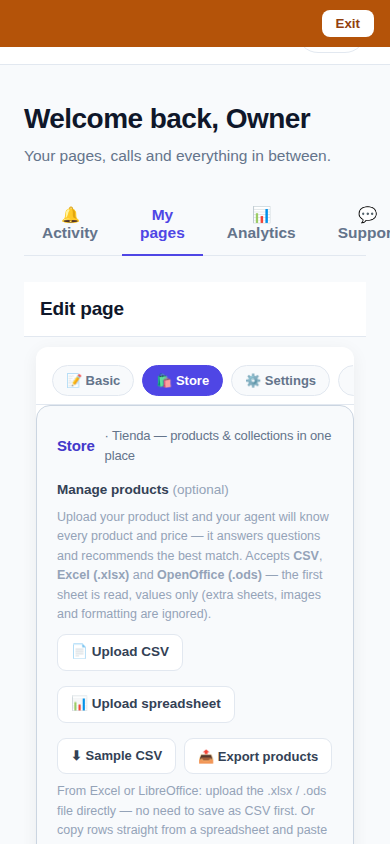 One Store tab: collections and products, edited together
 Callbacks and appointments moved in: Activity holds everything now
 Website Studio: build your whole site from your phone
Innovation by Vasily Starostenko, founder of CallPages.