Novità — il tuo agente telefonico IA è attivo in 3 minuti

La tua azienda risponde a ogni chiamata — con l'IA

Crea una pagina di chiamata IA con un clic per la tua azienda in 3 minuti. I tuoi clienti toccano un link e iniziano a parlare. Tu ricevi trascrizione, riassunto e richiamata.

Minuti IA inclusi ogni mese · Nessun numero di telefono necessario · Disdici quando vuoi

La tua azienda
Domande? Tocca e parla.

Il nostro assistente risponde all'istante — prezzi, disponibilità, prenotazioni e altro.

Chiamata dal vivo — 02:14
Chiamante
“Avete disponibilità questo giovedì?”
Assistente
“Sì! Ho le 10:30 AM e le 2:00 PM. Quale va bene per te?”
Tocca per parlare
Tutto ciò che la tua pagina può fare — dalla prima schermata

Chiamate vocali IA, 24/7

I clienti toccano il tuo link e parlano nel browser — niente numero di telefono, niente app, niente attese in linea. Il tuo agente vocale IA risponde all'istante, giorno e notte.

Prenota appuntamenti durante la chiamata

A metà conversazione, il tuo agente propone orari reali e prenota l'appuntamento durante la chiamata — poi promemoria e conferme proseguono da soli.

Un negozio che resta aperto durante la chiamata

I tuoi prodotti e collezioni — ogni collezione con il suo link — restano sfogliabili nel negozio durante la chiamata, mentre l'agente consiglia su ciò che il cliente sta guardando, in tempo reale.

Conosce i tuoi prodotti a memoria

Il tuo agente indica prezzi e dettagli esatti dal tuo catalogo e consiglia il prodotto giusto — non inventa mai un prezzo.

Ogni chiamata, registrata e ricercabile

Trascrizioni, riassunti e statistiche per ogni conversazione, in un unico feed Attività — trova qualsiasi chiamata per nome, numero o qualsiasi cosa sia stata detta.

Multilingue dal primo saluto

Questo sito parla 24 lingue, e anche la tua pagina può farlo: un piccolo tocco su una bandierina cambia la lingua, così ogni visitatore viene accolto nella sua.

La strada verso il futuro

Dove stanno andando le chiamate aziendali

Prima, ogni azienda perdeva le chiamate a cui non poteva rispondere. Poi il telefono è diventato un link. Ora il link risponde — e vende.

Ieri — la chiamata persa

Un cliente chiama fuori orario, sente squillare a vuoto e compra da chi risponde per primo. L'azienda non sa nemmeno che è successo.
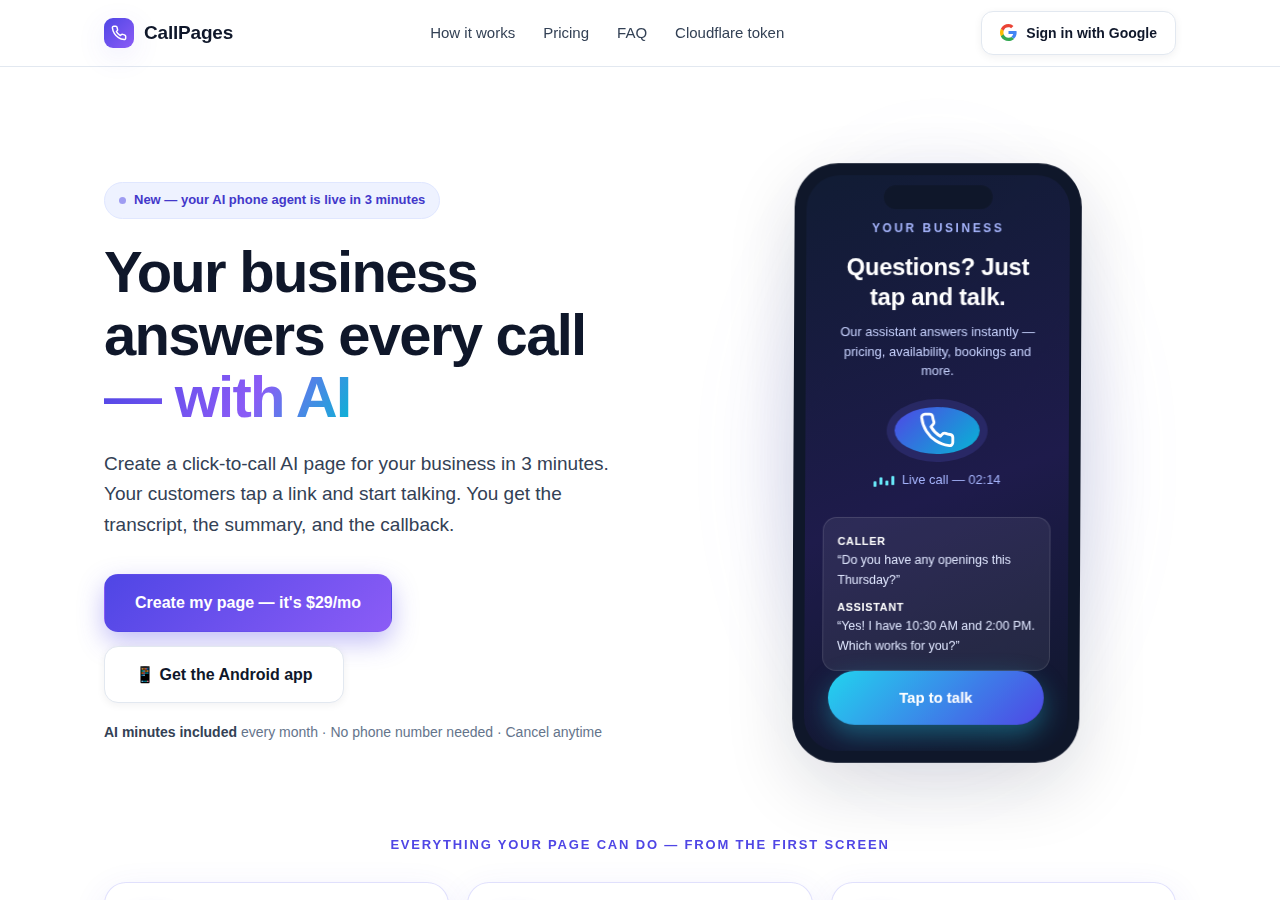
The CallPages home page: a business answering a live AI call on a phone

Oggi — la pagina che risponde

La tua CallPage risponde all'istante, 24/7: parla, indica i tuoi prezzi reali, prenota l'appuntamento durante la chiamata e ti lascia trascrizione e riassunto.
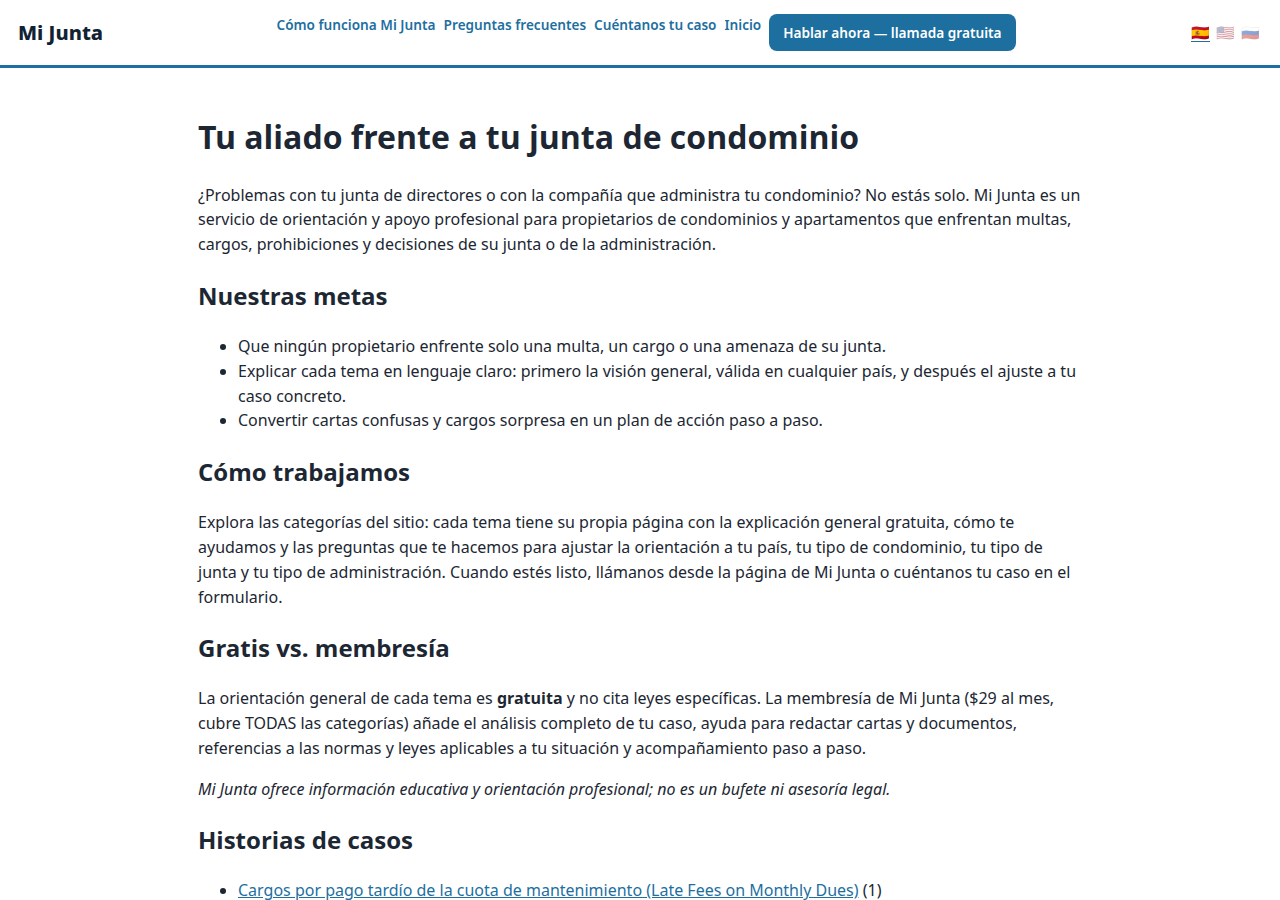
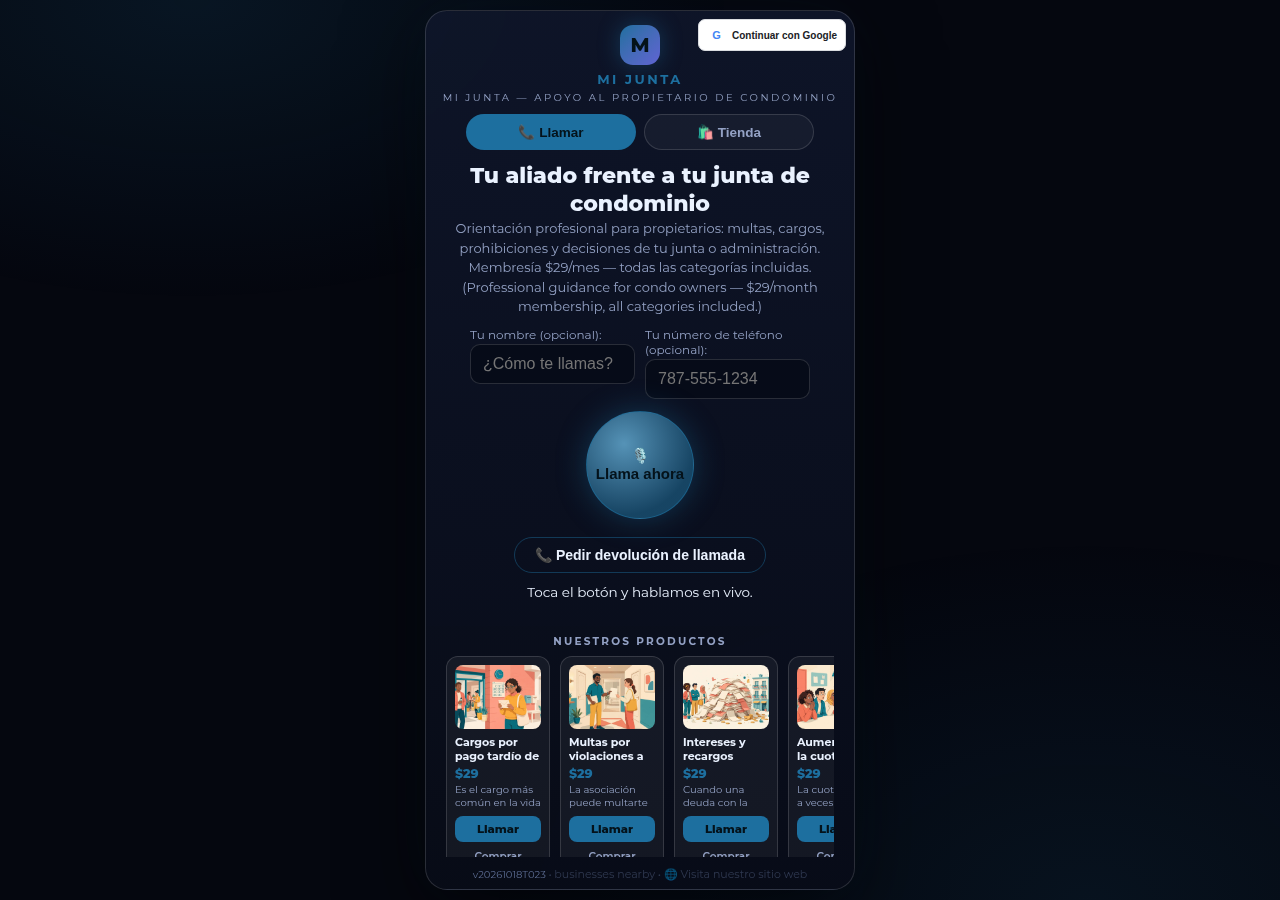
A real business website on CallPages — Mi Junta — with its store and call button in reach

Domani — l'agente che fa crescere l'azienda

Lo stesso agente ricontatta, conferma, ricorda e impara il tuo catalogo a memoria — una reception che non dorme mai, nelle lingue dei tuoi clienti.

Demo dal vivo
● DEMO DAL VIVO

Non fidarti della nostra parola — parlane con una

Questa è una CallPage vera, dal vivo proprio su questa pagina: Mi Junta, un servizio di consulenza per proprietari di condomini a Porto Rico. Chatta con il suo assistente, o tocca il pulsante di chiamata e parla — l'agente parla per primo, e puoi anche solo ascoltare: non serve mai un microfono per iniziare.

Apri la pagina demo →

Le chiamate demo sono chiamate vere con una CallPage vera — sii gentile, la trascrizione va al proprietario della pagina.

Come funziona

Attivo in tre passi. Davvero.

Nessuna attrezzatura, nessuna chiamata di installazione, niente di tecnico. Se sai compilare un modulo, sai fare questo.

1

Accedi con Google

Un clic con il tuo account Google. Nessuna password da ricordare, nessun account da gestire.

~30 secondi
2

Descrivi la tua azienda

Racconta all'IA cosa fai, cosa vendi e come saluti chi chiama — con parole semplici. Scegli una voce e un colore del marchio.

~2 minuti
3

Condividi il tuo link

Ricevi il link della tua pagina. I clienti lo toccano su qualsiasi telefono e iniziano a parlare — all'istante, come una chiamata, nel browser.

Fatto
What's new · Novedades

Release notes — Oct 22 · Blog · Learning Center
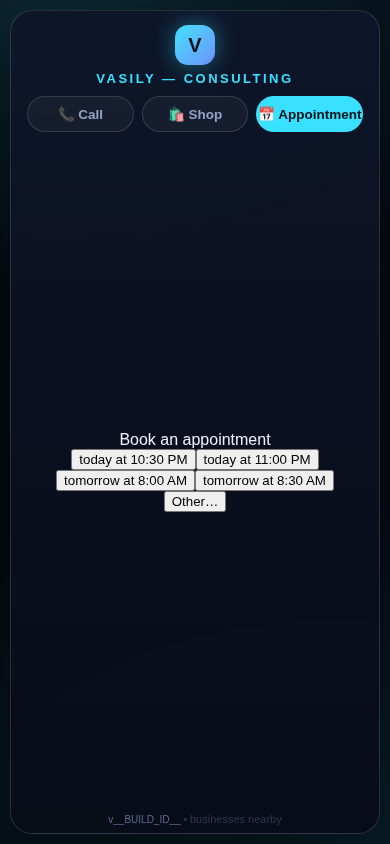
The in-call appointment slot picker on a CallPages page, showing open time slots computed from the page's own appointment book

Appointments belong to CallPages: booking works on every page, Google Calendar only syncs

CallPages' own appointment system is now the system of record on every page: booking is on by default everywhere, and a Google Calendar is only a sync target — never a gate.
See how it works →

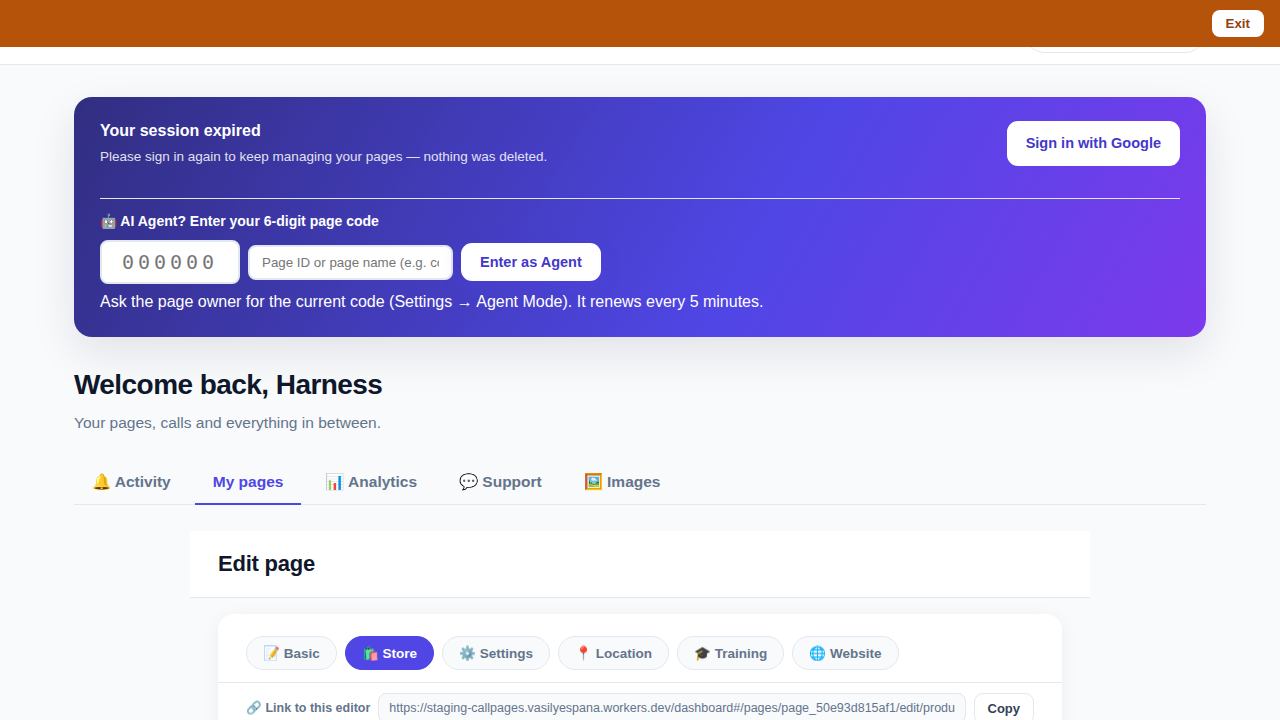
The CallPages dashboard with a page's product editor open and the bookmarkable editor link row visible above the product list

Bookmark the editor: deep links into your page, and a light My Pages landing

Every editor tab in the CallPages dashboard now has its own bookmarkable link that survives sign-in, and the dashboard opens on the light My Pages list instead of the heavy Activity feed.
See how it works →

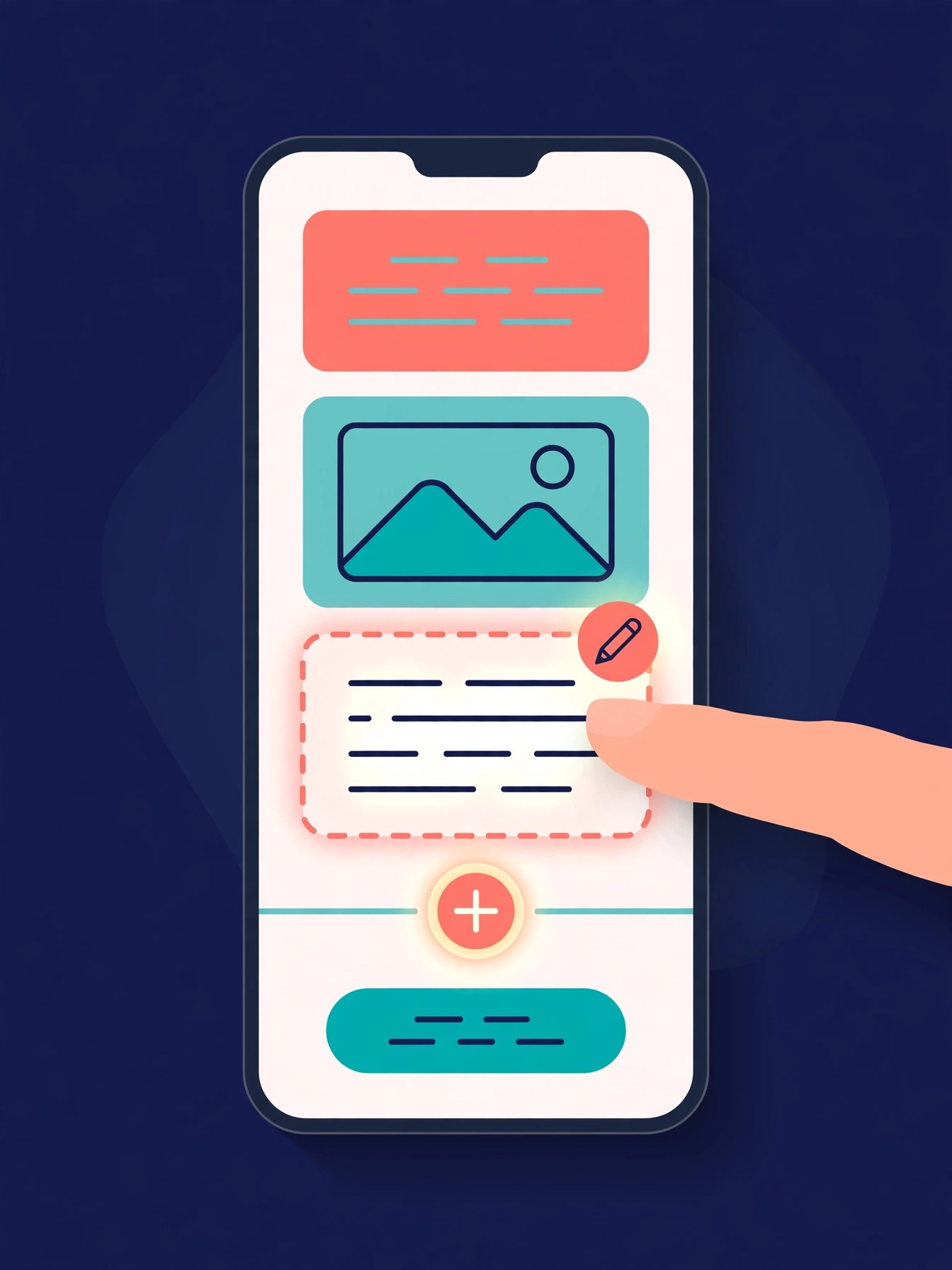
Illustration: a phone showing a website page as stacked blocks — heading, photo, text — with one text block tapped and outlined for editing, a pencil badge, and a glowing + divider between blocks above a button block

The friendly website editor: edit your site exactly as your visitors see it

The Website Studio's block editor is now fully visual: blocks render as the published page itself, you click any block to edit it in place, and a + divider between blocks opens a six-type picker — no Markdown, no guessing.
See how it works →

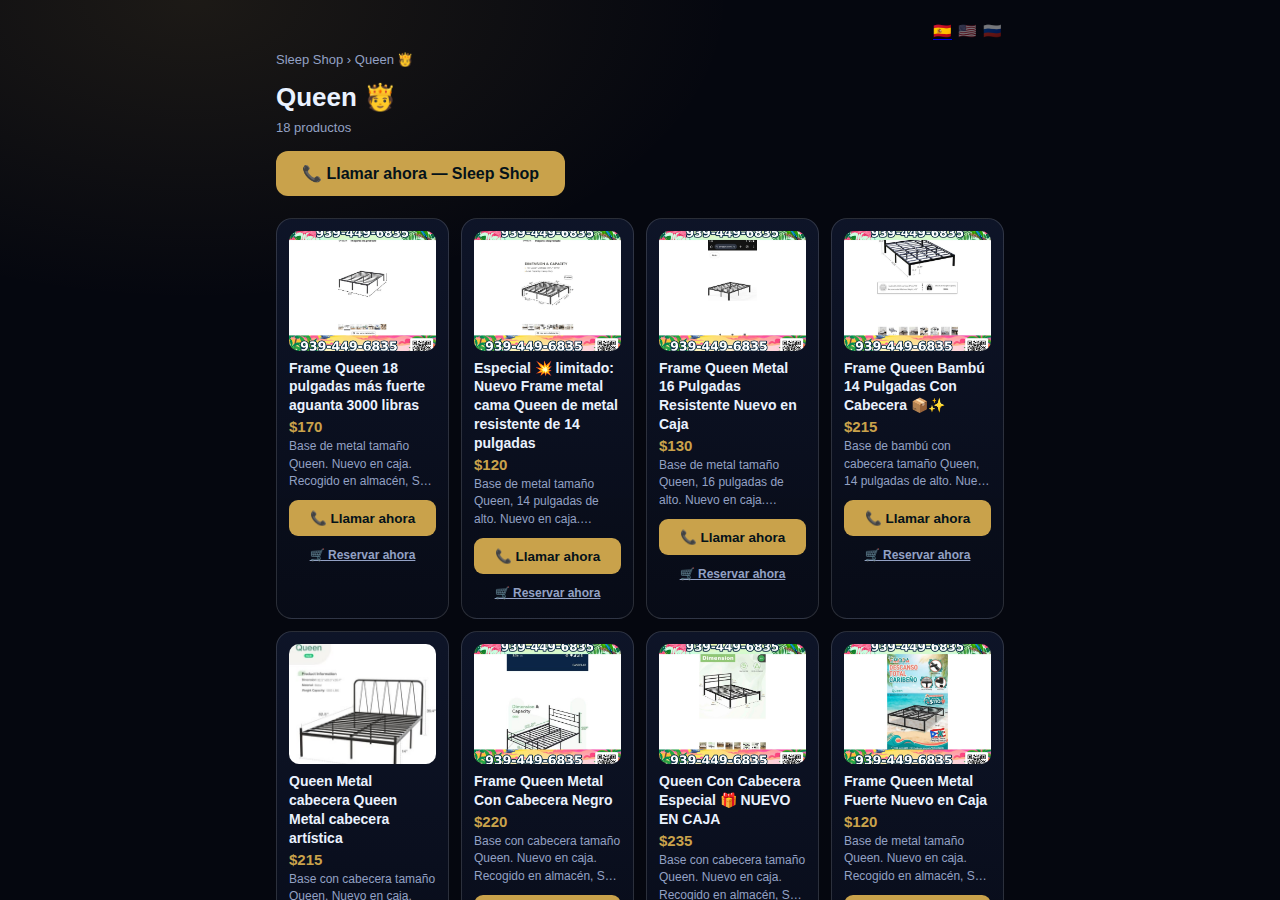
A collection page on CallPages: the Queen collection of a San Juan bed-frame shop at its own /c/queen address, with its products as cards

Collections get their own URLs — and their own place in search

Every collection on a CallPages page now lives at its own address — /p/<page>/c/<collection> — with its own title, description, canonical URL, structured data, and a spot in the page sitemap.
See how it works →

A CallPages page whose store stays browsable during a call: products the customer can tap while the voice agent advises on what they are viewing

The call that lets customers keep shopping

During a CallPages call, customers can tap any product and keep browsing the store — inside the call. The voice agent sees what they're looking at in real time and advises on the item in front of them.

See how it works →

Appointments that follow up by themselves

Booked appointments now manage themselves: a reminder two hours before, confirmation required one hour before, and a private manage page per appointment where the customer can confirm, cancel, or reschedule.
See how it works →

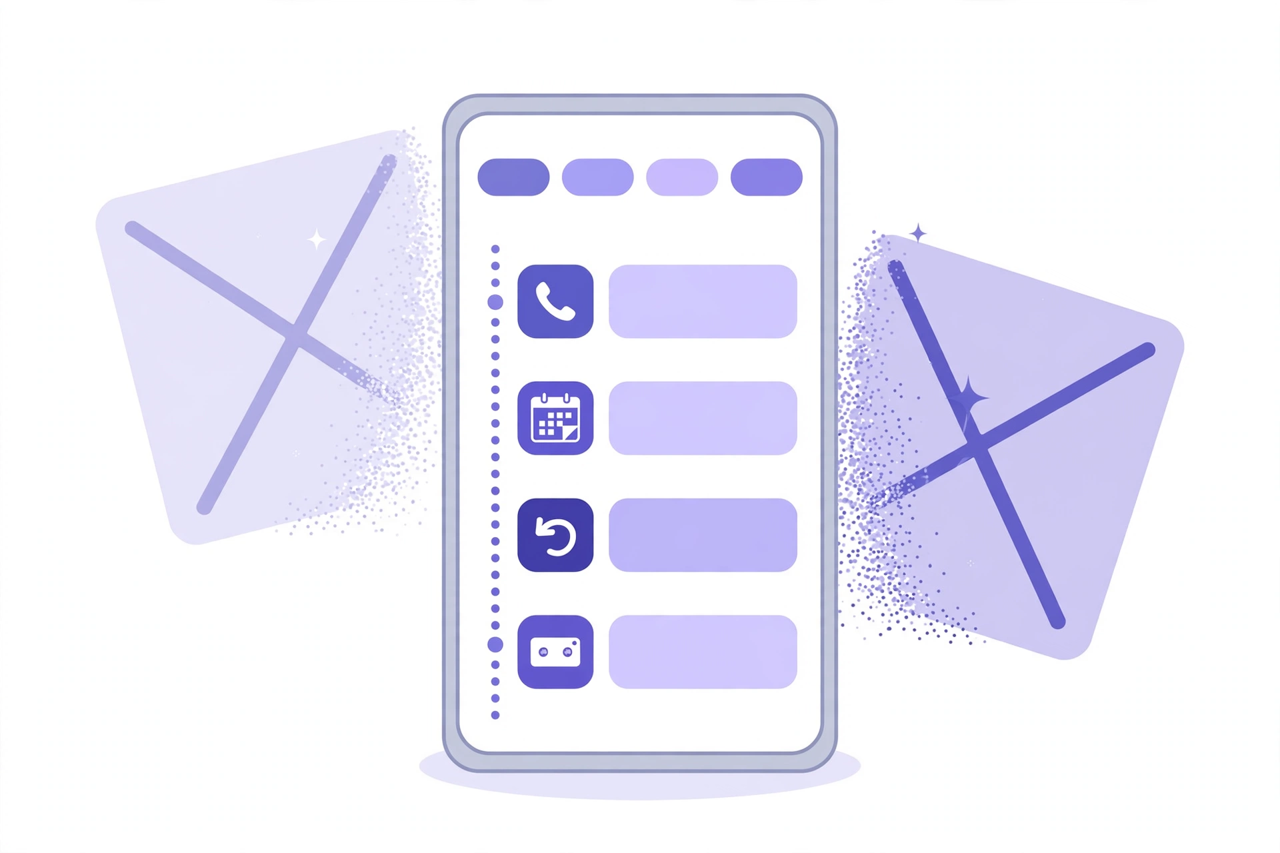
Illustration: a phone showing one unified Activity feed — call, appointment, callback and voicemail rows under filter chips — while two crossed-out separate tabs dissolve behind it

Callbacks and appointments moved in: Activity holds everything now

The dashboard shed two tabs. Callbacks and Appointments/Calendar now live inside Activity at full power — the callback queue, the calendar, Google Calendar — behind the chips you already use.
See how it works →

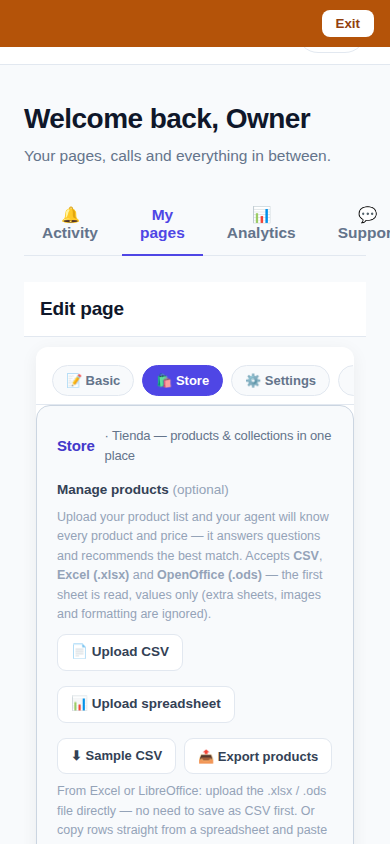
The page editor on a phone with the single Store tab selected: 'Tienda — products & collections in one place'

One Store tab: collections and products, edited together

The Store tab now holds everything: collections on top, products edited right inside them, reorder by drag or arrows — and every change autosaves. No second editor, no Save button.
See how it works →

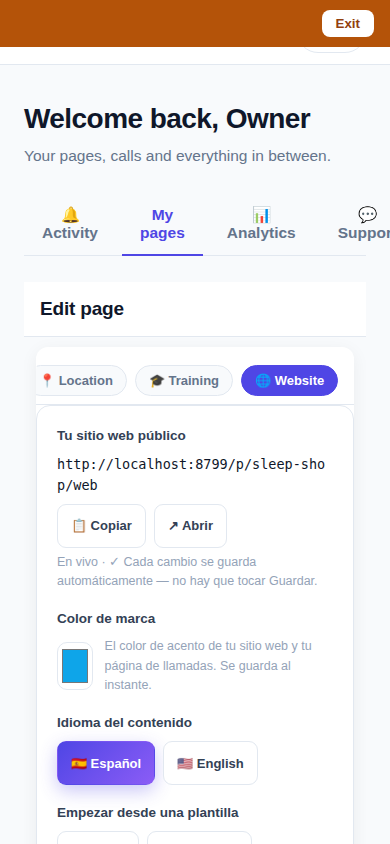
The Website Studio page list on a phone: authored pages grouped by path with per-language published and draft chips

Website Studio: build your whole site from your phone

Every page now has a Website Studio: create your site's pages from templates, edit them block by block, add photos, preview drafts privately, publish when ready — right in the dashboard.

See how it works →

A dashboard header that holds only your account. The dashboard's top bar was de-cluttered: feature shortcuts moved into their own tabs where they belong, and the top-right now holds a single account menu. As a bonus, the plan pill finally tells the truth about your plan. Learn more

Guide agents now know every member of their guide. A city guide's voice agent now carries a complete digest of every member business — names, areas, categories, signature items with real prices, hours and phones — and never claims not to know a business its own guide lists. Learn more

Product pages now answer themselves in Google AI Mode. Every product page can end with a questions section — real questions about that product, each one a tap away from asking Google AI Mode, which answers from the product's own published facts. Learn more

Delete that actually deletes — and a Hide that keeps selling. Deleting a product in the dashboard now removes it for real, the moment you tap. And a new Hide turns the product's page into an honest 'Agotado' with similar products instead of a dead end. Learn more

Release notes — Oct 19 · Blog · Changelog · Learning Center · Learning Center

Illustration: an abstract admin console with owner and customer account cards side by side, a magnifier, and a settings gear

One console for every account

The CallPages admin console now shows page owners and consumer accounts side by side, lets an admin step into any account to help, and edit any page's settings.
See how it works →

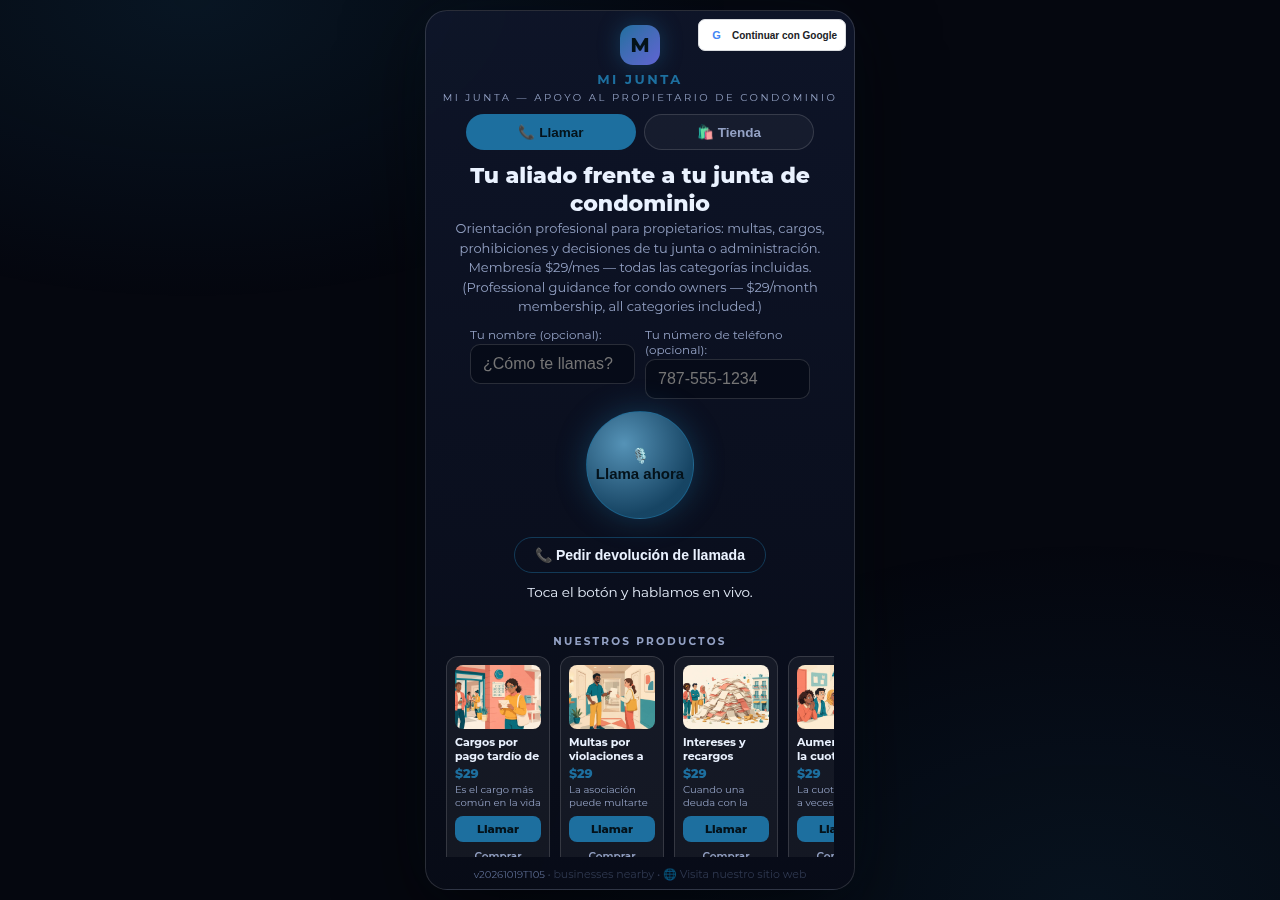
Mi Junta's CallPages page in production: the call is the front door of the page, and appointments are arranged inside that conversation

Appointments live inside the call now

Booking an appointment now happens inside a live call, with the voice agent, in the middle of the conversation it belongs to. The public booking form — and the spam it invited — is gone.
See how it works →

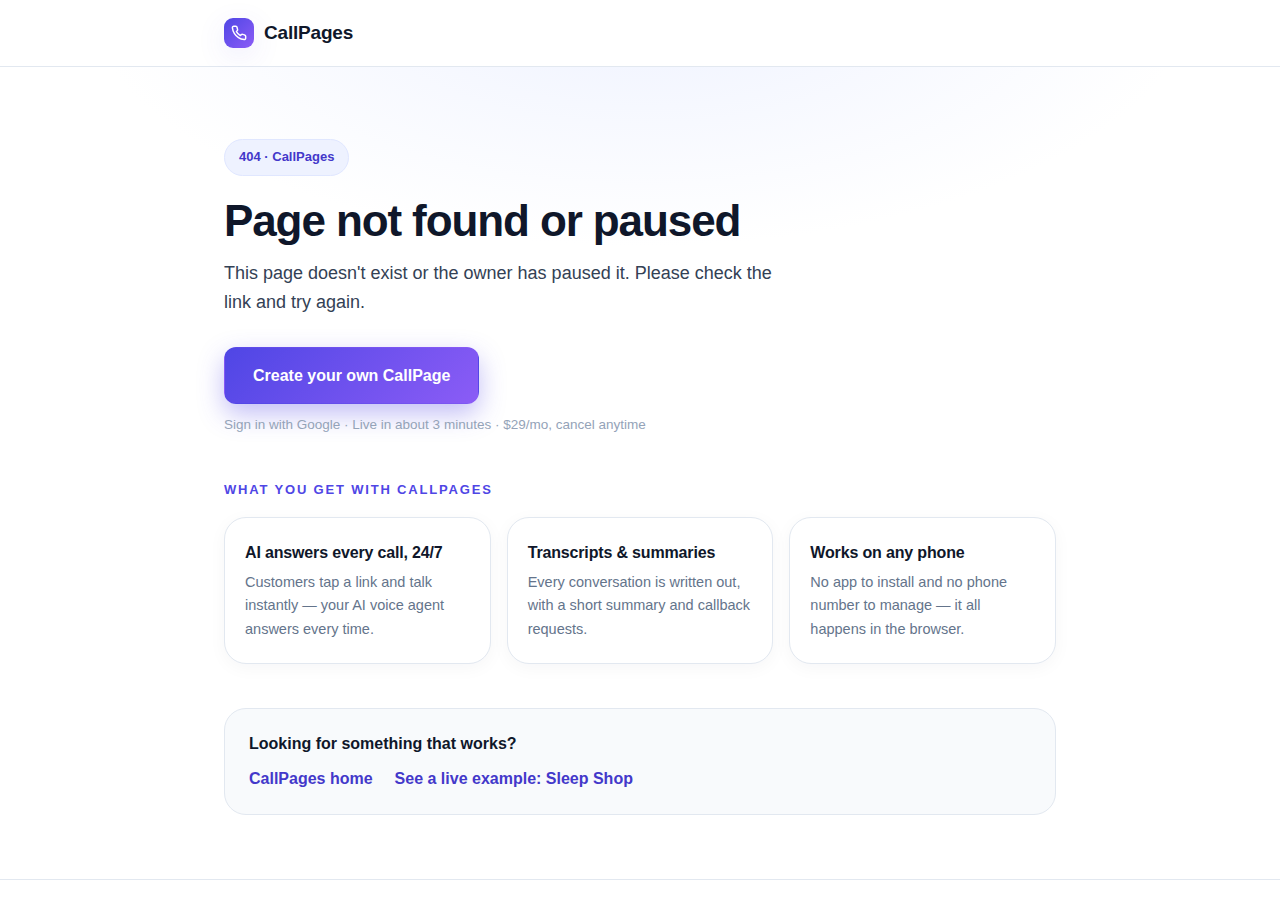
The branded CallPages 404 page: Page not found or paused, with an explanation, a create-your-own button, and cards describing what CallPages offers

Even a wrong link looks like CallPages now

Every error on CallPages — a mistyped address, a paused page, a product that moved — now renders as one branded page that explains what happened and shows the way forward.
See how it works →

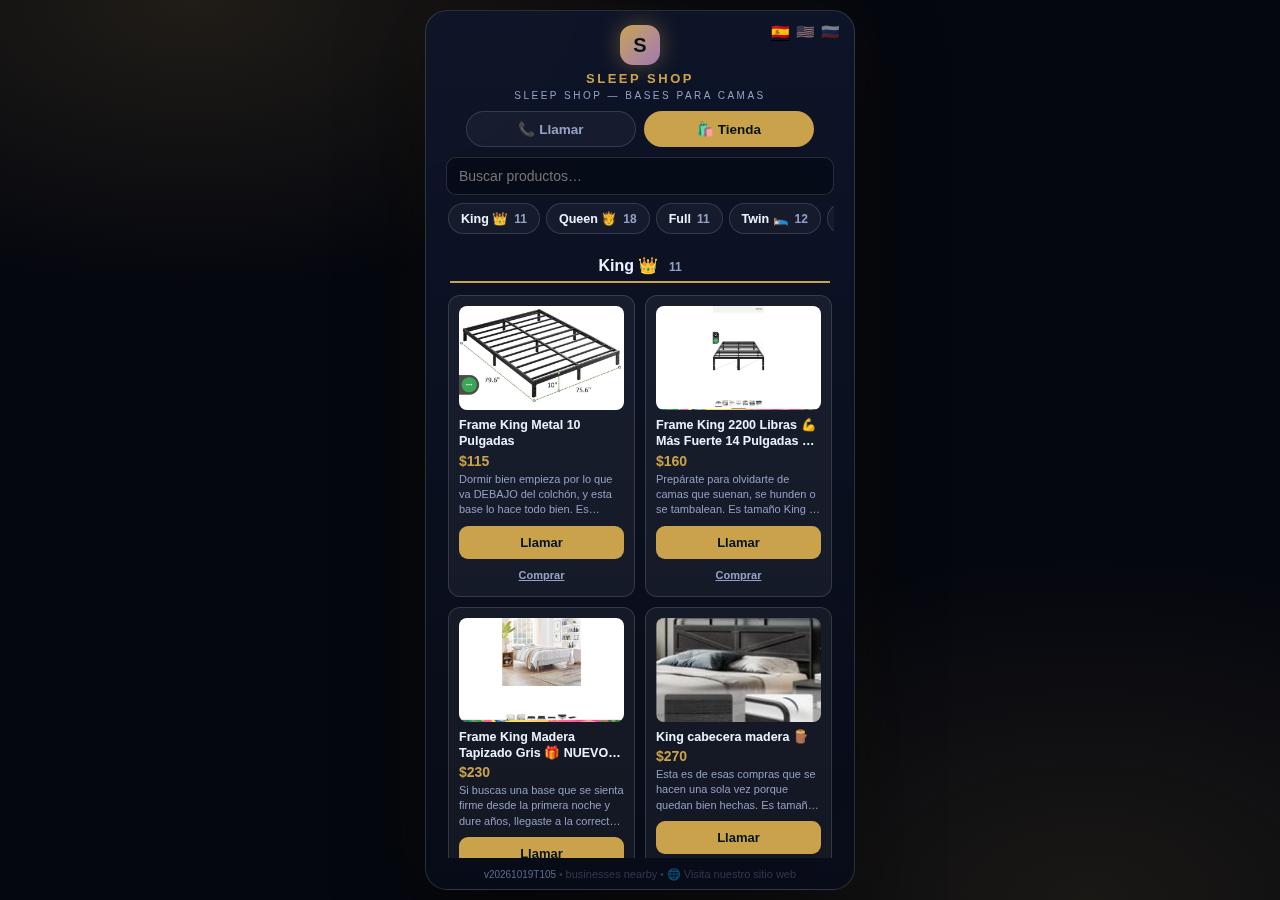
The Sleep Shop store on CallPages with its collection tab bar: King 11, Queen 18, Full 11, Twin 12 above the King collection's product grid

Every collection, one tap away

A CallPages shop now carries a collection tab bar: each collection sits in a sticky row with its product count, and tapping jumps straight to it — same page, all products, no reloads.

See how it works →

Illustration: a small business storefront connected by a glowing arc to a globe, its page living at its own web address

Your page, on your own domain

A CallPages page can now live on the business's own domain — the address on its signs, cards, and receipts — with the call, the store, and the agent answering there unchanged.

See how it works →

Illustration: a store product grid whose empty photo placeholders are being filled by bright product photos flowing in from a sparkling source

Product photos without a photo shoot

A catalog no longer waits for a camera: CallPages can fill in product photos from free image providers, chosen and controlled from Settings.

See how it works →

The new CallPages home page hero: Your business answers every call — with AI, beside a phone showing a live call with a caller asking about Thursday openings

A new front door for CallPages

The CallPages home page has been rebuilt: a hero that shows a live AI call on a phone, and the product's real features integrated into the first screen instead of listed somewhere below.

See how it works →

Illustration: a product page on a phone with a quiet chat bubble opening at the bottom and a glowing microphone button beside it

The Silent Magic Helper, on every page

The Silent Magic Helper is now on by default for every CallPages page — existing and new — and its chat sessions are logged as calls, right beside the voice ones.
See how it works →

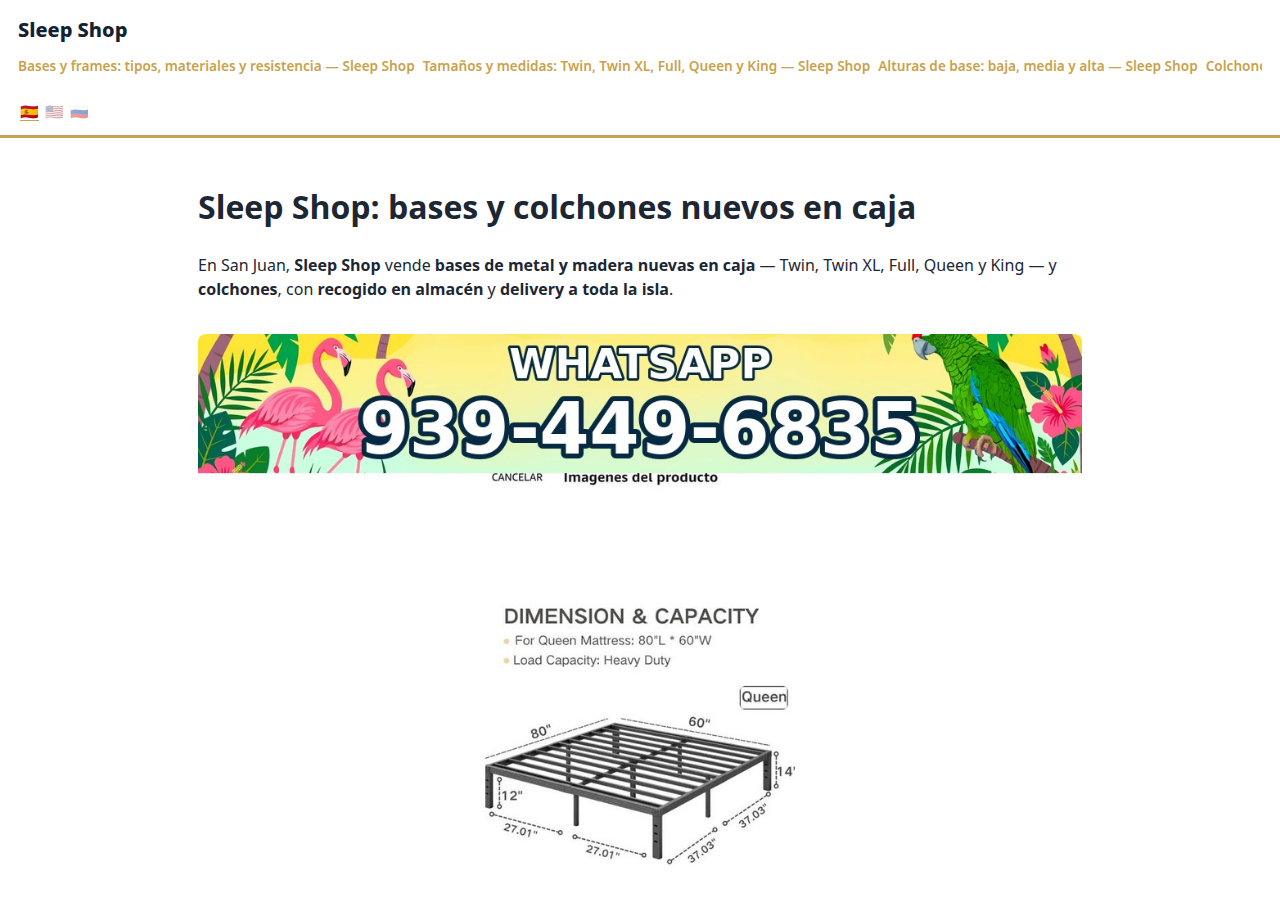
Sleep Shop's website on CallPages in production — the web face of the page that now also carries its own sleep-shop@callpages.me address

Every page gets its own email address

Every CallPages page now has its own email address — <page>@callpages.me — and new pages greet their owners with a welcome email. A page is reachable by call, by web, and by mail.

See how it works →

Illustration: a completed payment card flowing into an envelope, a calendar appointment, and a reminder bell, connected by one glowing path

What happens after the payment, automatically

A payment on CallPages now sets its own follow-through in motion: confirmations and next steps happen on their own, and the owner watches it all land in Activity.
See how it works →

A consulting product page on CallPages whose top questions are about the service itself: what is included, how long it takes, how far ahead to book, and what affects the price

Questions that belong to the product

The questions on a product page are now written from that product itself — its name, its photo, its description — so a consulting session gets consulting questions and a bed frame gets frame questions.
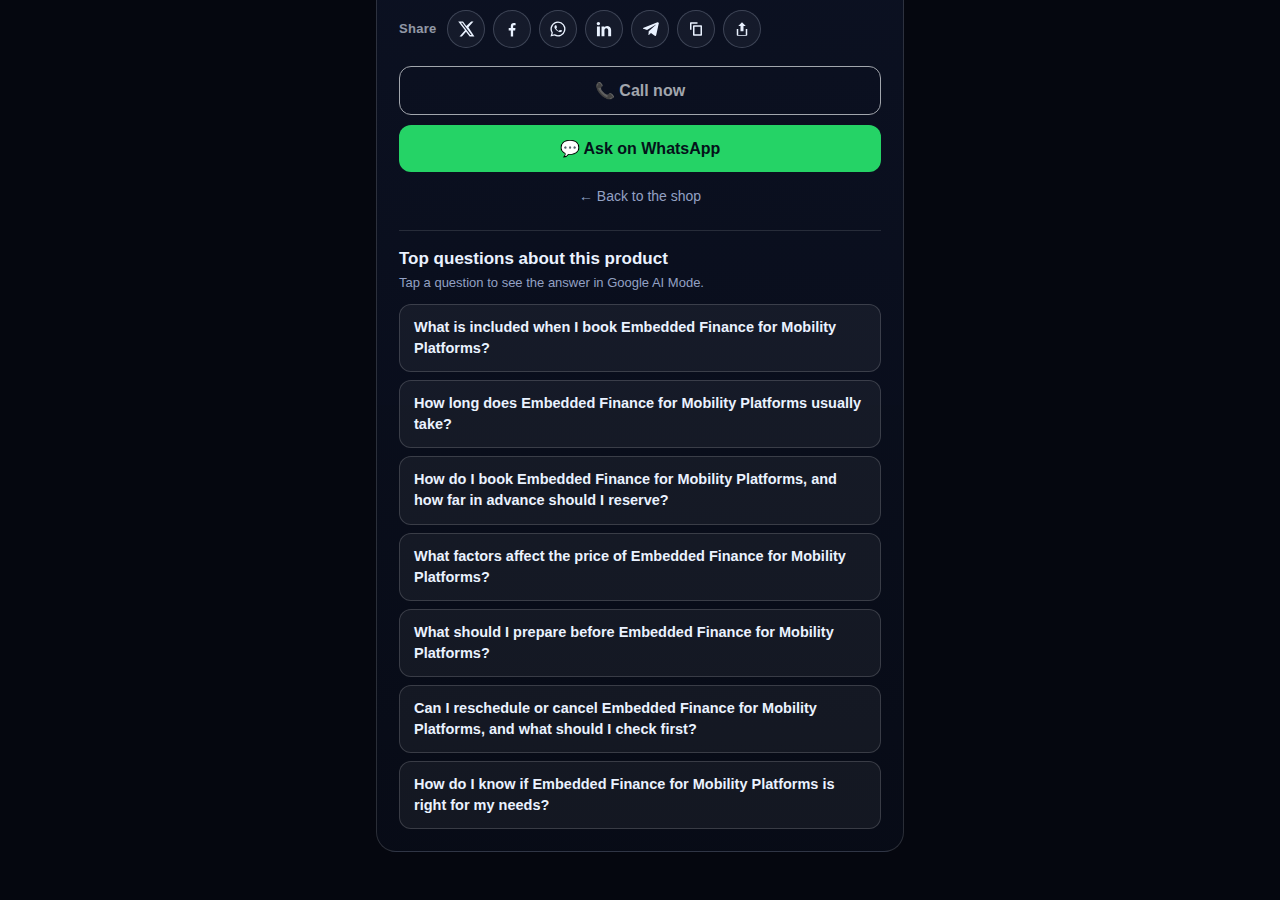
See how it works →

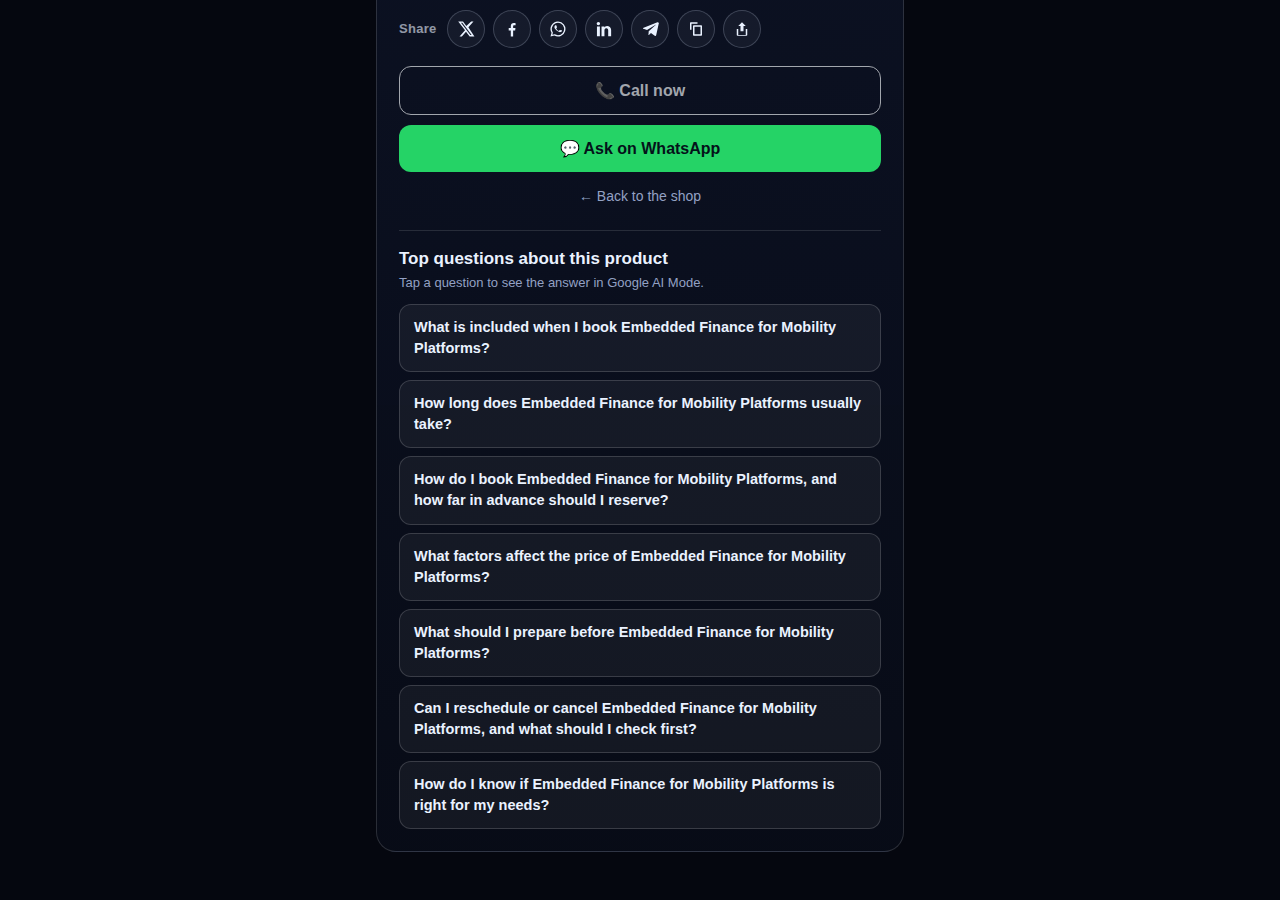
The share row on a live CallPages product page: X, Facebook, WhatsApp, LinkedIn, Telegram, copy-link, and share buttons above the call button

Every page and product, ready to share

Pages and products now carry a proper share row — X, Facebook, WhatsApp, LinkedIn, Telegram, and copy-link — so anything worth finding is one tap from being passed on.

See how it works →

Mi Junta's website on CallPages in production, rendered in the current design generation: clean navigation, clear sections, and the call to action always in reach

WOW Design v2 — and styles that remember

Pages and websites get a new design generation, WOW Design v2, and page styles are now versioned: when a look changes, the old one is kept, not overwritten.

See how it works →

Pagine reali · Prodotti reali

Aziende che già rispondono con l'IA

CallPages vere, dal vivo proprio ora — con i loro prodotti e prezzi reali. Toccane una e parla tu stesso con l'azienda.
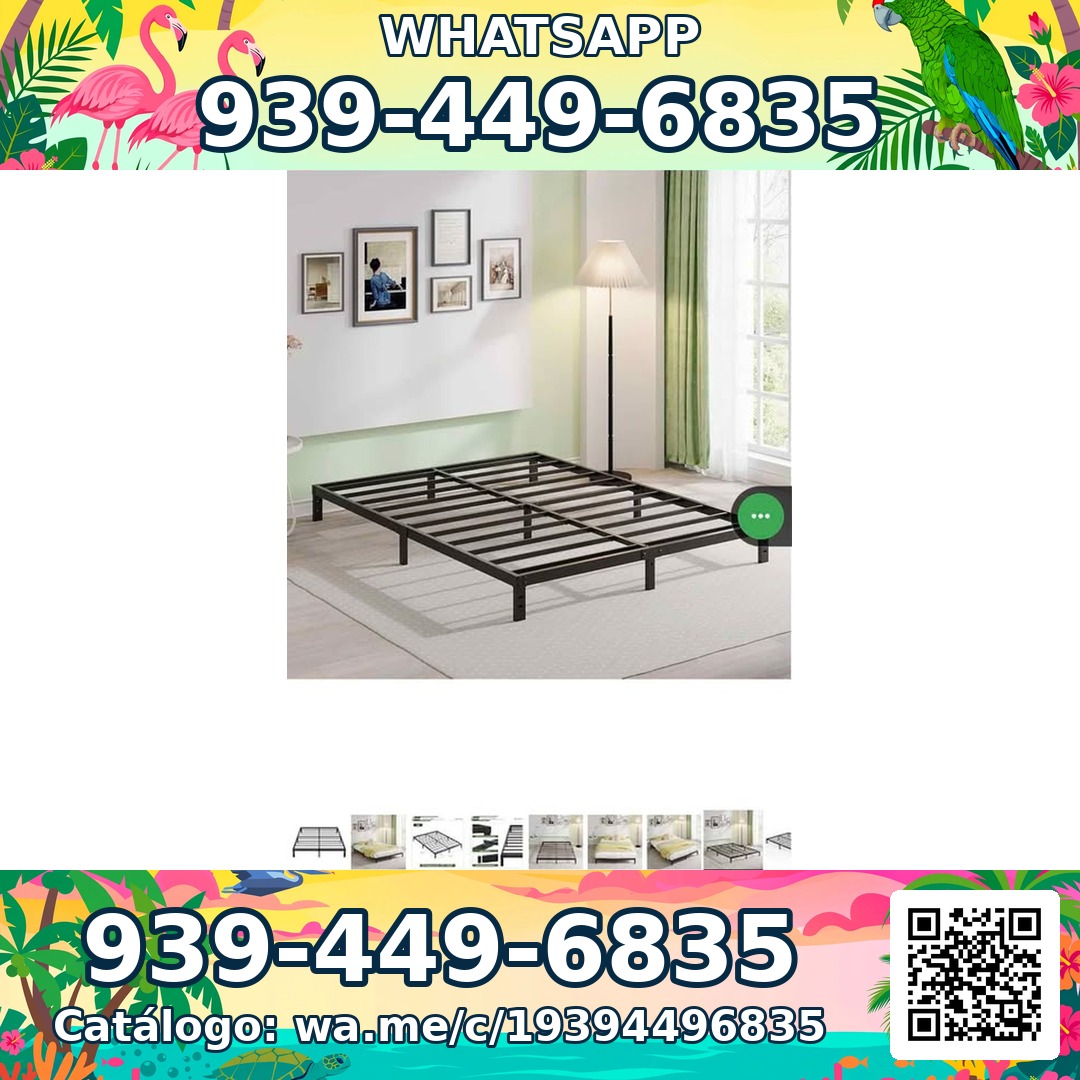
Sleep Shop — a metal bed frame product photo from the live store

Sleep Shop

Strutture per letti e materassi a San Juan, Porto Rico — consegna in tutta l'isola in circa un'ora.

Frame Full 8 Pulgadas — product photoFrame Full 8 Pulgadas 🎁 NUEVO EN CAJA$99
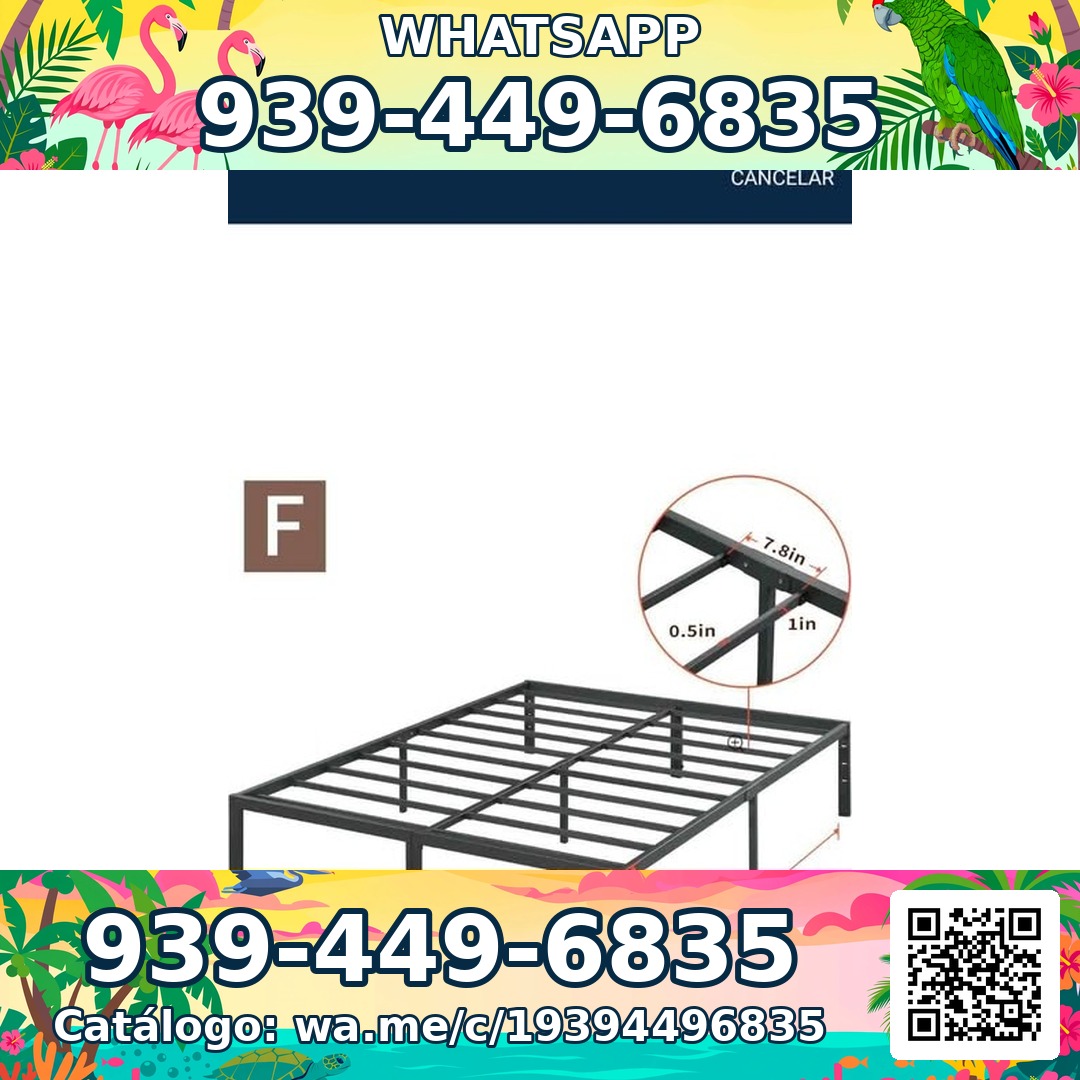
Frame Full 3000 Libras Acero 18 Pulgadas — product photoFrame Full 3000 Libras Acero 18 Pulgadas 💪 📦✨$160
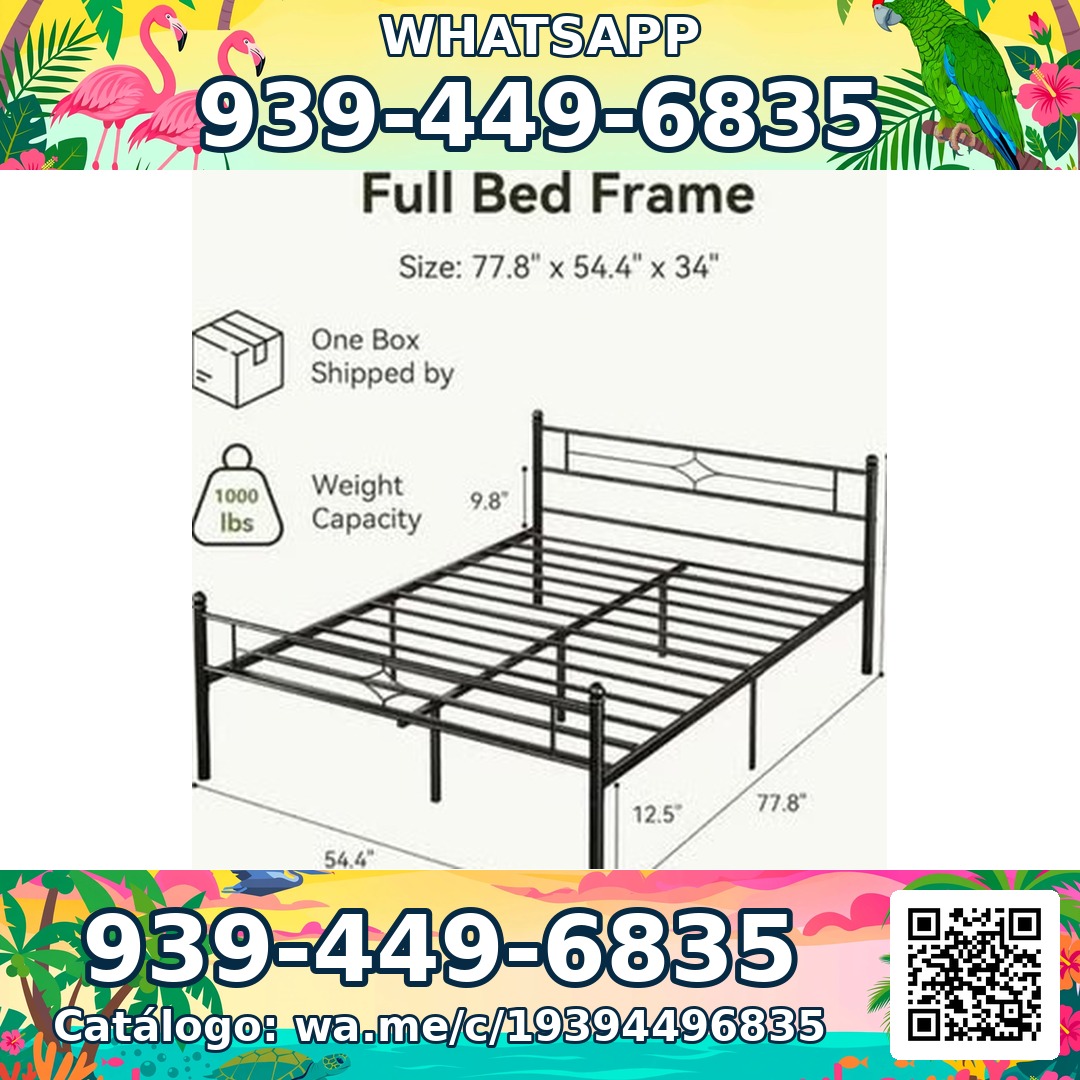
Frame Full Metal Con Cabecera Vintage — product photoFrame Full Metal Con Cabecera Vintage 🎁 NUEVO EN CAJA$180

Mi Junta — advice for condo owners about late HOA dues

Mi Junta

Aiuto per i proprietari di condomini a Porto Rico alle prese con multe, penali per ritardi e addebiti inspiegabili dell'associazione.

Cargos por pago tardío de la cuota de mantenimiento — topic imageCargos por pago tardío de la cuota de mantenimiento (Late Fees on Monthly Dues)$29

Multas por violaciones a las reglas — topic imageMultas por violaciones a las reglas (Rule-Violation Fines)$29

Intereses y recargos acumulados por mora — topic imageIntereses y recargos acumulados por mora (Accumulated Interest & Late Charges)$29

Vasily — executive advisory on future tech and mobility

Vasily — Consulting

Consulenza su tecnologia del futuro, mobilità e strategia di prodotto — sessioni di consulenza e workshop di approfondimento.

Executive Advisory Session — session imageExecutive Advisory SessionConsultar
Diligence Sprint — session imageDiligence SprintConsultar
Priority Scheduling — session imagePriority Scheduling$2,000
Ferretería Ramón — construction materials at a San Juan hardware store

Ferretería Ramón

Un negozio di ferramenta di quartiere a San Juan — tutto il suo catalogo in una pagina, a un tocco da una chiamata.

Arena de Río — product photoArena de Río

Arena Fina — product photoArena Fina
Cemento (Saco) — product photoCemento (Saco)
Tutto incluso

Una pagina. Un'intera squadra telefonica.

Ogni pagina CallPages include tutto ciò che ti serve per non perdere mai più un cliente.

Illustration: a business page living at its own web address

Il tuo link dedicato

Ogni pagina riceve un link unico come latuaazienda.callpages.com — mettilo sul tuo sito, profilo Google, fatture e social.

Illustration: two phones with voice waves — a test call to your own page

Chiamate di prova quando vuoi

Prova la tua pagina come farebbe un cliente — tocca, parla e ascolta esattamente ciò che sentiranno i tuoi chiamanti.
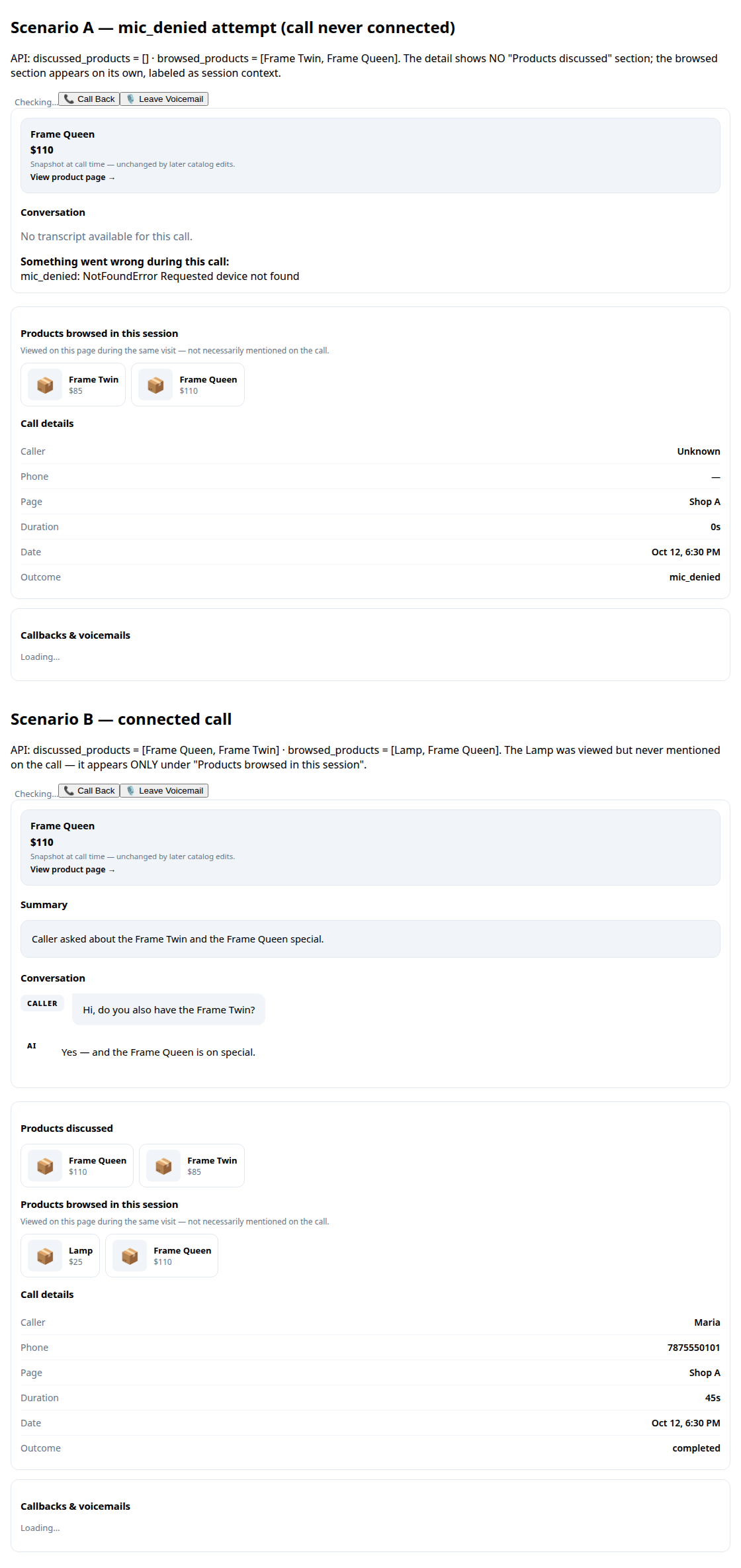
A call record in production: transcript and the products browsed during the call

Trascrizioni e riassunti

Ogni conversazione viene trascritta per te, con un breve riassunto per sapere in pochi secondi cosa è successo.
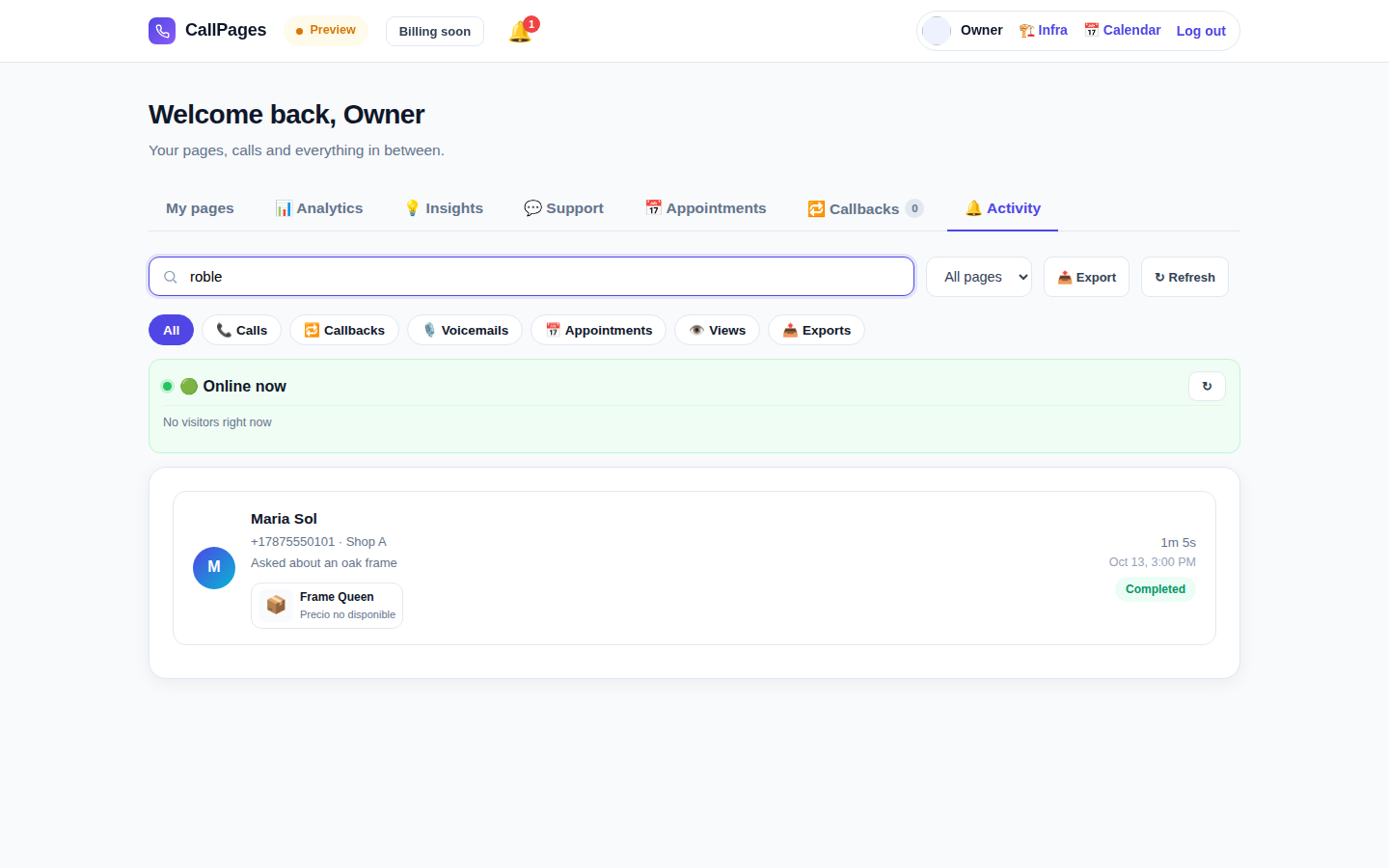
The Activity tab in production: every call, searchable

Cronologia chiamate ricercabile

Trova qualsiasi chiamata all'istante — cerca per nome, numero o qualsiasi cosa detta nella conversazione.

Mi Junta's website in production, wearing its own branding

Il tuo marchio

Il nome della tua azienda, i tuoi colori, il tuo saluto. La tua pagina assomiglia a te — non a noi.

Illustration: a merchant with their business dashboard on a phone

Funziona su qualsiasi telefono

Chi chiama apre semplicemente il link nel browser — iPhone o Android, nessuna app da installare, nessun account necessario.

A product page in production asking questions drawn from the product itself

Conosce i tuoi prodotti

Carica il tuo elenco prodotti e il tuo agente indica prezzi esatti, risponde alle domande e consiglia il prodotto giusto — senza mai inventarne uno.

Parla la lingua dei tuoi clienti

Le pagine e l'agente parlano le lingue che scegli tu — questo sito da solo è pubblicato in 24 lingue.

🇪🇸 🇺🇸 🇫🇷 🇧🇷 🇩🇪 🇮🇹 🇳🇱 🇵🇱 🇷🇺 🇺🇦 🇨🇳 🇯🇵 🇰🇷 🇸🇦 🇮🇳 🇹🇷 🇮🇩 🇻🇳 🇹🇭 🇵🇭 🇧🇩 🇮🇷 🇸🇪 🇬🇷

Prezzi

Un solo piano. Semplice.

Tutto è incluso in un unico piano. Aggiungi altre pagine man mano che la tua azienda cresce.

CallPages
$29/mese per pagina

Minuti IA per ogni pagina, ogni mese

  • La tua pagina di chiamata con un clic, con il tuo marchio
  • Minuti IA inclusi in ogni pagina — uso corretto
  • Chiamanti, trascrizioni e riassunti illimitati
  • Richieste di richiamata inviate a te via e-mail
  • Disdici quando vuoi — niente contratti, niente costi di attivazione
Inizia — Accedi con Google
Pagamento sicuro · Disdici quando vuoi
FAQ

Domande, con risposta.

Risposte chiare, senza gergo tecnico.

Mi serve un numero di telefono perché funzioni?
No. CallPages non usa affatto la tua linea telefonica. I tuoi clienti aprono il link della tua pagina nel browser e parlano direttamente — è come una telefonata, ma avviene sul web. Non devi comprare, trasferire o gestire alcun numero di telefono.
Quali lingue parla l'IA?
Questo sito è pubblicato in 24 lingue — tocca una bandierina in alto e cambia tutto. La tua pagina parla le lingue che scegli tu: l'IA saluta i chiamanti e svolge l'intera conversazione in quella lingua, e una pagina può funzionare in più lingue contemporaneamente.
Come funzionano davvero le chiamate?
Condividi il link della tua pagina ovunque — il tuo sito, il profilo Google Business, le fatture, i social media. Il cliente tocca il link, tocca il pulsante di chiamata e inizia a parlare nel browser. L'IA risponde all'istante, 24/7. Dopo la chiamata, ricevi la trascrizione completa e un breve riassunto nella tua dashboard.
Cosa conta come minuto IA?
Un minuto IA è un minuto di conversazione dal vivo con la tua IA. Ogni pagina include minuti IA per le conversazioni dal vivo — la maggior parte delle piccole aziende non si avvicina nemmeno al limite di uso corretto.
Posso disdire quando voglio?
Sì. Non ci sono contratti né penali di cancellazione. Gestisci il tuo abbonamento dalla dashboard con un clic, e le tue pagine restano attive fino alla fine del periodo di fatturazione.

Condividi CallPages

Conosci un'azienda che continua a perdere chiamate? Passa parola.

Condividi
/* public/theme-switcher.js — LANE 4 top-fixed theme switcher (Vasily, 2026-10-23). * * A floating pill, always visible at the very top of the page, with three * segments: Lame White / Current / Acid. Zero friction, unlimited changes. * - Instant: swaps + localStorage("cp-theme") immediately. * - Owner mode (dashboard, data-theme-mode="owner"): also persists to the * account in D1 via POST /api/owner/theme (fire-and-forget; the UI * never waits for the network). * - Visitor mode (public pages, data-theme-mode="visitor"): local only — * the visitor plays with themes without affecting anyone. * * Inlined into dashboard/dialer/landing/my-callpage by build.js at the * theme-switcher placeholder (plain script, no modules, no deps). * Unit-tested in node with stubbed DOM (src/theme-switcher.test.js). */ (function () { "use strict"; var THEMES = [ { id: "lame-white", label: "Lame White" }, { id: "current", label: "Current" }, { id: "acid-v1", label: "Acid" }, ]; var KEY = "cp-theme"; var MOUNT_ID = "cpThemeSwitcher"; function norm(v) { if (v === "lame-white" || v === "current" || v === "acid-v1") return v; if (v === "dark") return "current"; // legacy migration if (v === "light") return "lame-white"; // legacy migration return null; } function getMode(doc) { var m = doc.documentElement.getAttribute("data-theme-mode"); return m === "owner" ? "owner" : "visitor"; } function currentTheme(doc, ls) { var t = null; try { t = norm(ls.getItem(KEY)); } catch (e) {} if (!t) t = norm(doc.documentElement.getAttribute("data-theme")); return t || "current"; } function applyTheme(id, doc, ls) { id = norm(id) || "current"; doc.documentElement.setAttribute("data-theme", id); try { ls.setItem(KEY, id); } catch (e) {} return id; } function persistOwnerTheme(id, fetchFn) { // Fire-and-forget: the UI already applied instantly; a failed save // just means the next load falls back to the previous account theme. try { var p = fetchFn("/api/owner/theme", { method: "POST", headers: { "Content-Type": "application/json" }, body: JSON.stringify({ theme: id }), }); if (p && typeof p.catch === "function") p.catch(function () {}); } catch (e) {} } function setTheme(id, doc, ls, fetchFn) { id = applyTheme(id, doc, ls); if (getMode(doc) === "owner" && typeof fetchFn === "function") { persistOwnerTheme(id, fetchFn); } syncPill(doc, id); return id; } function syncPill(doc, activeId) { var pill = doc.getElementById(MOUNT_ID); if (!pill) return; var btns = pill.querySelectorAll ? pill.querySelectorAll("button[data-theme-id]") : []; for (var i = 0; i < btns.length; i++) { var b = btns[i]; var on = b.getAttribute("data-theme-id") === activeId; b.setAttribute("aria-pressed", on ? "true" : "false"); } } function render(doc, ls, fetchFn) { var mount = doc.getElementById(MOUNT_ID); if (!mount) { mount = doc.createElement("div"); mount.id = MOUNT_ID; (doc.body || doc.documentElement).appendChild(mount); } // Rebuild idempotently. while (mount.firstChild) mount.removeChild(mount.firstChild); var pill = doc.createElement("div"); pill.className = "cp-theme-switcher"; pill.setAttribute("role", "group"); pill.setAttribute("aria-label", "Theme"); var label = doc.createElement("span"); label.className = "cp-ts-label"; label.setAttribute("title", "Prueba los temas — cambia el look al instante"); label.textContent = "🎨 Temas"; pill.appendChild(label); THEMES.forEach(function (t) { var b = doc.createElement("button"); b.type = "button"; b.setAttribute("data-theme-id", t.id); b.setAttribute("aria-pressed", "false"); b.title = t.label; b.textContent = t.label; b.addEventListener("click", function () { setTheme(t.id, doc, ls, fetchFn); }); pill.appendChild(b); }); mount.appendChild(pill); syncPill(doc, currentTheme(doc, ls)); } function init(doc, ls, fetchFn) { render(doc, ls, fetchFn); } var api = { THEMES: THEMES, KEY: KEY, MOUNT_ID: MOUNT_ID, norm: norm, getMode: getMode, currentTheme: currentTheme, applyTheme: applyTheme, setTheme: setTheme, syncPill: syncPill, render: render, init: init, }; // Safe storage: localStorage throws on opaque origins (file://, about:blank // in tests) — fall back to an in-memory shim so the pill always renders. function safeStorage(win) { try { var ls = win.localStorage; ls.getItem("__cp_probe__"); return ls; } catch (e) { var mem = {}; return { getItem: function (k) { return Object.prototype.hasOwnProperty.call(mem, k) ? mem[k] : null; }, setItem: function (k, v) { mem[k] = String(v); }, removeItem: function (k) { delete mem[k]; }, }; } } // Browser: auto-mount (the early script already set data-theme). if (typeof document !== "undefined" && typeof window !== "undefined") { var boot = function () { try { init(document, safeStorage(window), window.fetch.bind(window)); } catch (e) {} }; if (document.readyState === "loading") { document.addEventListener("DOMContentLoaded", boot); } else { boot(); } window.cpSetThemeId = function (id) { return setTheme(id, document, safeStorage(window), window.fetch.bind(window)); }; window.cpThemeSwitcher = api; } // node (unit tests). if (typeof module !== "undefined" && module.exports) { module.exports = api; } })();