Your calendar, inside CallPages — no Google account required
2026-10-16 · CallPages Team · Release, Calendar, Appointments, Dashboard
CallPages pages now have a built-in calendar in the dashboard. It shows the page’s appointments in month and list views, works with no Google account connected, and offers a private ICS feed you can subscribe to from any calendar app; connecting Google Calendar stays optional, for two-way sync.
CallPages booked appointments, but reviewing them meant scanning the Appointments tab or connecting a Google Calendar. Owners who never connected Google — or whose connection had lapsed — had no real calendar of their own, and a page’s bookings lived scattered between a tab and someone else’s account. The request arrived as a support ticket, and the right answer was a calendar that is ours: self-hosted, per page, and complete on its own.
Why the calendar had to be ours
An appointment book that lives in someone else’s product is a dependency, not a feature. If the Google connection was never made, expired, or broke, the page’s bookings still existed — but the owner had no calm place to see them as a calendar. Owners plan their week on a calendar grid, not in a table of rows, and they plan it whether or not an outside account is cooperating that day.
So the calendar is self-hosted: CallPages is the source of truth for the page’s appointments, and the calendar renders straight from that truth. Google Calendar, when connected, receives a copy — a convenience for owners who live in Google — instead of holding the only copy.
Month, list, and honest sync states
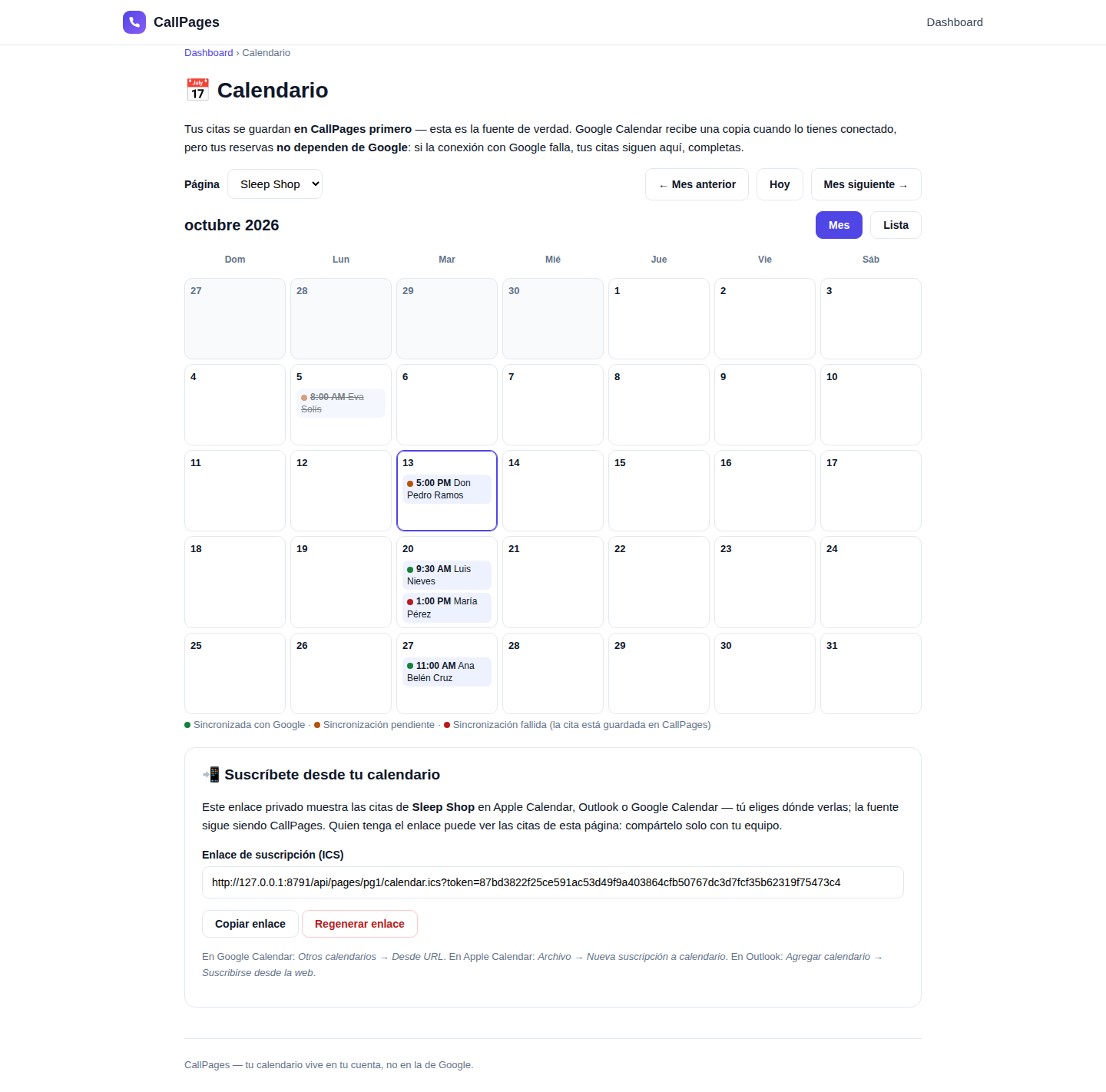
The month grid is the planning view; the list is the agenda. Both read the same appointments, and every appointment wears its state openly: a booking can be synced with Google, waiting to sync, or failed to sync — with the booking itself always safe in CallPages. A failed sync is a badge and a reason, not a mystery, because the appointment was never depending on the sync to exist.
Take it with you: the ICS feed
Plenty of owners run their day from Apple Calendar or Outlook. The calendar page issues a private subscription link (an ICS feed) per page: paste it into any calendar app and the page’s bookings appear there, kept fresh by the app itself. The link is token-guarded — treat it like a password, share it only with your team — and it can be regenerated in one tap, which instantly retires the old link.
What changed for connected pages
If your page already syncs with Google Calendar, nothing is taken away: two-way sync keeps running, imported bookings keep arriving, and the Appointments tab works as before. The calendar simply gives those same bookings the home they were missing — and keeps working on the days the connection doesn’t.
How it works
- Every page gets a Calendar view in the dashboard — a month grid and an agenda list — fed by the page’s own appointments: bookings your agent took on calls, WhatsApp imports, and manual entries.
- No Google connection is needed. The calendar renders from CallPages data alone, so a brand-new page has a working calendar from its first booking.
- A private, token-guarded ICS feed lets you subscribe from Apple Calendar, Outlook, or Google Calendar and take the page’s bookings anywhere; regenerate the token at any time to rotate it.
- If you do connect Google Calendar, sync runs both ways and its state is shown honestly per appointment — synced, pending, or failed with the reason — never a silent stall.
See it live: Mi Junta
Mi Junta — CallPage · Mi Junta — website
The Calendar month view, from the release verification run (demo appointments): each booking carries its sync state, and the private ICS subscription link sits below the grid. Your appointments are stored in CallPages first — Google receives a copy only if you connect it.
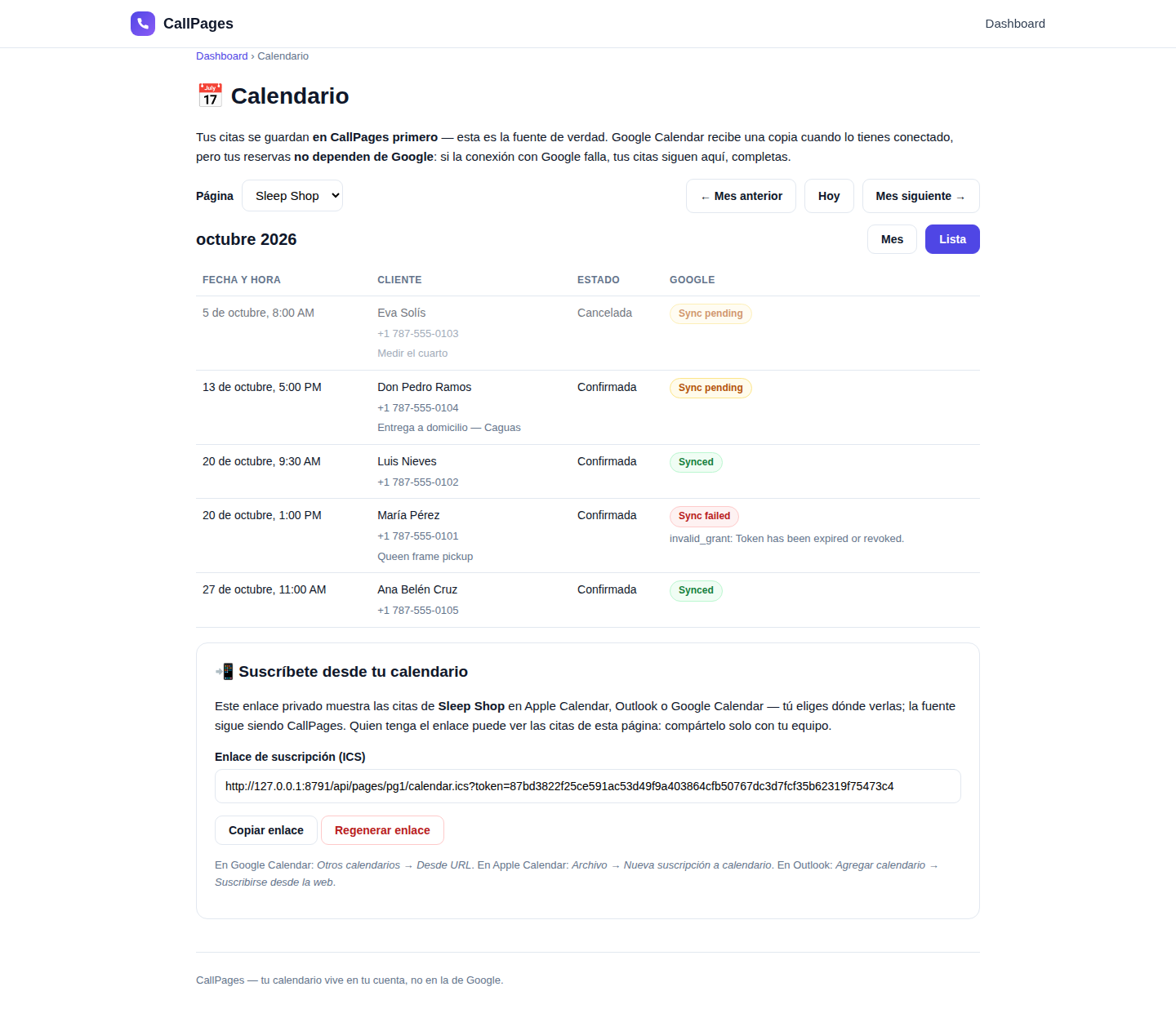
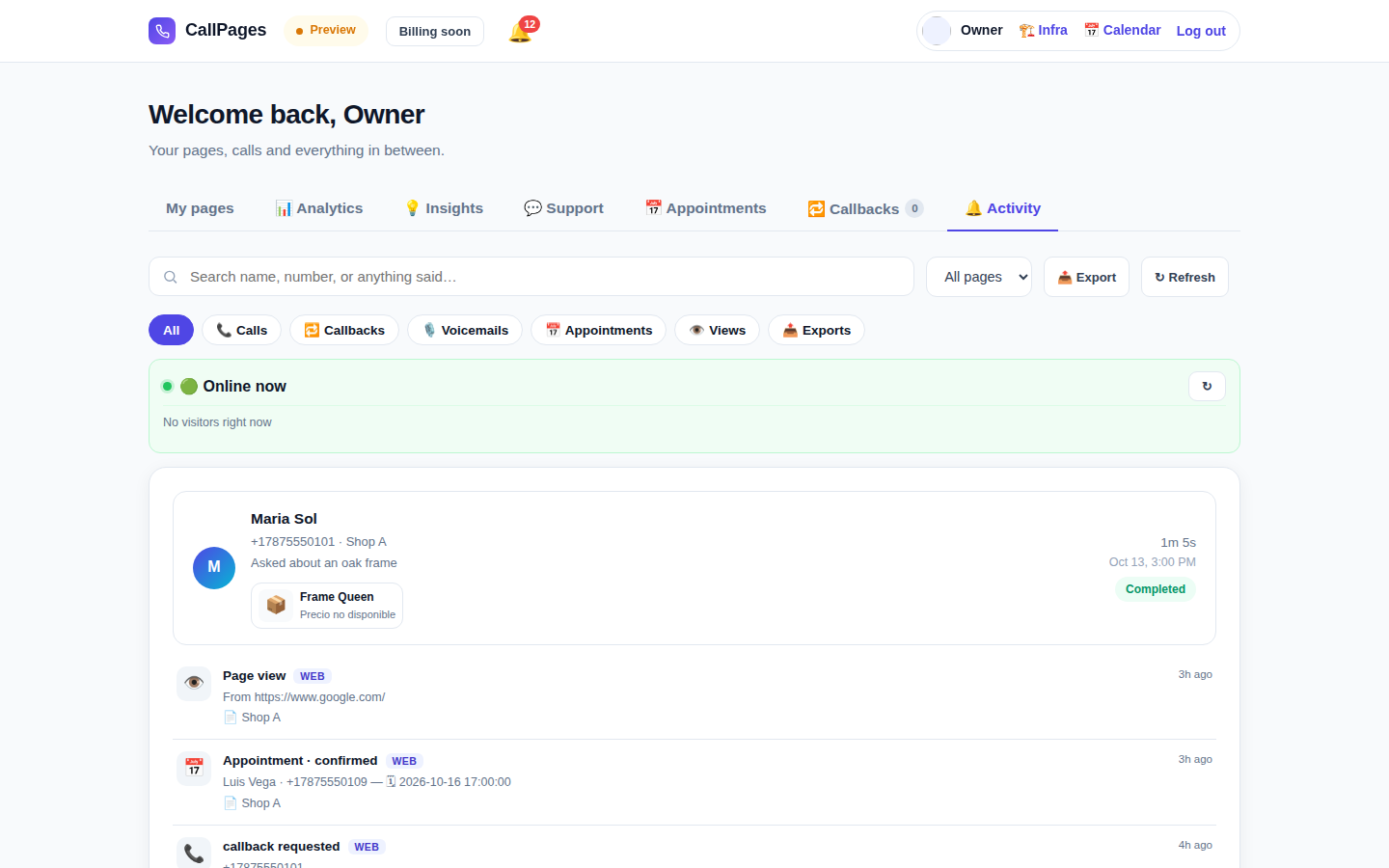
The same calendar as an agenda list — the view that answers ‘what is coming up?’ without scanning a grid.
Create your call page
Turn your website visitors into phone conversations — set up in under two minutes.
Create your call page →