Free forever — get your free call page

Your business answers every call — with AI

Get your free call page in 3 minutes. Your basic page — with products and descriptions, AI calls, and your own website — is free, with unmatched world-class functionality. Your customers tap a link and start talking. You get the transcript, the summary, and the callback.

Free forever for every basic feature · No phone number needed · No credit card

Your business
Questions? Just tap and talk.

Our assistant answers instantly — pricing, availability, bookings and more.

Live call — 02:14
Caller
“Do you have any openings this Thursday?”
Assistant
“Yes! I have 10:30 AM and 2:00 PM. Which works for you?”
Tap to talk
Everything your page can do — from the first screen

AI voice calls, 24/7

Customers tap your link and talk in their browser — no phone number, no app, no waiting on hold. Your AI voice agent answers instantly, day or night.

Books appointments inside the call

Mid-conversation, your agent offers real openings and books the appointment inside the call — then reminders and confirmations follow up by themselves.

A store that stays open mid-call

Your products and collections — each collection with its own link — stay browsable in the store during the call, while the agent advises on what the customer is viewing, in real time.

Knows your products cold

Your agent quotes your exact prices and details from your own catalog and recommends the right product — it never invents a price.

Every call, captured & searchable

Transcripts, summaries and analytics for every conversation, in one Activity feed — find any call by caller name, number, or anything that was said.

Multilingual from the first hello

This website speaks 24 languages, and so can your page: one tiny flag tap switches the language, so every visitor is greeted in their own language.

The path to the future

Where business calls are going

Every business used to lose the calls it couldn't answer. Then the phone became a link. Now the link talks back — and sells.

Yesterday — the missed call

A customer calls after hours, hears it ring out, and buys from whoever answers first. The business never even knows it happened.
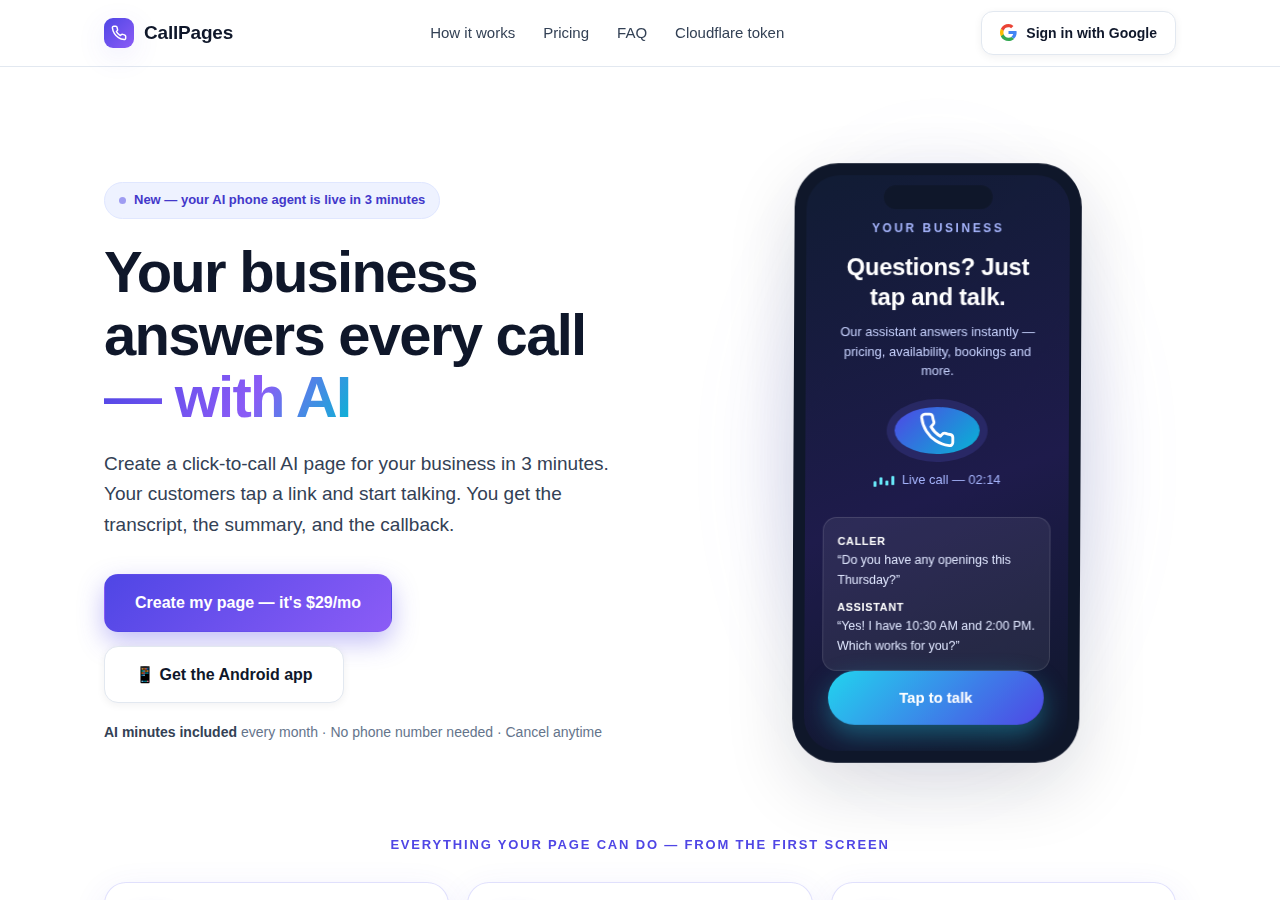
The CallPages home page: a business answering a live AI call on a phone

Today — the page that answers

Your CallPage answers instantly, 24/7: it talks, quotes your real prices, books the appointment inside the call, and leaves you the transcript and summary.
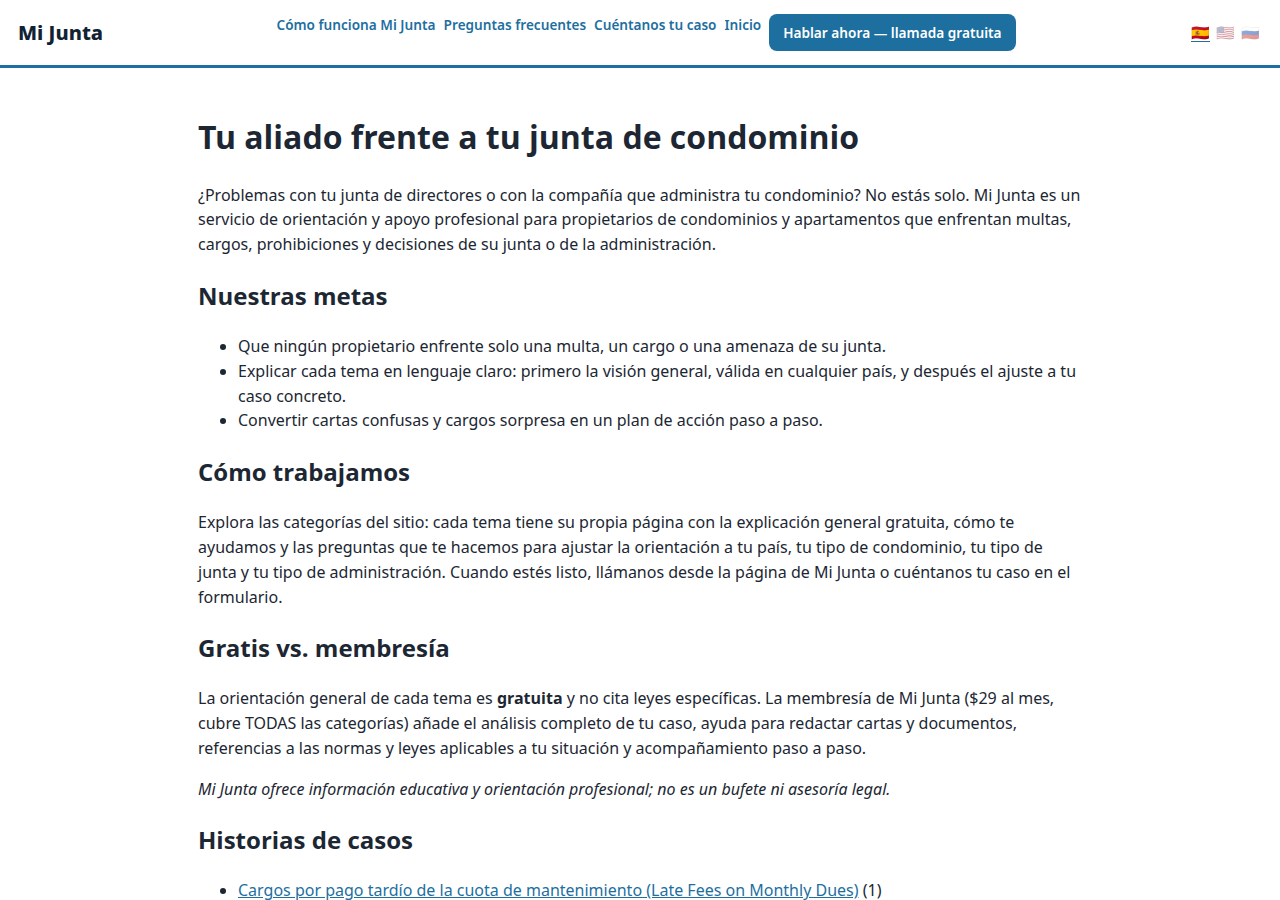
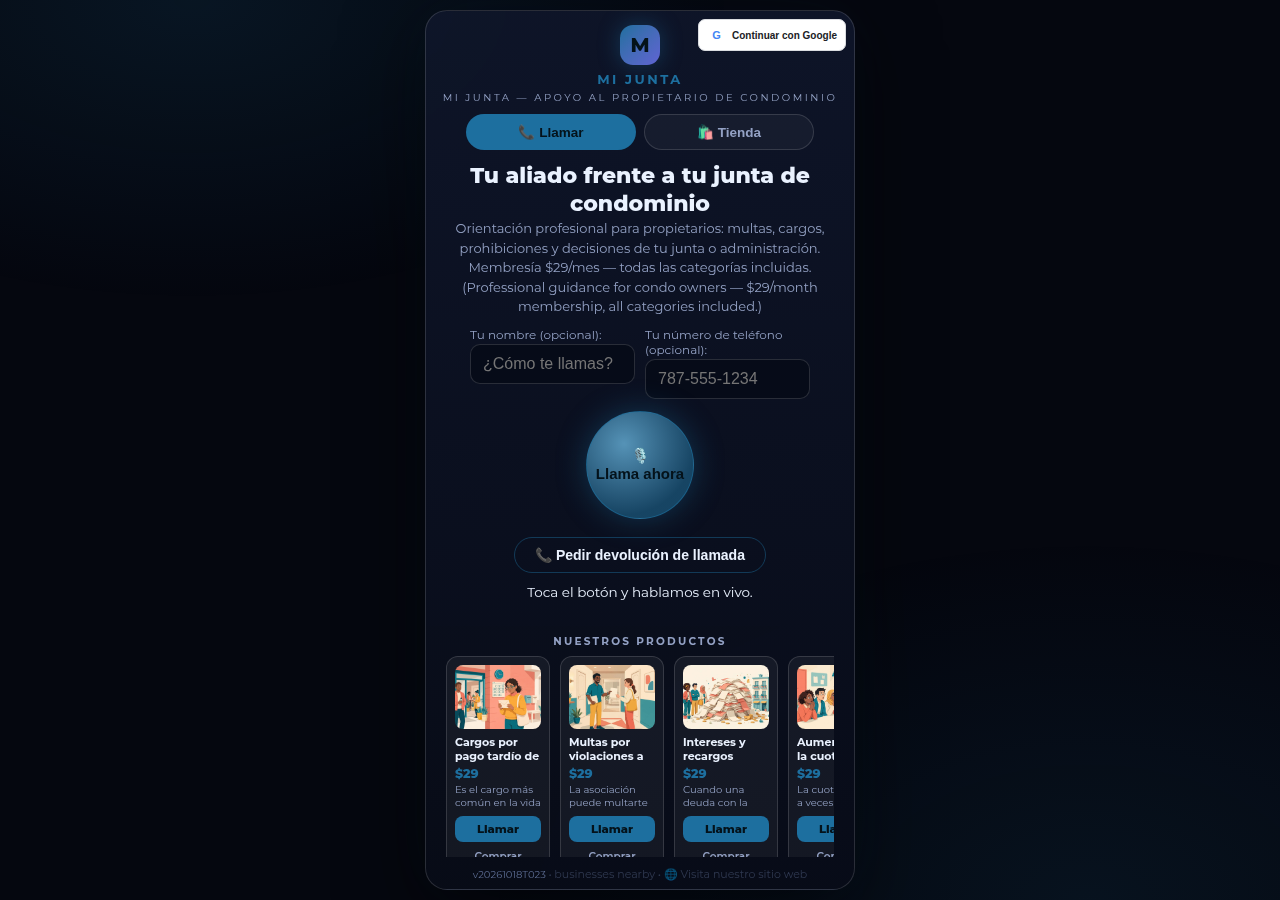
A real business website on CallPages — Mi Junta — with its store and call button in reach

Tomorrow — the agent that grows the business

The same agent follows up, confirms, reminds, and learns your catalog cold — a front desk that never sleeps, in your customers' languages.

Live demo
● LIVE DEMO

Don't take our word for it — talk to one

This is a real CallPage, live on this very page: Mi Junta, a Puerto Rico homeowners' advice service. Chat with its helper, or tap the call button and speak — the agent speaks first, and you can just listen: no microphone is ever required to start.

Open the demo page →

Demo calls are real calls with a real CallPage — please be kind, a transcript goes to the page owner.

How it works

Live in three steps. Really.

No equipment, no setup calls, no technical anything. If you can fill out a form, you can do this.

1

Sign in with Google

One click with your Google account. No passwords to remember, no accounts to manage.

~30 seconds
2

Describe your business

Tell the AI what you do, what you sell, and how you greet callers — in plain words. Pick a voice and a brand color.

~2 minutes
3

Share your link

Get your own page link. Customers tap it on any phone and start talking — instantly, like a call, in their browser.

Done
What's new · Novedades

Release notes — Oct 22 · Blog · Learning Center
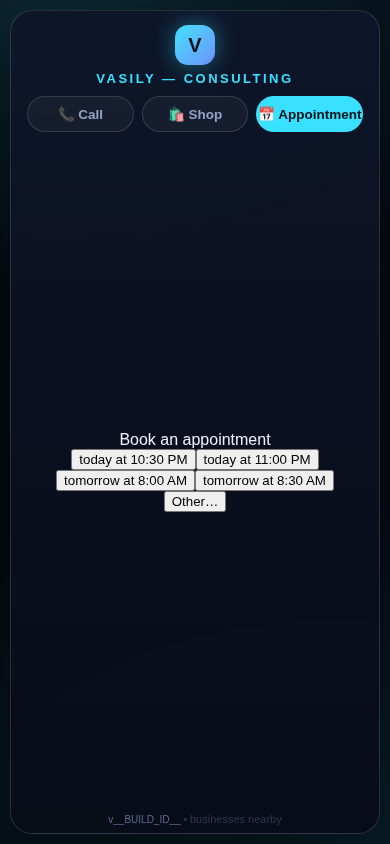
The in-call appointment slot picker on a CallPages page, showing open time slots computed from the page's own appointment book

Appointments belong to CallPages: booking works on every page, Google Calendar only syncs

CallPages' own appointment system is now the system of record on every page: booking is on by default everywhere, and a Google Calendar is only a sync target — never a gate.
See how it works →

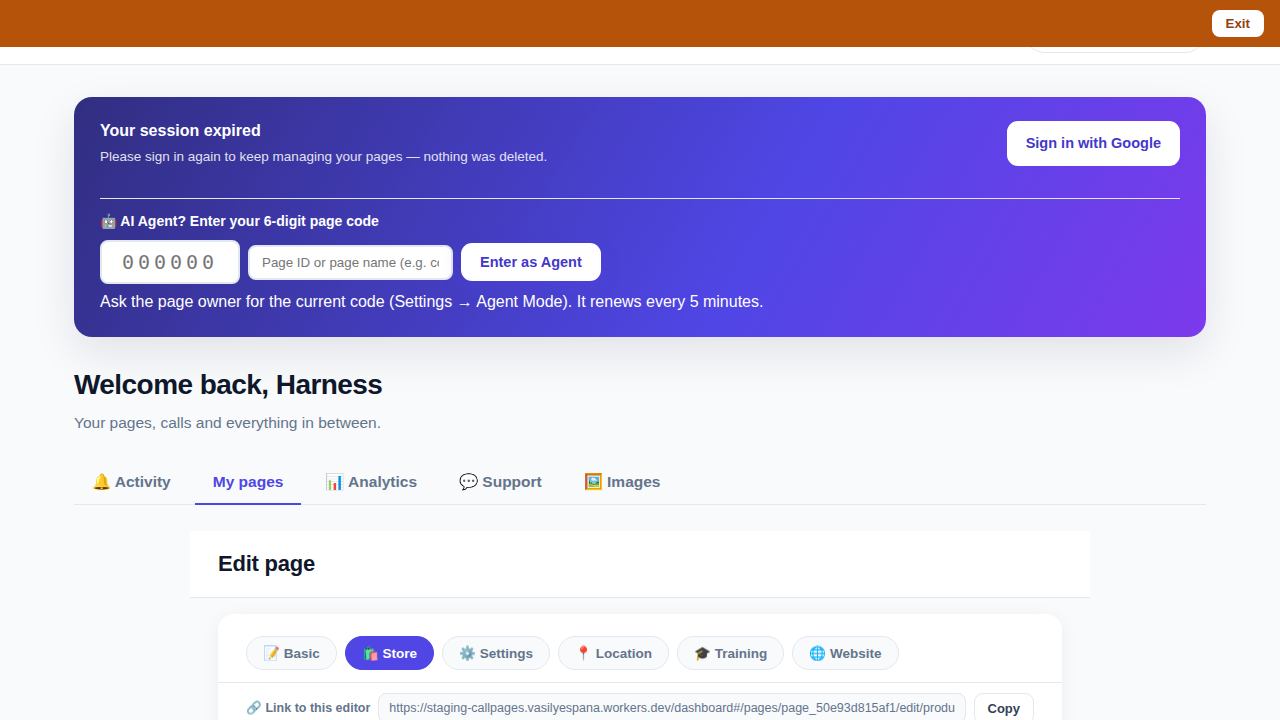
The CallPages dashboard with a page's product editor open and the bookmarkable editor link row visible above the product list

Bookmark the editor: deep links into your page, and a light My Pages landing

Every editor tab in the CallPages dashboard now has its own bookmarkable link that survives sign-in, and the dashboard opens on the light My Pages list instead of the heavy Activity feed.

See how it works →

Illustration: a phone showing a website page as stacked blocks — heading, photo, text — with one text block tapped and outlined for editing, a pencil badge, and a glowing + divider between blocks above a button block

The friendly website editor: edit your site exactly as your visitors see it

The Website Studio's block editor is now fully visual: blocks render as the published page itself, you click any block to edit it in place, and a + divider between blocks opens a six-type picker — no Markdown, no guessing.
See how it works →

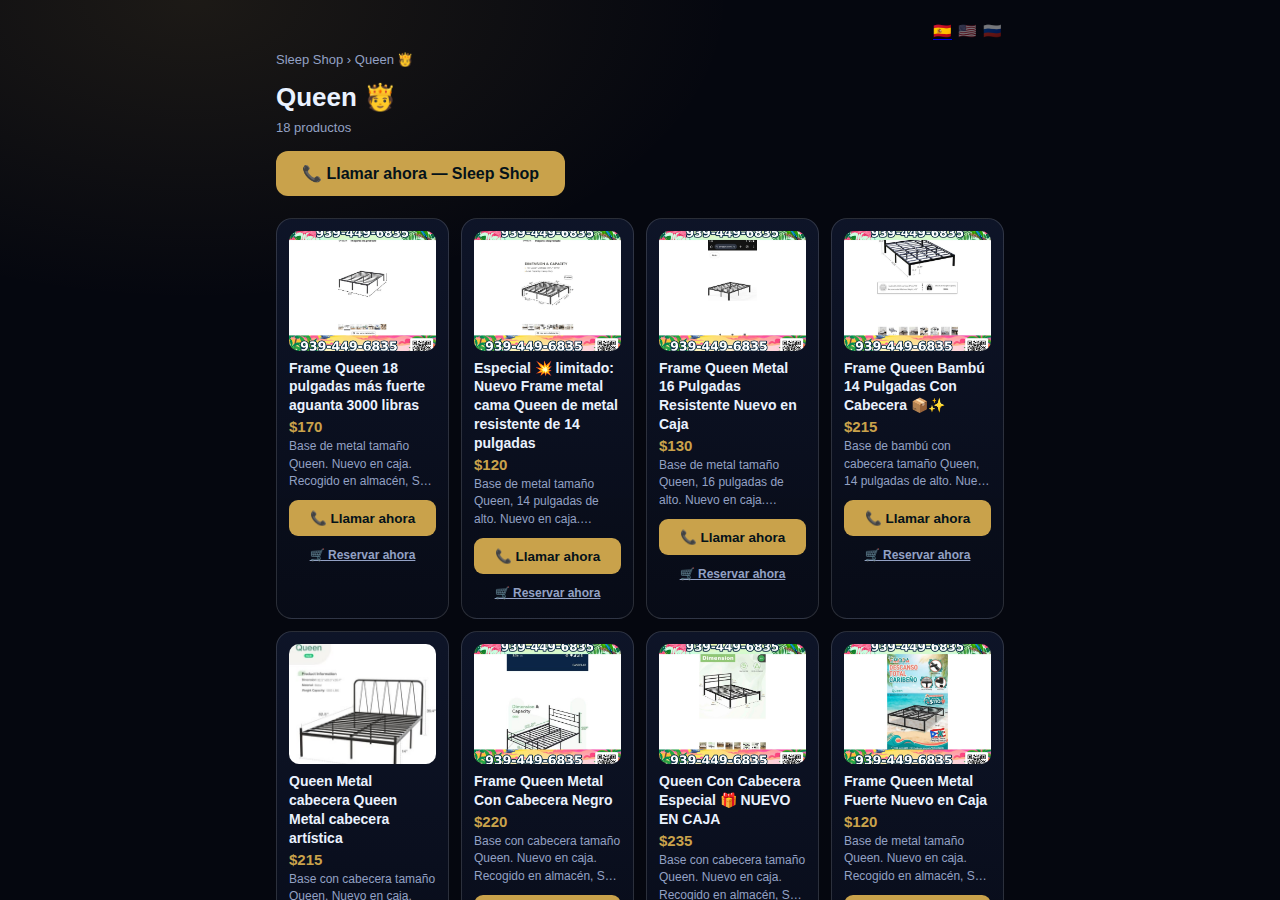
A collection page on CallPages: the Queen collection of a San Juan bed-frame shop at its own /c/queen address, with its products as cards

Collections get their own URLs — and their own place in search

Every collection on a CallPages page now lives at its own address — /p/<page>/c/<collection> — with its own title, description, canonical URL, structured data, and a spot in the page sitemap.
See how it works →

A CallPages page whose store stays browsable during a call: products the customer can tap while the voice agent advises on what they are viewing

The call that lets customers keep shopping

During a CallPages call, customers can tap any product and keep browsing the store — inside the call. The voice agent sees what they're looking at in real time and advises on the item in front of them.

See how it works →

Appointments that follow up by themselves

Booked appointments now manage themselves: a reminder two hours before, confirmation required one hour before, and a private manage page per appointment where the customer can confirm, cancel, or reschedule.
See how it works →

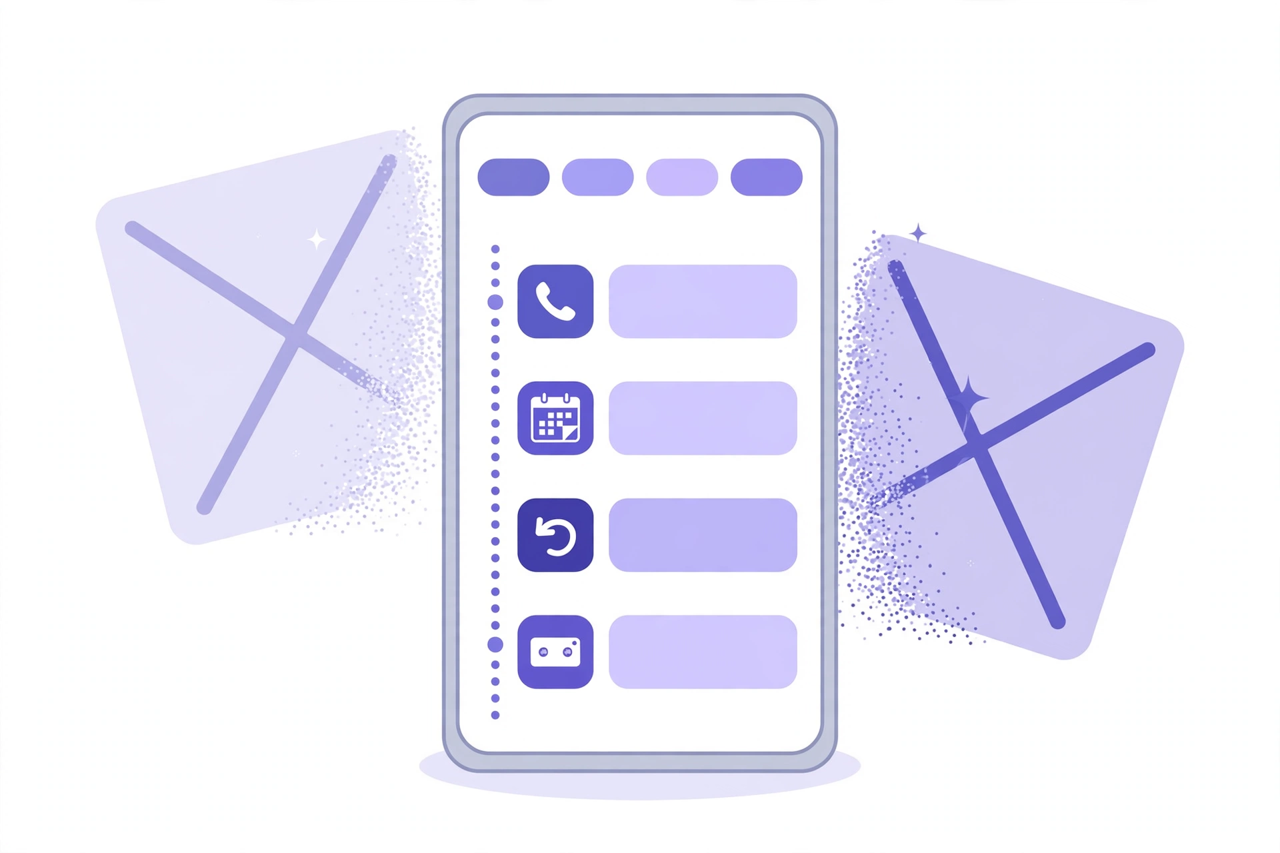
Illustration: a phone showing one unified Activity feed — call, appointment, callback and voicemail rows under filter chips — while two crossed-out separate tabs dissolve behind it

Callbacks and appointments moved in: Activity holds everything now

The dashboard shed two tabs. Callbacks and Appointments/Calendar now live inside Activity at full power — the callback queue, the calendar, Google Calendar — behind the chips you already use.
See how it works →

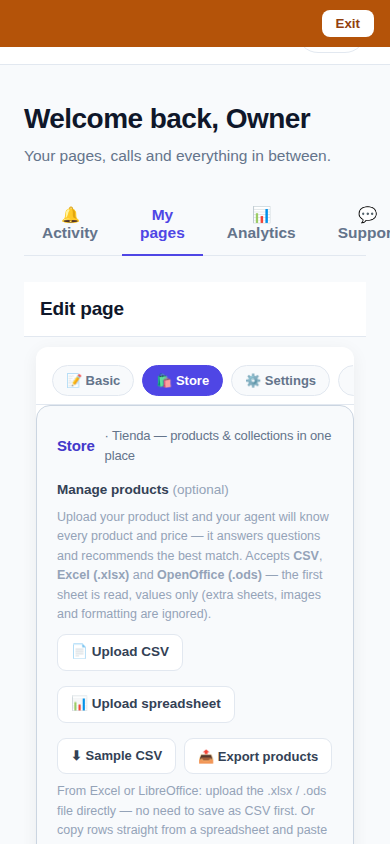
The page editor on a phone with the single Store tab selected: 'Tienda — products & collections in one place'

One Store tab: collections and products, edited together

The Store tab now holds everything: collections on top, products edited right inside them, reorder by drag or arrows — and every change autosaves. No second editor, no Save button.
See how it works →

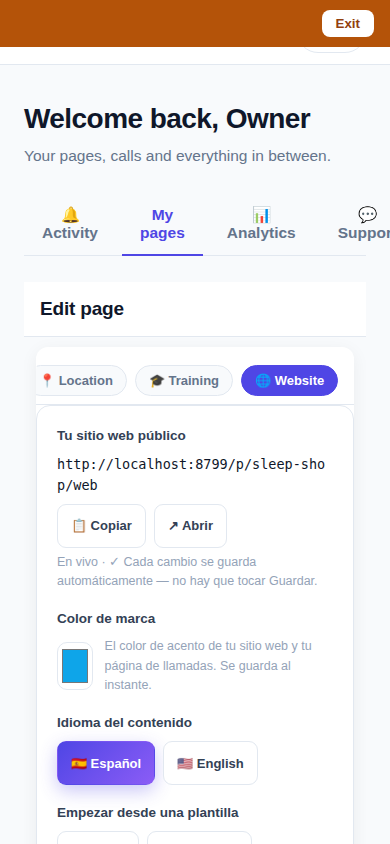
The Website Studio page list on a phone: authored pages grouped by path with per-language published and draft chips

Website Studio: build your whole site from your phone

Every page now has a Website Studio: create your site's pages from templates, edit them block by block, add photos, preview drafts privately, publish when ready — right in the dashboard.

See how it works →

A dashboard header that holds only your account. The dashboard's top bar was de-cluttered: feature shortcuts moved into their own tabs where they belong, and the top-right now holds a single account menu. As a bonus, the plan pill finally tells the truth about your plan. Learn more

Guide agents now know every member of their guide. A city guide's voice agent now carries a complete digest of every member business — names, areas, categories, signature items with real prices, hours and phones — and never claims not to know a business its own guide lists. Learn more

Product pages now answer themselves in Google AI Mode. Every product page can end with a questions section — real questions about that product, each one a tap away from asking Google AI Mode, which answers from the product's own published facts. Learn more

Delete that actually deletes — and a Hide that keeps selling. Deleting a product in the dashboard now removes it for real, the moment you tap. And a new Hide turns the product's page into an honest 'Agotado' with similar products instead of a dead end. Learn more

Release notes — Oct 19 · Blog · Changelog · Learning Center · Learning Center

Illustration: an abstract admin console with owner and customer account cards side by side, a magnifier, and a settings gear

One console for every account

The CallPages admin console now shows page owners and consumer accounts side by side, lets an admin step into any account to help, and edit any page's settings.
See how it works →

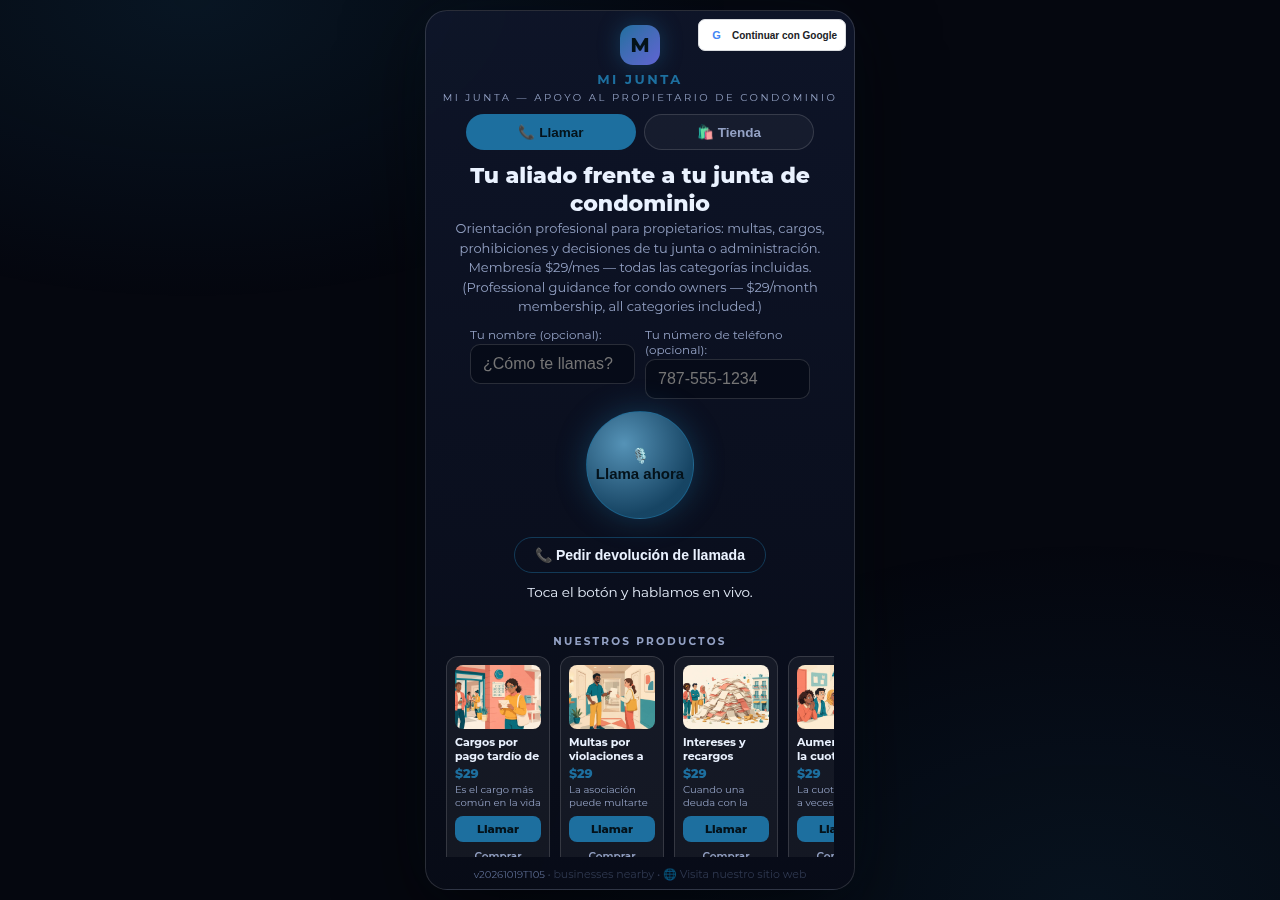
Mi Junta's CallPages page in production: the call is the front door of the page, and appointments are arranged inside that conversation

Appointments live inside the call now

Booking an appointment now happens inside a live call, with the voice agent, in the middle of the conversation it belongs to. The public booking form — and the spam it invited — is gone.
See how it works →

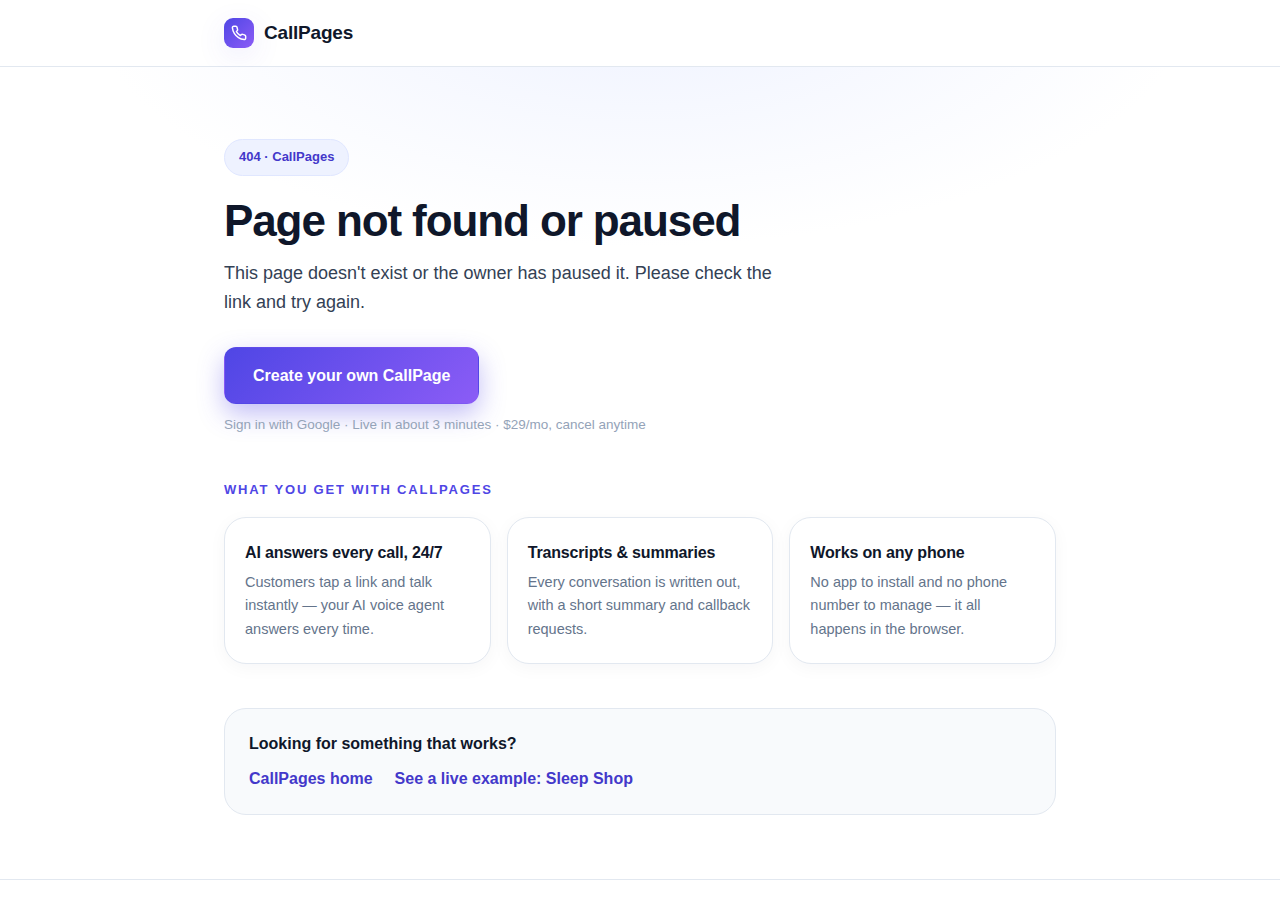
The branded CallPages 404 page: Page not found or paused, with an explanation, a create-your-own button, and cards describing what CallPages offers

Even a wrong link looks like CallPages now

Every error on CallPages — a mistyped address, a paused page, a product that moved — now renders as one branded page that explains what happened and shows the way forward.
See how it works →

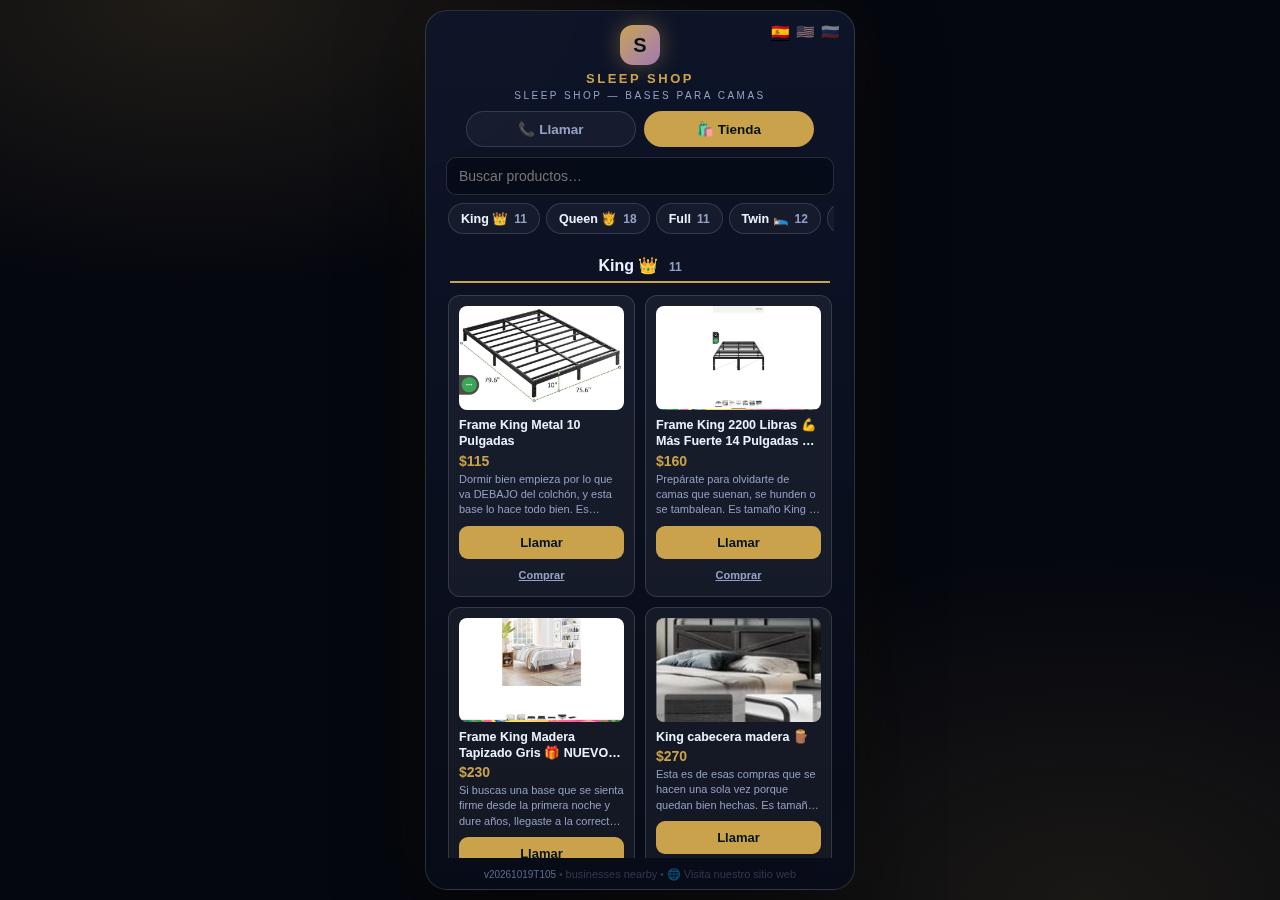
The Sleep Shop store on CallPages with its collection tab bar: King 11, Queen 18, Full 11, Twin 12 above the King collection's product grid

Every collection, one tap away

A CallPages shop now carries a collection tab bar: each collection sits in a sticky row with its product count, and tapping jumps straight to it — same page, all products, no reloads.

See how it works →

Illustration: a small business storefront connected by a glowing arc to a globe, its page living at its own web address

Your page, on your own domain

A CallPages page can now live on the business's own domain — the address on its signs, cards, and receipts — with the call, the store, and the agent answering there unchanged.

See how it works →

Illustration: a store product grid whose empty photo placeholders are being filled by bright product photos flowing in from a sparkling source

Product photos without a photo shoot

A catalog no longer waits for a camera: CallPages can fill in product photos from free image providers, chosen and controlled from Settings.

See how it works →

The new CallPages home page hero: Your business answers every call — with AI, beside a phone showing a live call with a caller asking about Thursday openings

A new front door for CallPages

The CallPages home page has been rebuilt: a hero that shows a live AI call on a phone, and the product's real features integrated into the first screen instead of listed somewhere below.

See how it works →

Illustration: a product page on a phone with a quiet chat bubble opening at the bottom and a glowing microphone button beside it

The Silent Magic Helper, on every page

The Silent Magic Helper is now on by default for every CallPages page — existing and new — and its chat sessions are logged as calls, right beside the voice ones.
See how it works →

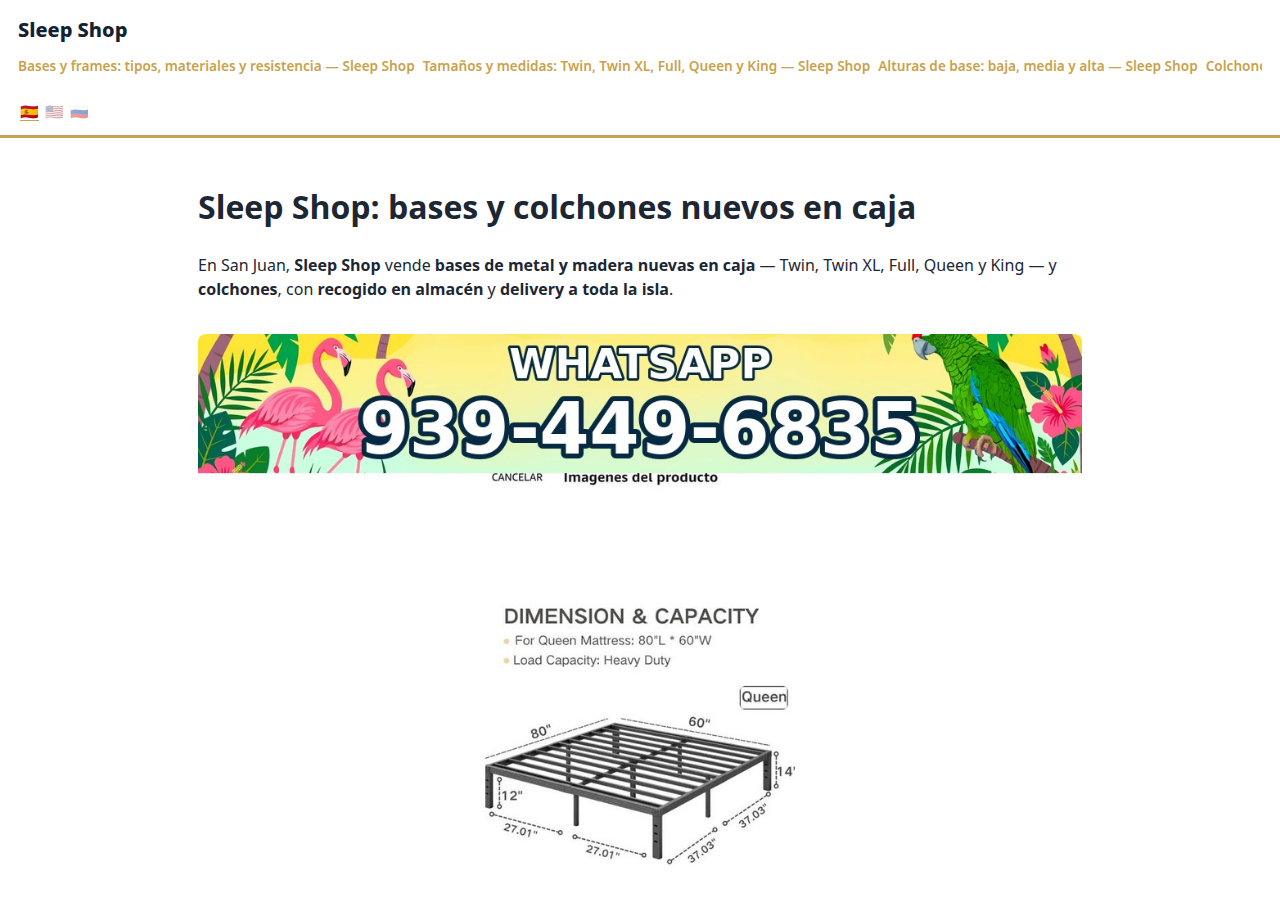
Sleep Shop's website on CallPages in production — the web face of the page that now also carries its own sleep-shop@callpages.me address

Every page gets its own email address

Every CallPages page now has its own email address — <page>@callpages.me — and new pages greet their owners with a welcome email. A page is reachable by call, by web, and by mail.

See how it works →

Illustration: a completed payment card flowing into an envelope, a calendar appointment, and a reminder bell, connected by one glowing path

What happens after the payment, automatically

A payment on CallPages now sets its own follow-through in motion: confirmations and next steps happen on their own, and the owner watches it all land in Activity.
See how it works →

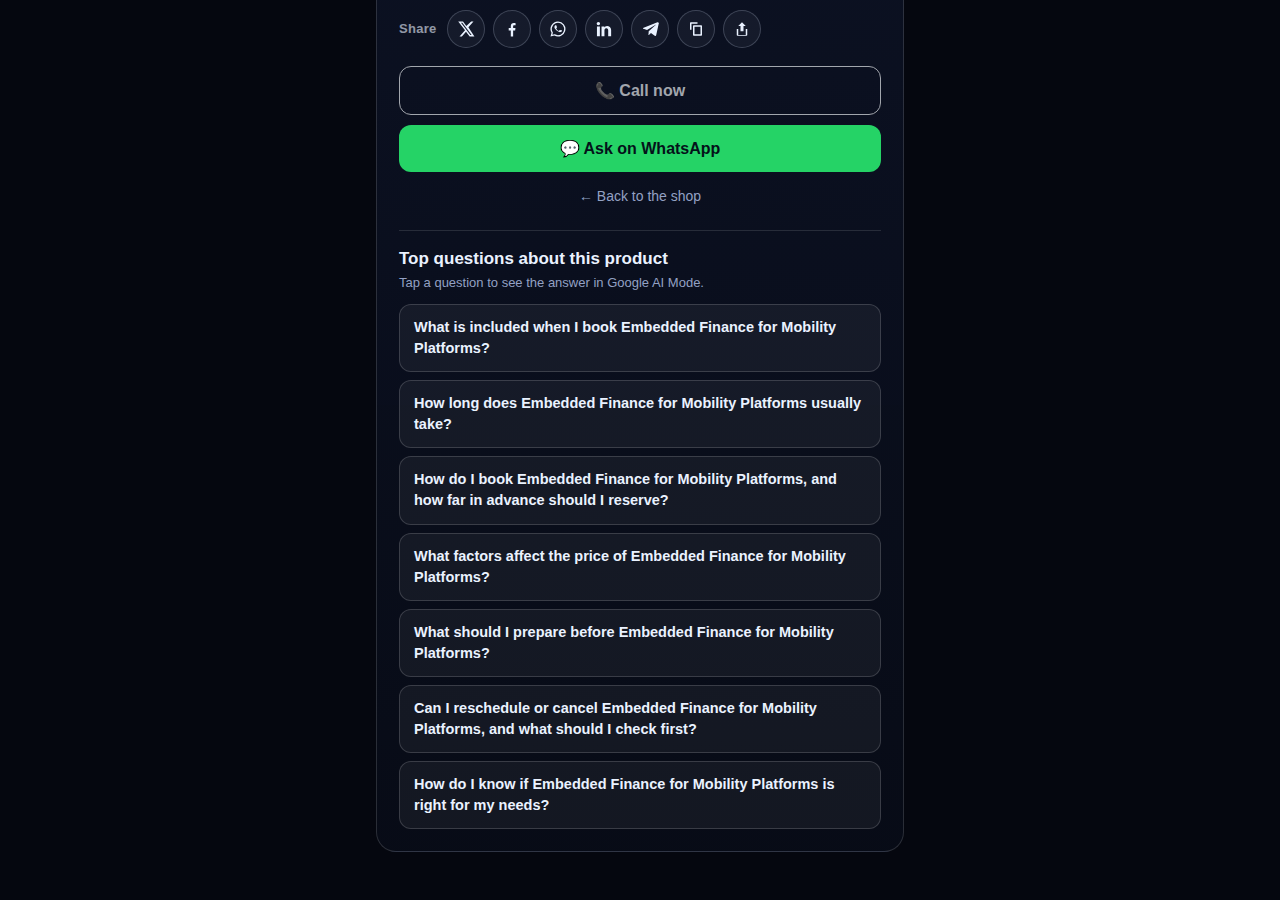
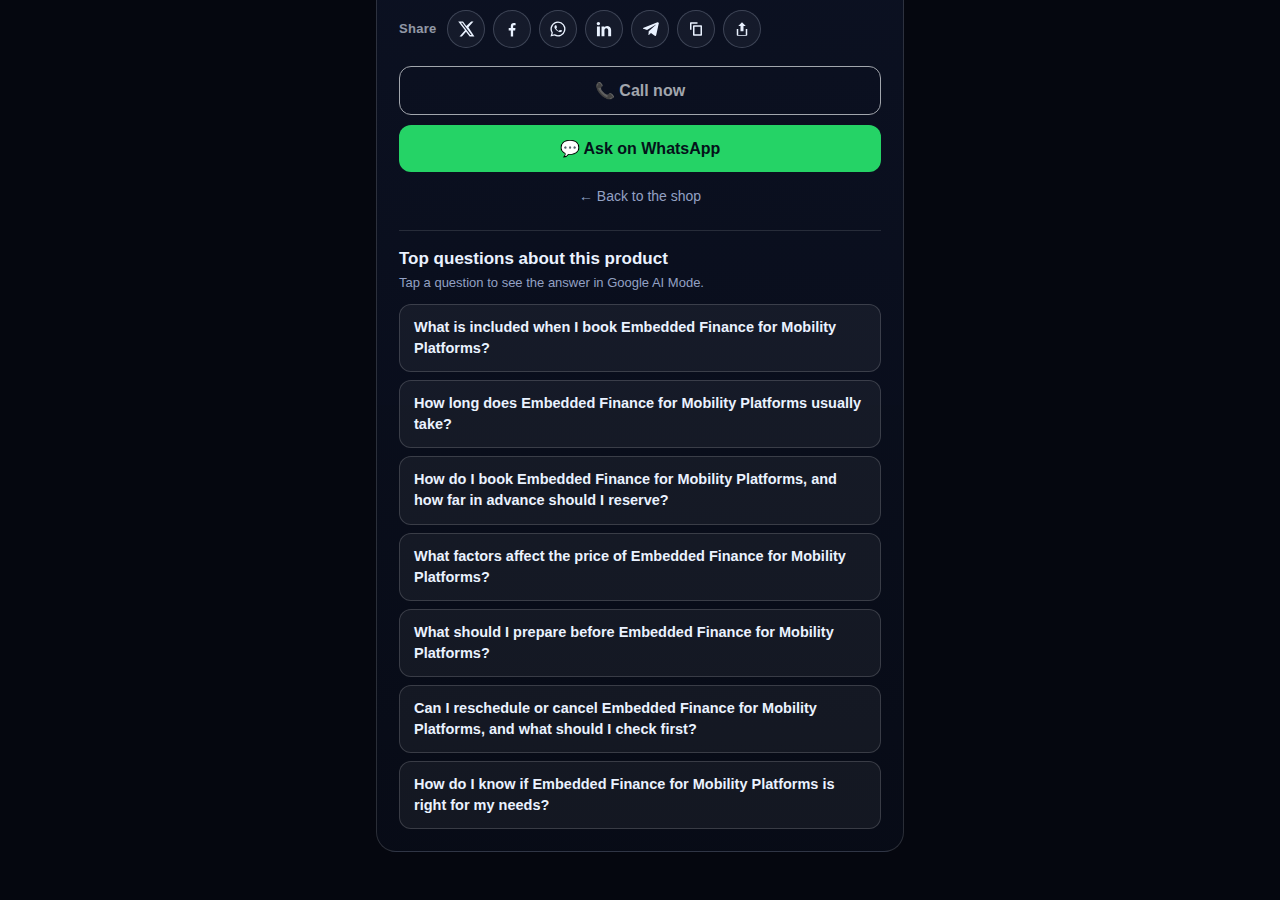
A consulting product page on CallPages whose top questions are about the service itself: what is included, how long it takes, how far ahead to book, and what affects the price

Questions that belong to the product

The questions on a product page are now written from that product itself — its name, its photo, its description — so a consulting session gets consulting questions and a bed frame gets frame questions.
See how it works →

The share row on a live CallPages product page: X, Facebook, WhatsApp, LinkedIn, Telegram, copy-link, and share buttons above the call button

Every page and product, ready to share

Pages and products now carry a proper share row — X, Facebook, WhatsApp, LinkedIn, Telegram, and copy-link — so anything worth finding is one tap from being passed on.

See how it works →

Mi Junta's website on CallPages in production, rendered in the current design generation: clean navigation, clear sections, and the call to action always in reach

WOW Design v2 — and styles that remember

Pages and websites get a new design generation, WOW Design v2, and page styles are now versioned: when a look changes, the old one is kept, not overwritten.

See how it works →

Real pages · Real products

Businesses already answering with AI

Real CallPages, live right now — with their real products and real prices. Tap any of them and talk to the business yourself.
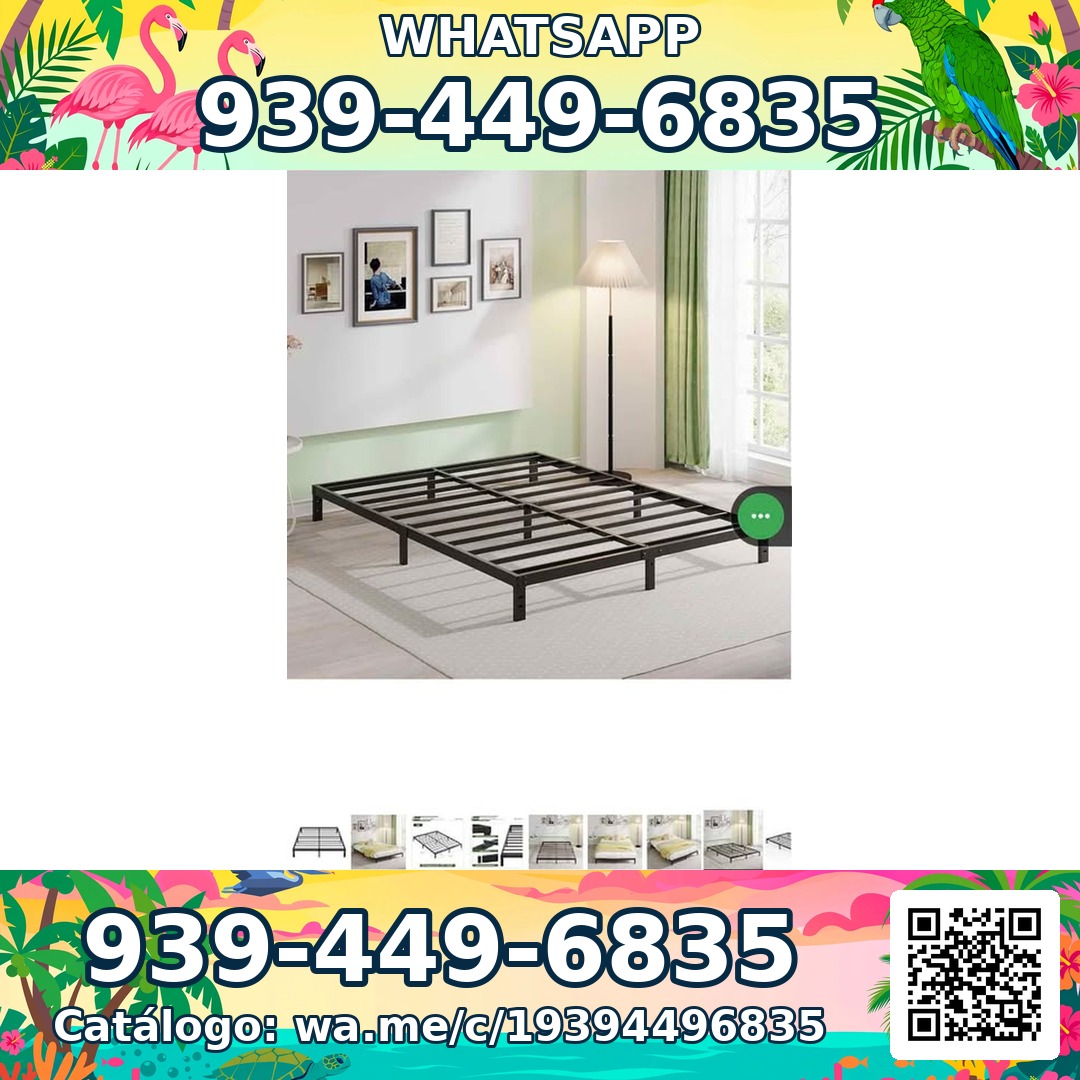
Sleep Shop — a metal bed frame product photo from the live store

Sleep Shop

Bed frames & mattresses in San Juan, Puerto Rico — island-wide delivery in about an hour.

Frame Full 8 Pulgadas — product photoFrame Full 8 Pulgadas 🎁 NUEVO EN CAJA$99
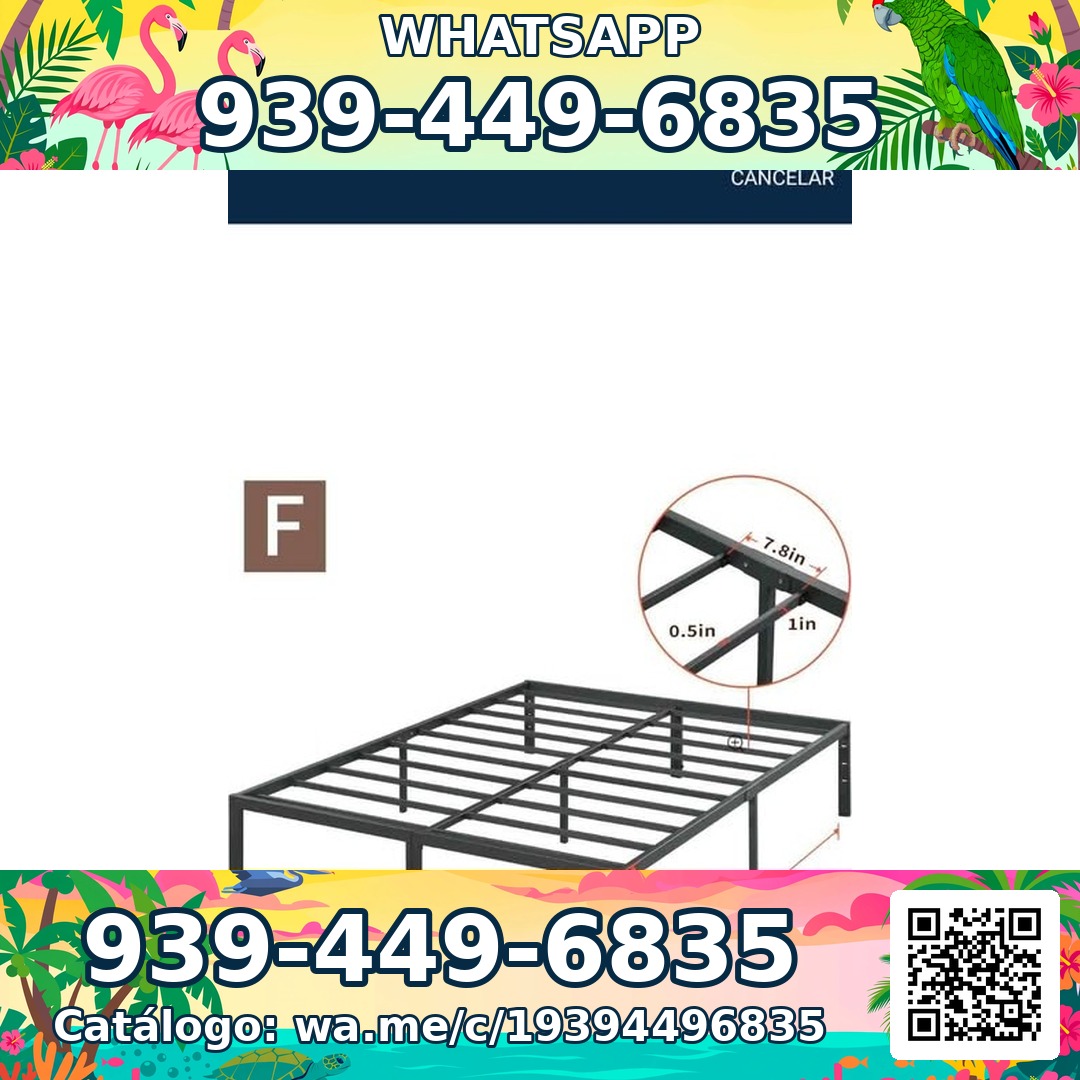
Frame Full 3000 Libras Acero 18 Pulgadas — product photoFrame Full 3000 Libras Acero 18 Pulgadas 💪 📦✨$160
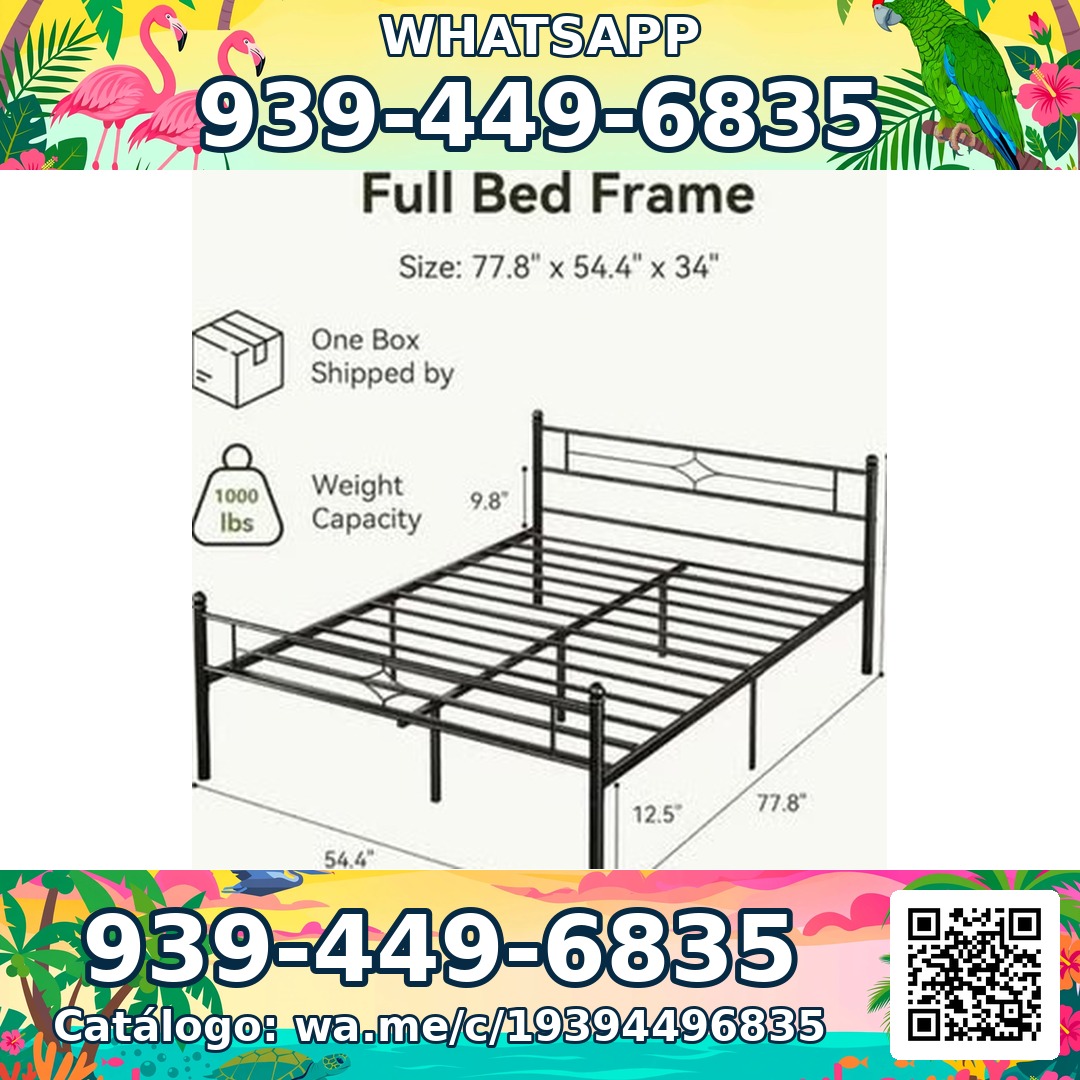
Frame Full Metal Con Cabecera Vintage — product photoFrame Full Metal Con Cabecera Vintage 🎁 NUEVO EN CAJA$180

Mi Junta — advice for condo owners about late HOA dues

Mi Junta

Help for Puerto Rico condo owners facing HOA fines, late fees and unexplained charges.

Cargos por pago tardío de la cuota de mantenimiento — topic imageCargos por pago tardío de la cuota de mantenimiento (Late Fees on Monthly Dues)$29

Multas por violaciones a las reglas — topic imageMultas por violaciones a las reglas (Rule-Violation Fines)$29

Intereses y recargos acumulados por mora — topic imageIntereses y recargos acumulados por mora (Accumulated Interest & Late Charges)$29

Vasily — executive advisory on future tech and mobility

Vasily — Consulting

Consulting on future tech, mobility and product strategy — advisory sessions and deep-dive workshops.

Executive Advisory Session — session imageExecutive Advisory SessionConsultar
Diligence Sprint — session imageDiligence SprintConsultar
Priority Scheduling — session imagePriority Scheduling$2,000
Ferretería Ramón — construction materials at a San Juan hardware store

Ferretería Ramón

A neighborhood hardware store in San Juan — its whole catalog on one page, one tap from a call.

Arena de Río — product photoArena de Río

Arena Fina — product photoArena Fina
Cemento (Saco) — product photoCemento (Saco)
Free forever

One page. A whole phone team.

Every CallPages page comes with everything you need to never miss a customer again — free. Your basic page, your products with descriptions, your calls, your website: all free, always.

Illustration: a business page living at its own web address

Your own dedicated link

Every page gets a unique link like yourbusiness.callpages.com — put it on your website, Google profile, invoices and socials.

Illustration: two phones with voice waves — a test call to your own page

Test calls anytime

Try your own page as a customer would — tap, talk, and hear exactly what your callers will hear.
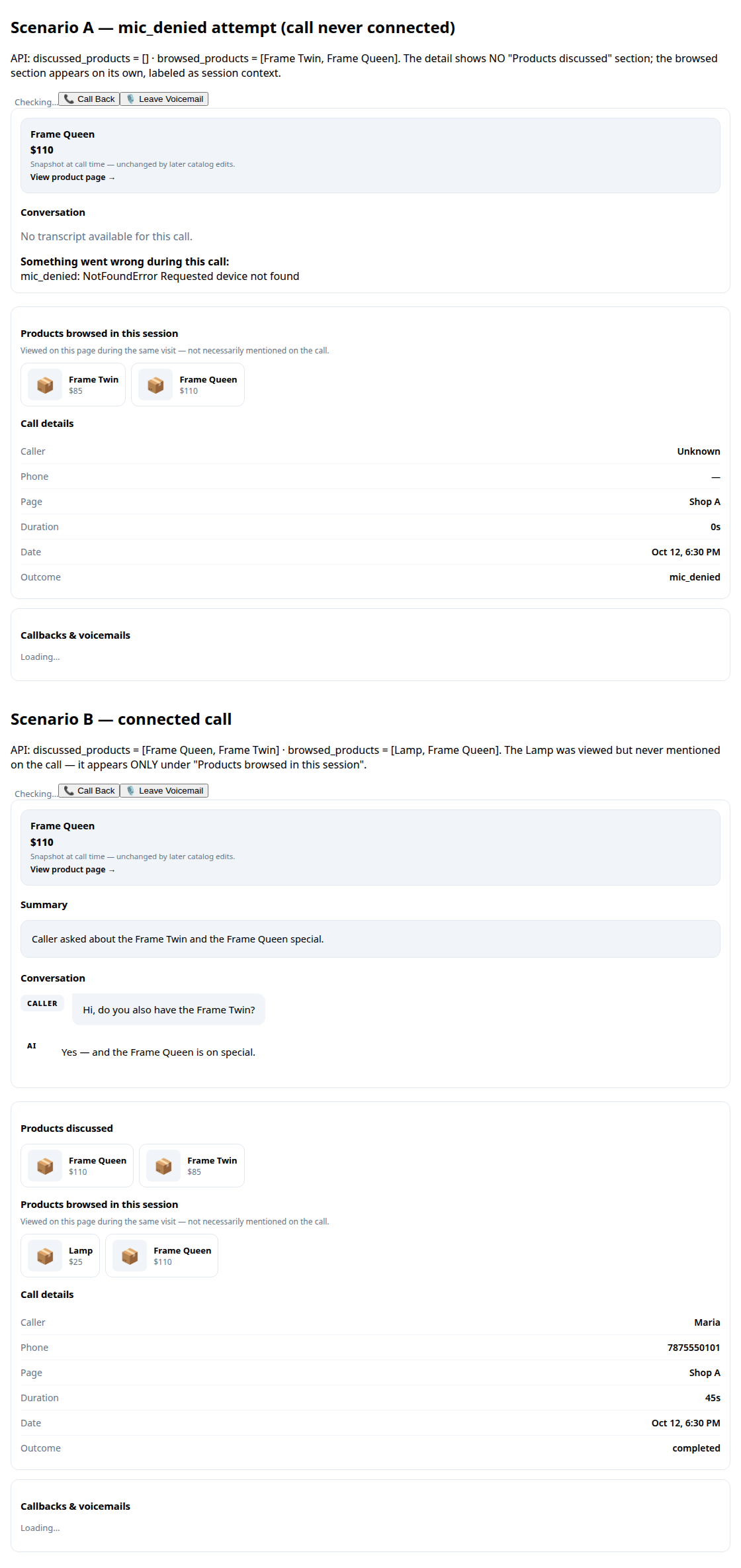
A call record in production: transcript and the products browsed during the call

Transcripts & summaries

Every conversation is written out for you, with a short summary so you know what happened in seconds.
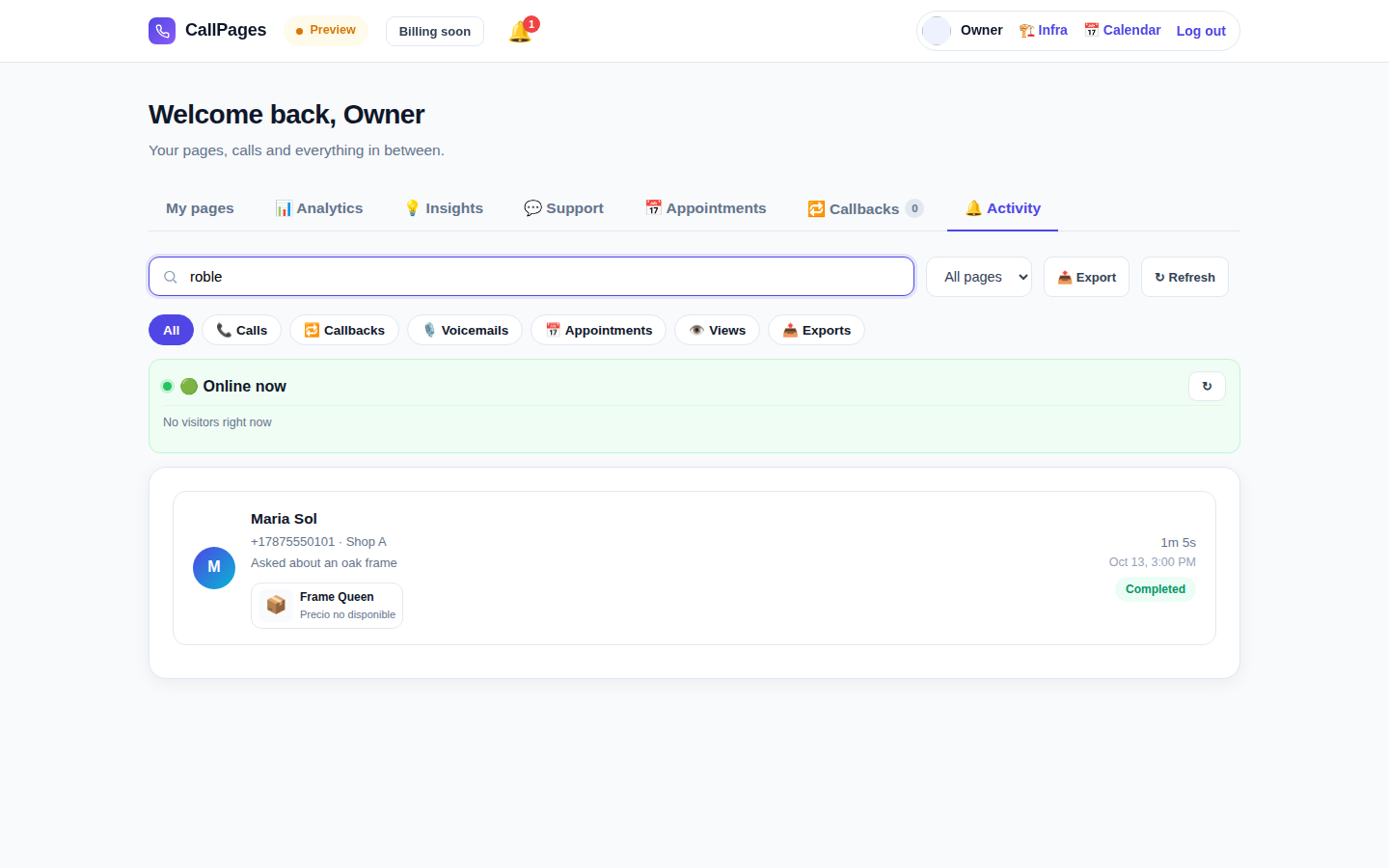
The Activity tab in production: every call, searchable

Searchable call history

Find any call instantly — search by caller name, number, or anything said in the conversation.

Mi Junta's website in production, wearing its own branding

Your branding

Your business name, your colors, your greeting. Your page looks like you — not like us.

Illustration: a merchant with their business dashboard on a phone

Works on any phone

Callers just open the link in their browser — iPhone or Android, no app to install, no account needed.

A product page in production asking questions drawn from the product itself

Knows your products

Upload your product list and your agent quotes exact prices, answers questions, and recommends the right product — never makes one up.

Speaks your customers' language

Pages and agent speak the languages you choose — this website alone is published in 24 of them.

🇪🇸 🇺🇸 🇫🇷 🇧🇷 🇩🇪 🇮🇹 🇳🇱 🇵🇱 🇷🇺 🇺🇦 🇨🇳 🇯🇵 🇰🇷 🇸🇦 🇮🇳 🇹🇷 🇮🇩 🇻🇳 🇹🇭 🇵🇭 🇧🇩 🇮🇷 🇸🇪 🇬🇷

Free forever

Free forever. Premium when you grow.

Every basic feature is free — your call page, your products with descriptions, your calls, your website. When you’re ready for more, the Premium Suite is $29/month per page.

Premium Suite
$29/month per page

The extensive premium suite for businesses that run on calls

  • Everything in Free, plus the premium suite
  • Up-leveled call management — every call, handled
  • Callbacks of all kinds
  • The full appointments suite — booking, reminders, confirmations
  • Custom domains, personal service and priority support
Start — Sign in with Google
Secure checkout · Cancel anytime
FAQ

Questions, answered.

Plain answers, no technical jargon.

Is the basic page really free?
Yes. Every basic feature — your call page, your products with descriptions, AI voice calls, transcripts and summaries, and your own website — is free forever. No credit card, no trial, no catch. The optional Premium Suite ($29/month per page) adds up-leveled call management, callbacks, the full appointments suite, custom domains, and personal service.
What languages does the AI speak?
This website is published in 24 languages — tap a flag at the top and everything switches. Your page speaks the languages you choose for it: the AI greets callers and holds the whole conversation in that language, and a page can run in several languages at once.
How do the calls actually work?
You share your page link anywhere — your website, Google Business profile, invoices, social media. Your customer taps the link, taps the call button, and starts talking in their browser. The AI answers instantly, 24/7. After the call, you get the full transcript and a short summary in your dashboard.
What counts as an AI minute?
One AI minute is one minute of a live conversation with your AI. Every page includes AI minutes for live conversations — most small businesses never come close to the fair-use limit.
Can I cancel anytime?
Yes. There are no contracts and no cancellation fees. Manage your subscription from your dashboard in one click, and your pages stay active until the end of the billing period.

Share CallPages

Know a business that keeps missing calls? Pass it on.

Share
/* public/theme-switcher.js — LANE 4 top-fixed theme switcher (Vasily, 2026-10-23). * * A floating pill, always visible at the very top of the page, with three * segments: Lame White / Current / Acid. Zero friction, unlimited changes. * - Instant: swaps + localStorage("cp-theme") immediately. * - Owner mode (dashboard, data-theme-mode="owner"): also persists to the * account in D1 via POST /api/owner/theme (fire-and-forget; the UI * never waits for the network). * - Visitor mode (public pages, data-theme-mode="visitor"): local only — * the visitor plays with themes without affecting anyone. * * Inlined into dashboard/dialer/landing/my-callpage by build.js at the * theme-switcher placeholder (plain script, no modules, no deps). * Unit-tested in node with stubbed DOM (src/theme-switcher.test.js). */ (function () { "use strict"; var THEMES = [ { id: "lame-white", label: "Lame White" }, { id: "current", label: "Current" }, { id: "acid-v1", label: "Acid" }, ]; var KEY = "cp-theme"; var MOUNT_ID = "cpThemeSwitcher"; function norm(v) { if (v === "lame-white" || v === "current" || v === "acid-v1") return v; if (v === "dark") return "current"; // legacy migration if (v === "light") return "lame-white"; // legacy migration return null; } function getMode(doc) { var m = doc.documentElement.getAttribute("data-theme-mode"); return m === "owner" ? "owner" : "visitor"; } function currentTheme(doc, ls) { var t = null; try { t = norm(ls.getItem(KEY)); } catch (e) {} if (!t) t = norm(doc.documentElement.getAttribute("data-theme")); return t || "current"; } function applyTheme(id, doc, ls) { id = norm(id) || "current"; doc.documentElement.setAttribute("data-theme", id); try { ls.setItem(KEY, id); } catch (e) {} return id; } function persistOwnerTheme(id, fetchFn) { // Fire-and-forget: the UI already applied instantly; a failed save // just means the next load falls back to the previous account theme. try { var p = fetchFn("/api/owner/theme", { method: "POST", headers: { "Content-Type": "application/json" }, body: JSON.stringify({ theme: id }), }); if (p && typeof p.catch === "function") p.catch(function () {}); } catch (e) {} } function setTheme(id, doc, ls, fetchFn) { id = applyTheme(id, doc, ls); if (getMode(doc) === "owner" && typeof fetchFn === "function") { persistOwnerTheme(id, fetchFn); } syncPill(doc, id); return id; } function syncPill(doc, activeId) { var pill = doc.getElementById(MOUNT_ID); if (!pill) return; var btns = pill.querySelectorAll ? pill.querySelectorAll("button[data-theme-id]") : []; for (var i = 0; i < btns.length; i++) { var b = btns[i]; var on = b.getAttribute("data-theme-id") === activeId; b.setAttribute("aria-pressed", on ? "true" : "false"); } } function render(doc, ls, fetchFn) { var mount = doc.getElementById(MOUNT_ID); if (!mount) { mount = doc.createElement("div"); mount.id = MOUNT_ID; (doc.body || doc.documentElement).appendChild(mount); } // Rebuild idempotently. while (mount.firstChild) mount.removeChild(mount.firstChild); var pill = doc.createElement("div"); pill.className = "cp-theme-switcher"; pill.setAttribute("role", "group"); pill.setAttribute("aria-label", "Theme"); var label = doc.createElement("span"); label.className = "cp-ts-label"; label.setAttribute("title", "Prueba los temas — cambia el look al instante"); label.textContent = "🎨 Temas"; pill.appendChild(label); THEMES.forEach(function (t) { var b = doc.createElement("button"); b.type = "button"; b.setAttribute("data-theme-id", t.id); b.setAttribute("aria-pressed", "false"); b.title = t.label; b.textContent = t.label; b.addEventListener("click", function () { setTheme(t.id, doc, ls, fetchFn); }); pill.appendChild(b); }); mount.appendChild(pill); syncPill(doc, currentTheme(doc, ls)); } function init(doc, ls, fetchFn) { render(doc, ls, fetchFn); } var api = { THEMES: THEMES, KEY: KEY, MOUNT_ID: MOUNT_ID, norm: norm, getMode: getMode, currentTheme: currentTheme, applyTheme: applyTheme, setTheme: setTheme, syncPill: syncPill, render: render, init: init, }; // Safe storage: localStorage throws on opaque origins (file://, about:blank // in tests) — fall back to an in-memory shim so the pill always renders. function safeStorage(win) { try { var ls = win.localStorage; ls.getItem("__cp_probe__"); return ls; } catch (e) { var mem = {}; return { getItem: function (k) { return Object.prototype.hasOwnProperty.call(mem, k) ? mem[k] : null; }, setItem: function (k, v) { mem[k] = String(v); }, removeItem: function (k) { delete mem[k]; }, }; } } // Browser: auto-mount (the early script already set data-theme). if (typeof document !== "undefined" && typeof window !== "undefined") { var boot = function () { try { init(document, safeStorage(window), window.fetch.bind(window)); } catch (e) {} }; if (document.readyState === "loading") { document.addEventListener("DOMContentLoaded", boot); } else { boot(); } window.cpSetThemeId = function (id) { return setTheme(id, document, safeStorage(window), window.fetch.bind(window)); }; window.cpThemeSwitcher = api; } // node (unit tests). if (typeof module !== "undefined" && module.exports) { module.exports = api; } })();